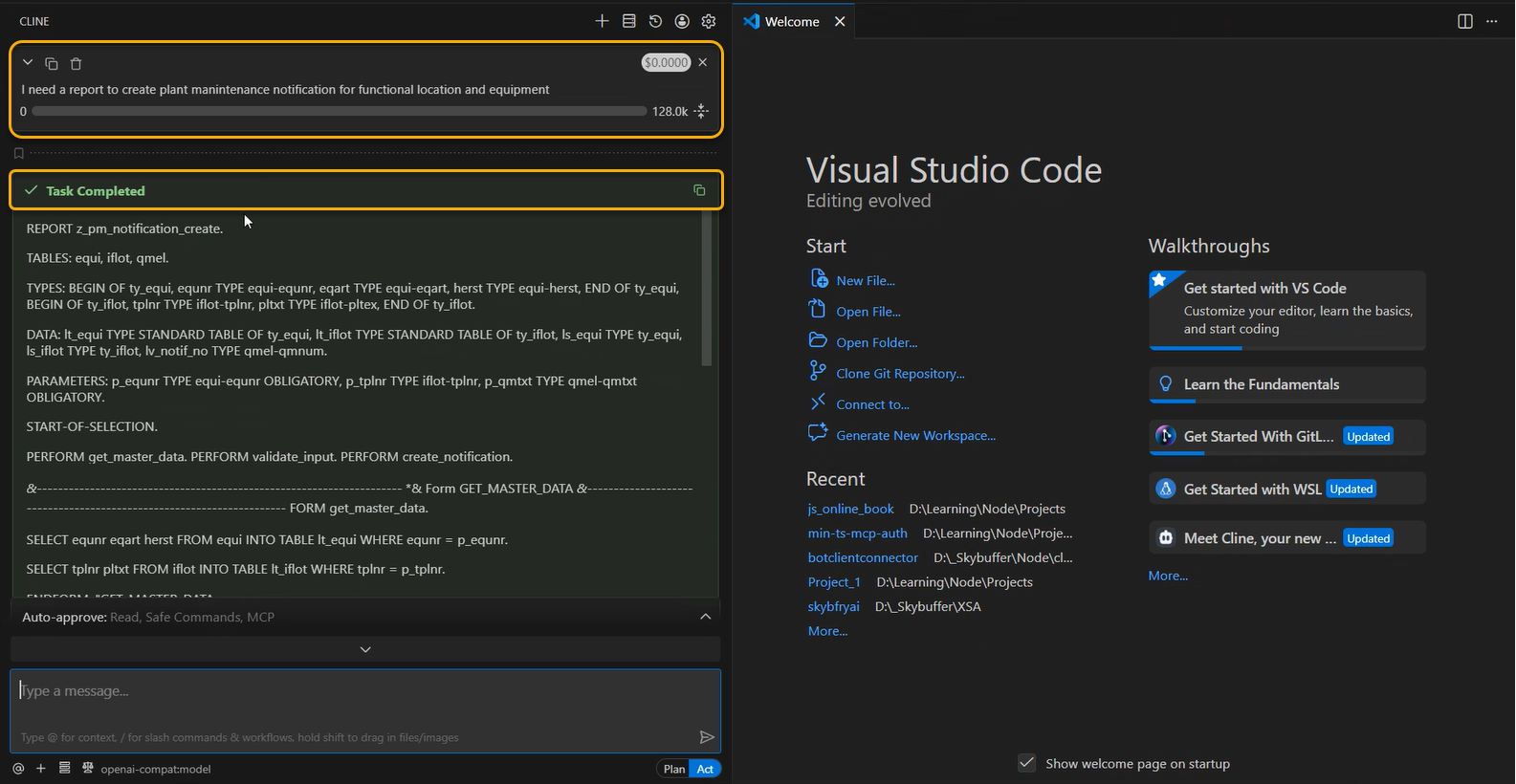
The OpenAiCompatible Communication Channel allows the solution to be accessed using an interface aligned with the OpenAI API. It enables external tools and agents to connect using a familiar API, while all requests are processed internally by the native MPC execution model.
One example of such a tool is Cline, an open-source AI coding assistant and autonomous coding agent that runs inside Visual Studio Code (and other VS Code–based editors). Cline goes beyond simple code completion by understanding the full codebase, planning multi-step changes, and executing actions with user approval.
Channel Creation
Step 1. Open the AI Agent Configurator application in the AI Agent group.

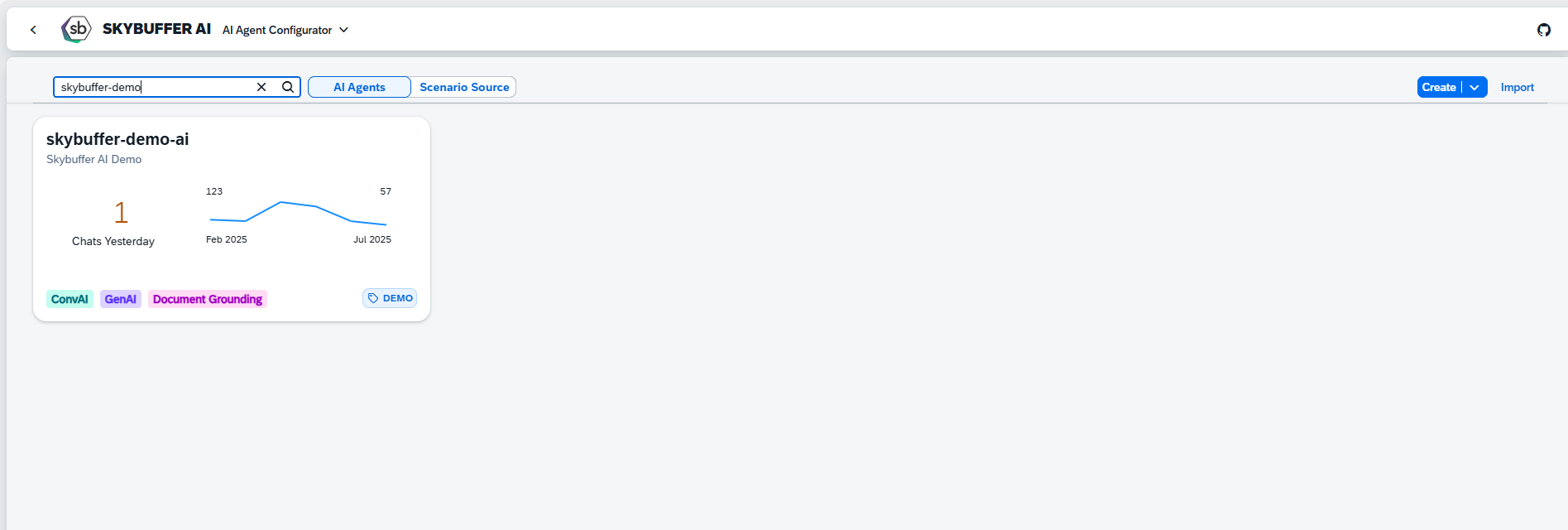
Step 2. After opening the application, you will see a screen displaying all available AI Agents. Each tile represents one Agent, including its name, description, and deployment status. Click on the Agent you want to work with to proceed.
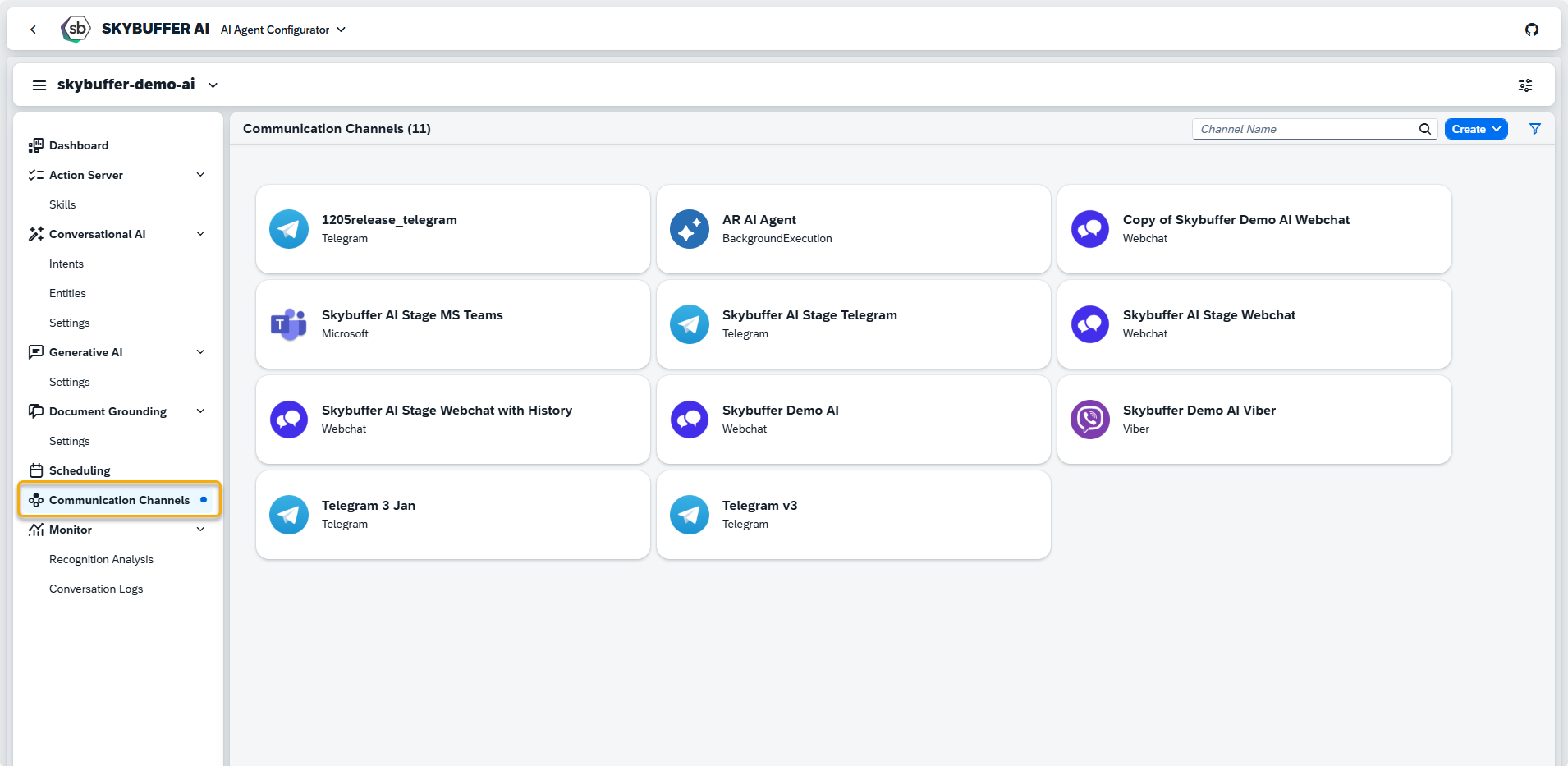
Step 3. Open the Channel management application- Communication Channels.
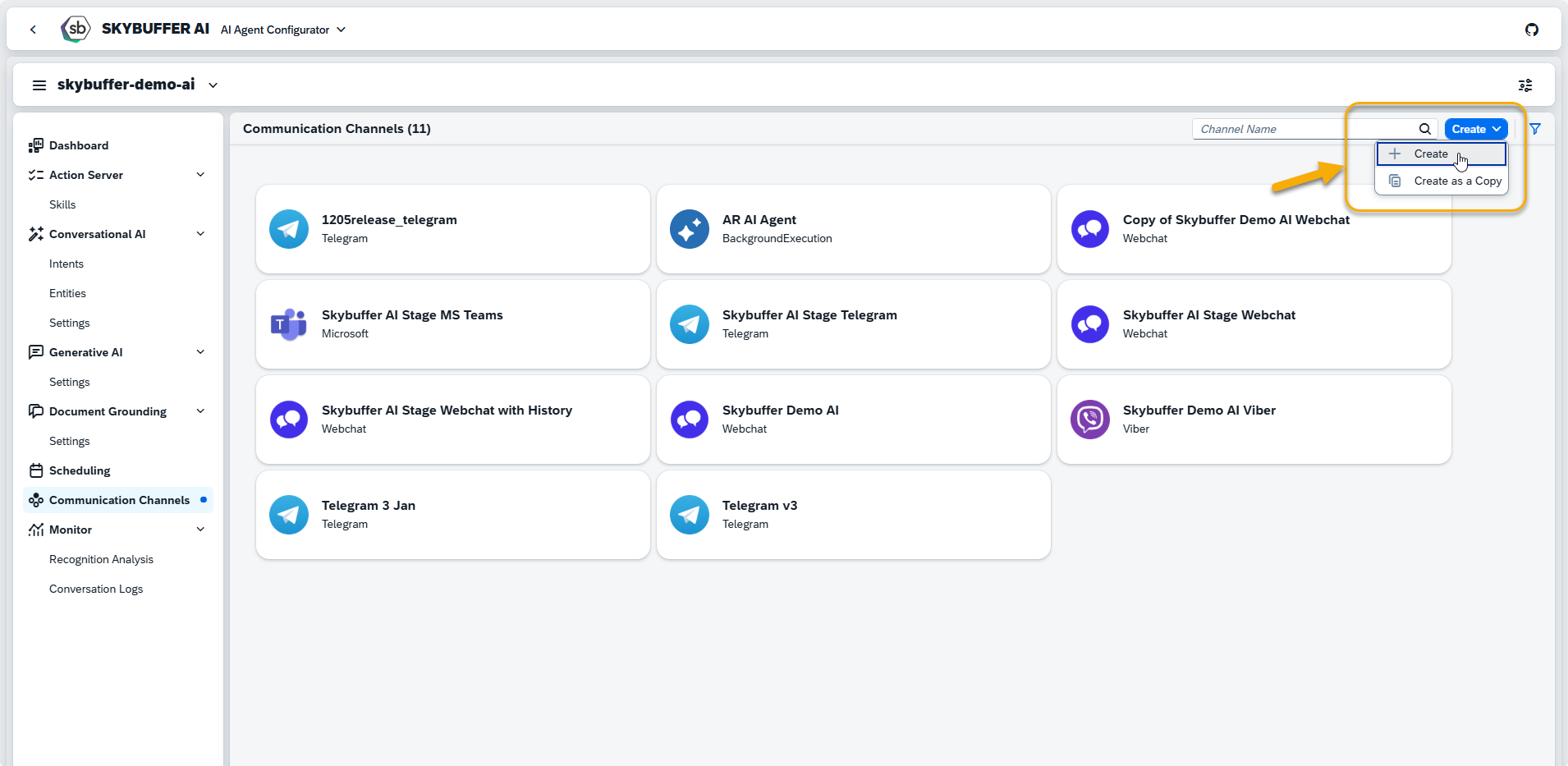
Step 4. Channel creation.
You can create a new Channel from scratch or Copy the Existing Channel.
To create a new Channel, click the Create button:
Step 5. Initial Parameters
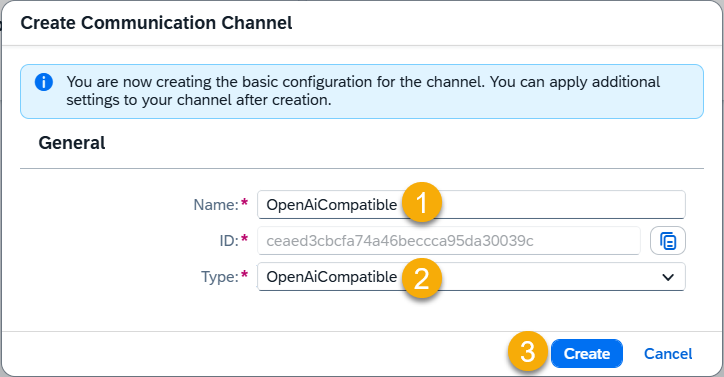
Fill in the initial parameters for the new Channel. The form includes:
- Channel Name — follow your organization’s naming convention.
- Channel ID — this field is auto-generated.
- Channel Type — select from a list of available types (e.g., Webchat, Microsoft, Telegram).
Channel is created, and is present on the list:
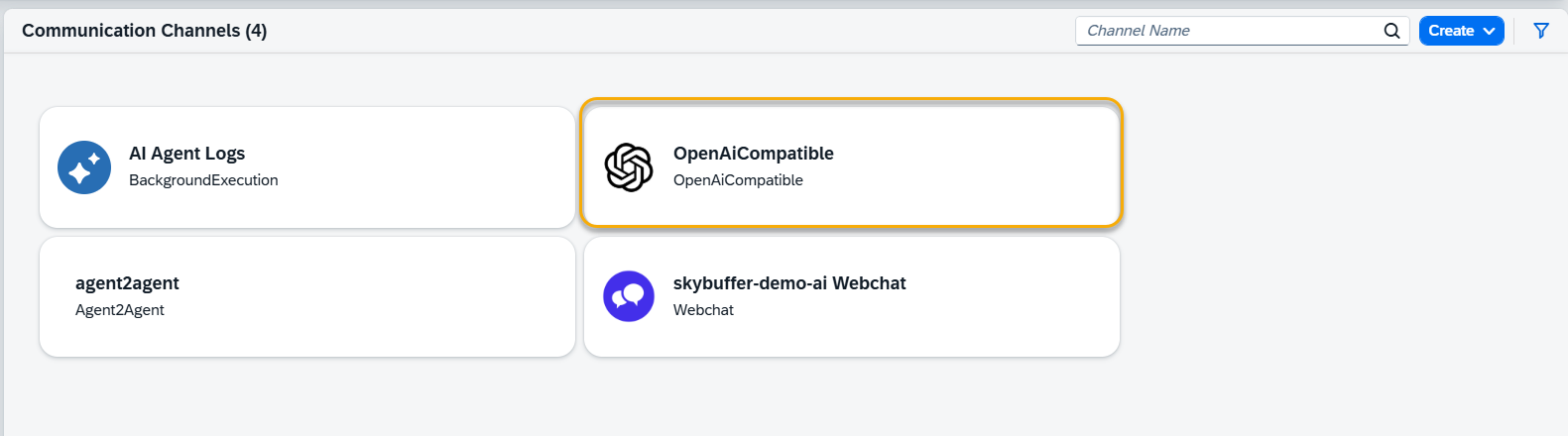
Step 6. Channel Settings.
To configure additional Channel Settings for your channel, click the Edit button.
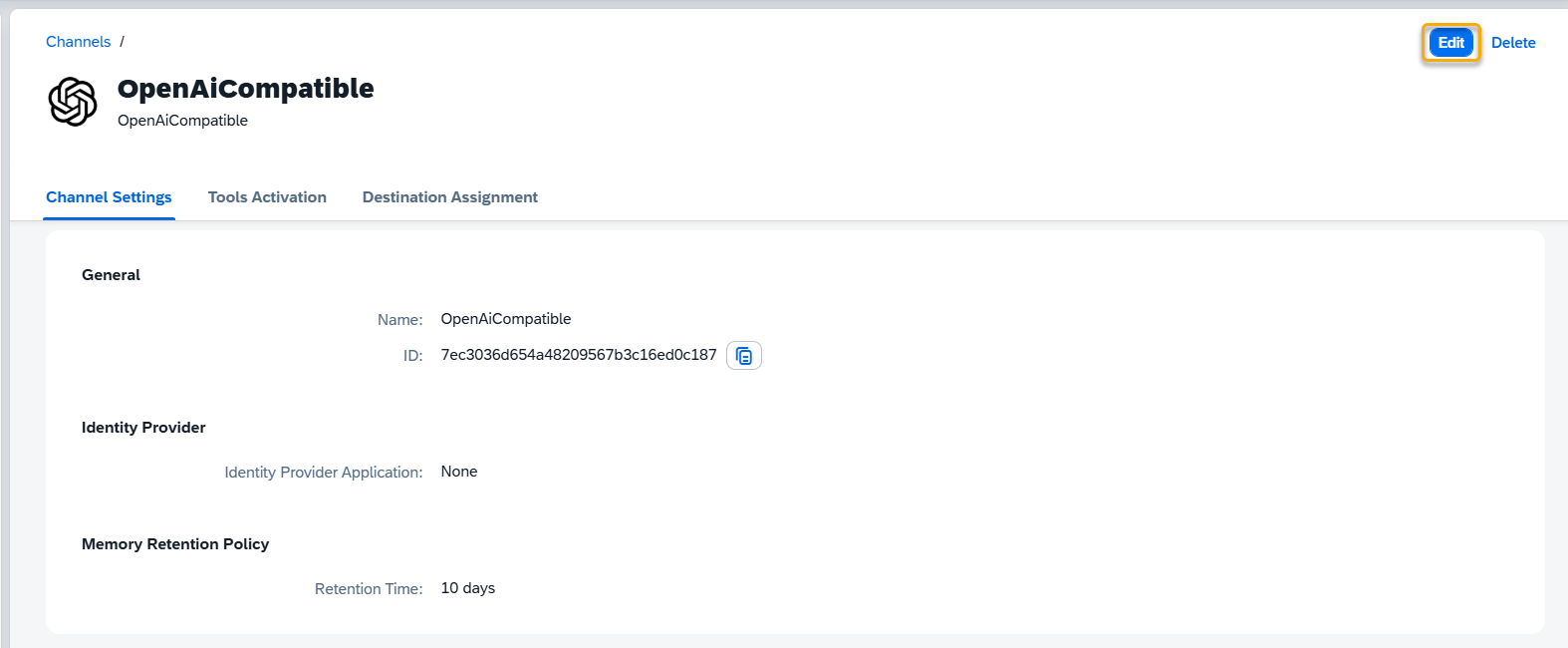
General
Name — editable custom name for the channel
ID – not editable, identifier for the channel
Identity Provider
Identity Provider Application: choose the Identity Provider application from the list. This must be configured beforehand in the Identity Providers Application (see: Identity Providers)
Memory Retention Policy
Retention time — specify the number of days for which chat data will be stored. After this period, the system automatically deletes stored conversation data according to your retention rules.
Step 7. Tools Activation
Once your Channel is created, you can activate or deactivate tools defined within your AI Agent.
For more information, visit: Tools Activation.
Step 8. Destination Assignment
This setting allows you to assign destinations to tools that have backend-connected actions.
For more information, visit: Destination Assignment.
Step 9. Cline Integration
This section describes how to connect Cline to the solution using the OpenAiCompatible communication channel.
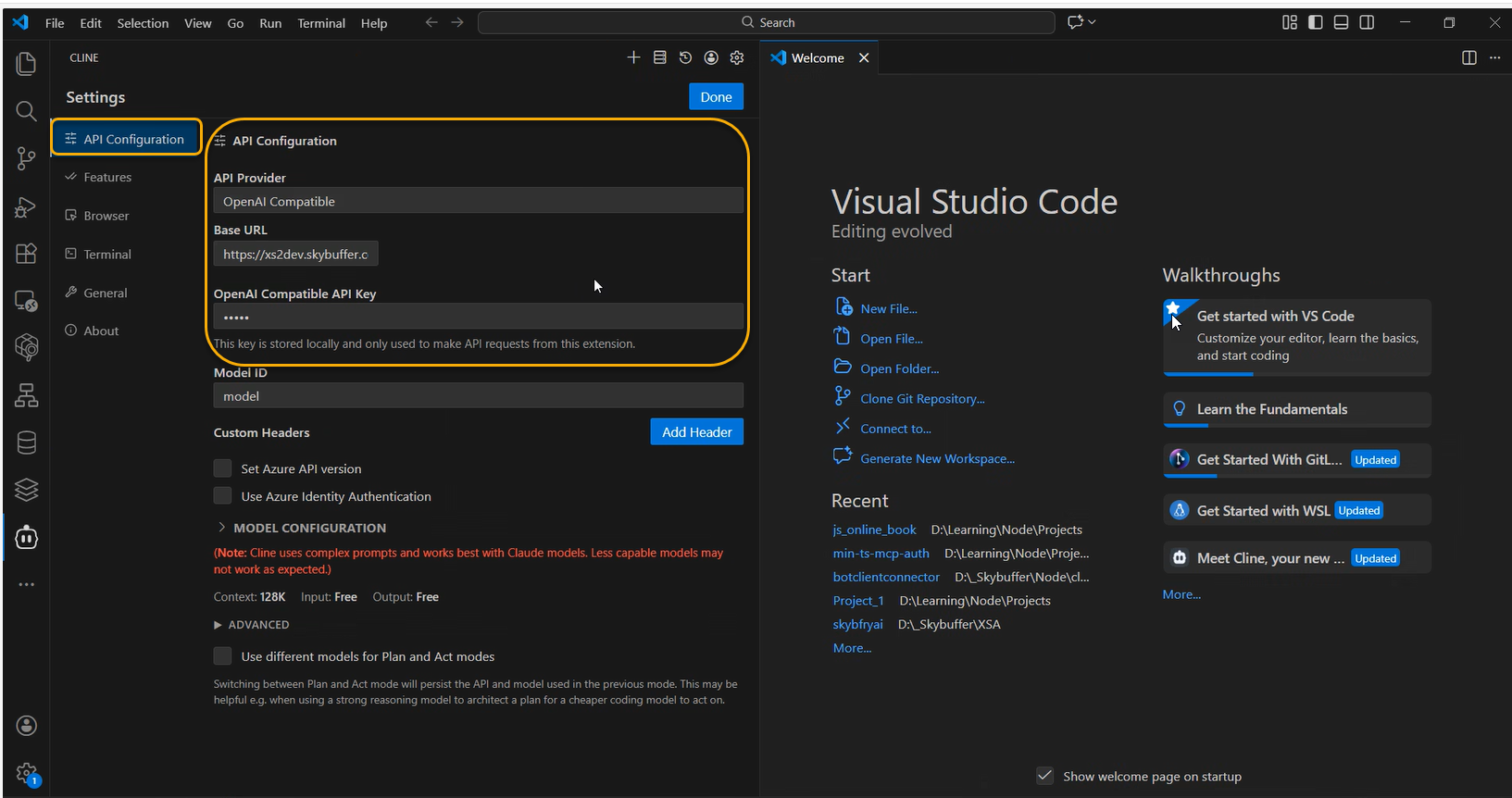
API Configuration in Cline
In Cline, configure the API connection with the following settings:
- API Provider: select OpenAI Compatible
- Base URL: use the Base URL of the OpenAI-compatible communication channel created in the system
- API Key: enter the OpenAI-compatible API key generated for the channel
Example Execution
Once the configuration is complete, Cline can send requests to the solution using the OpenAI-compatible API.
- Requests are routed through the OpenAI-compatible channel
- Tools and data sources are executed internally
- Results are returned to Cline in OpenAI-compatible format