
Manage Live Pool
Step 1. Report for Live Pool status check and start it if the status is not active. /SKYBFR/YAI_CCG_POOL_START should be scheduled for regular checkups of Live Pool status and restart it if the status is not active.
Step 2. To schedule the report, access SM36 transaction.
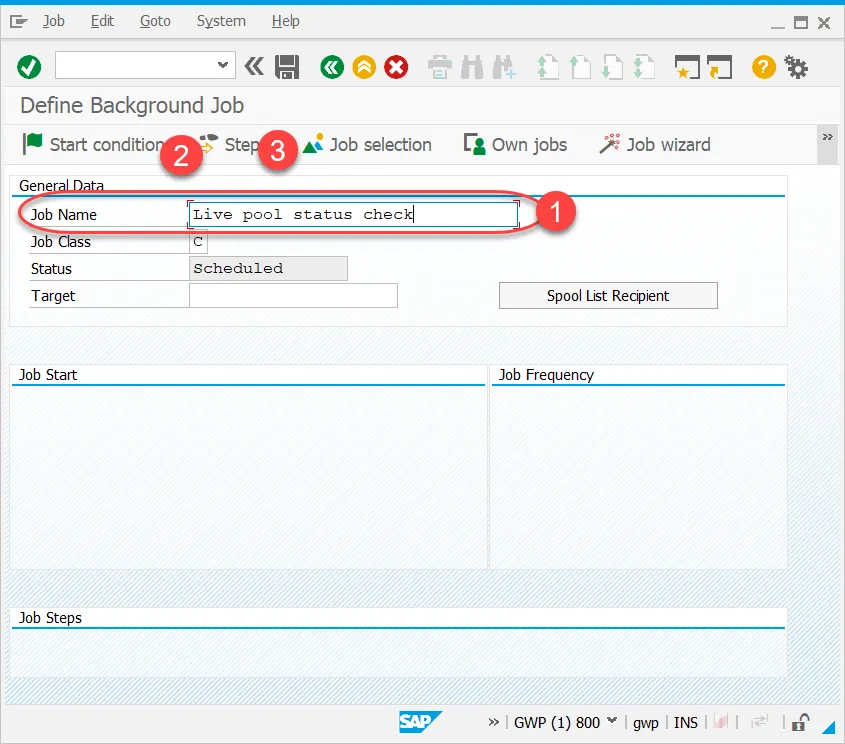
Define the Job name
Go to Start Condition
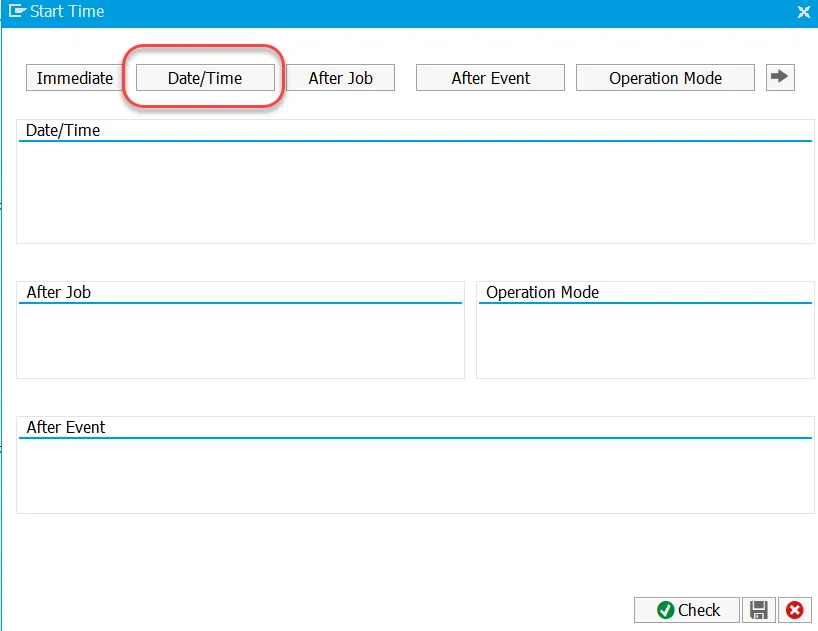
On the Start Time screen select Date/Time option:
Define Date/Time for Scheduled Start and No Start After (optional) and press the Periodic values button:
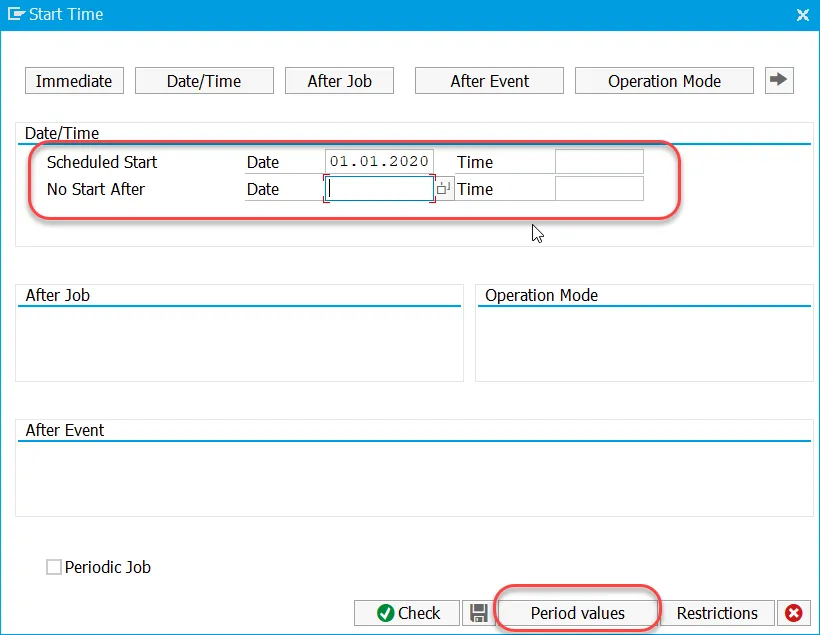
Define the periodic value and save it. Recommended value is 15 minutes period.
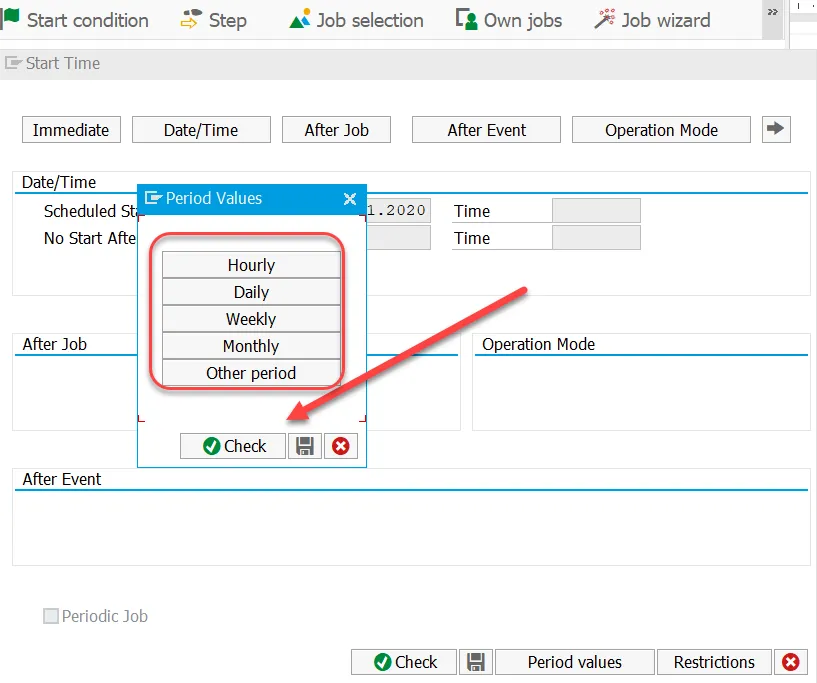
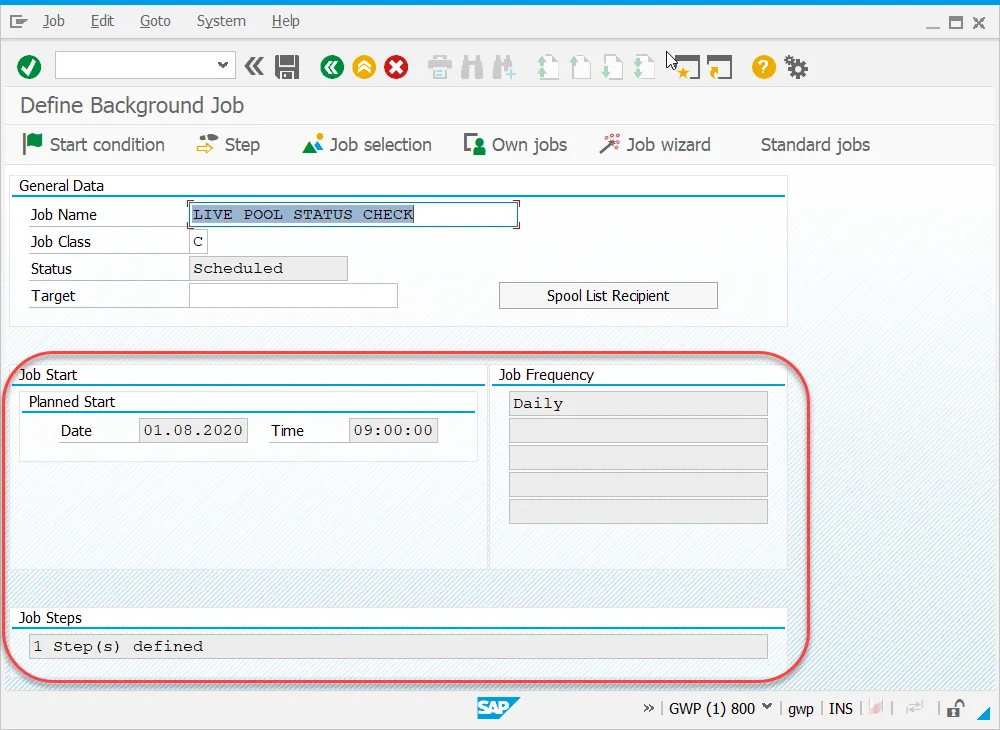
Save and check the result:
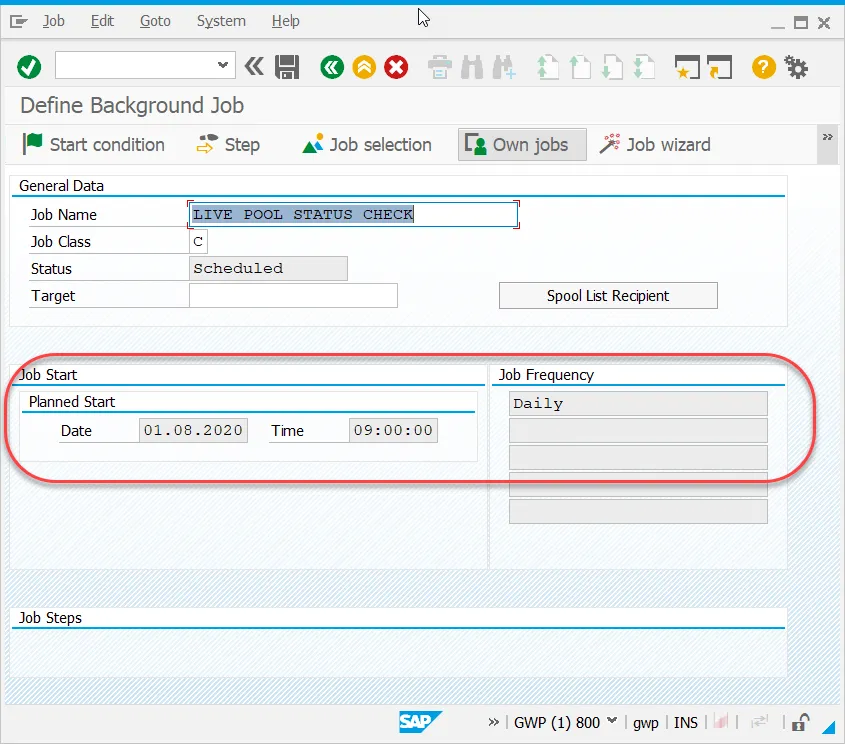
Step 3. Go to the Step tab:
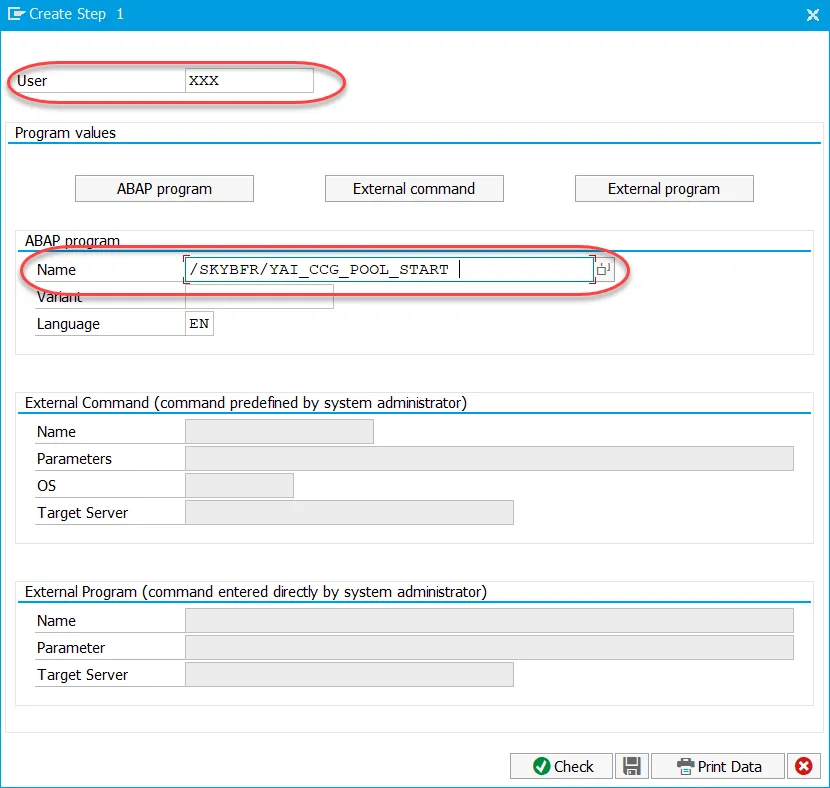
Define Technical User ID that will start the job. Typically it’s technical user created for live pool in system (refer to Create Business and Technical Users).
Select the Program name as /SKYBFR/YAI_CCG_POOL_START
Save your entries
Step 4. Check Step List Overview
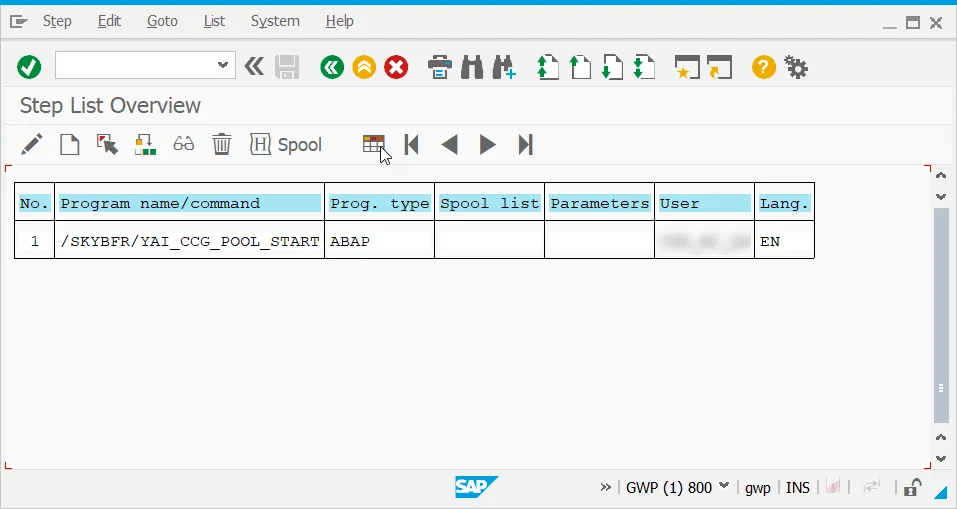
Step 5. Go back and check the job overview:
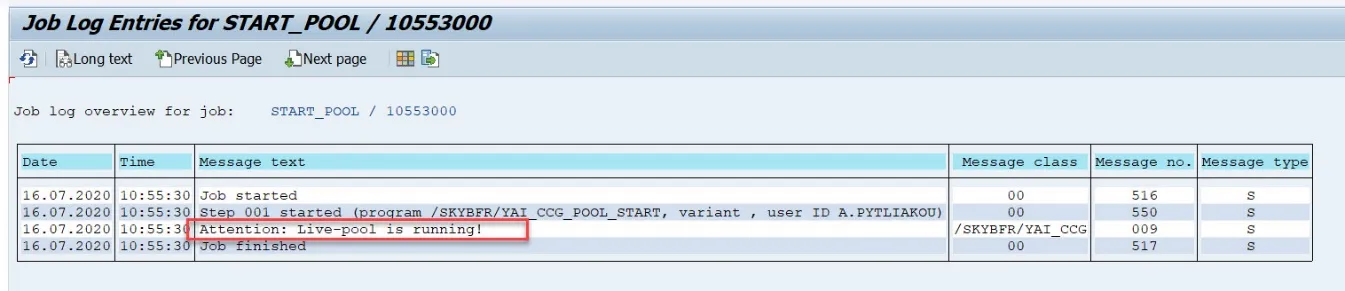
After the job execution, a message regarding the status of the Live Pool can be checked in the job log.