

Technical User ID Creation
Create Technical User ID
Section titled “Create Technical User ID”Create and configure Technical User ID that will execute central oData service and perform administrative activities in NetWeaver area (User Management Business AI Scenarios).
Procedure:
Step 1. Go to SU01 transaction
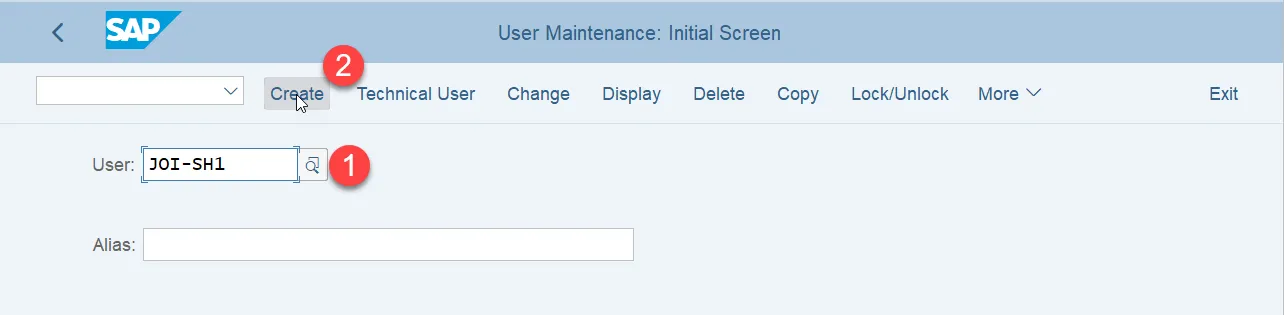
Step 2. On User maintenance: Initial screen enter the desired User ID (1) of the Technical User and press Create button: (2)
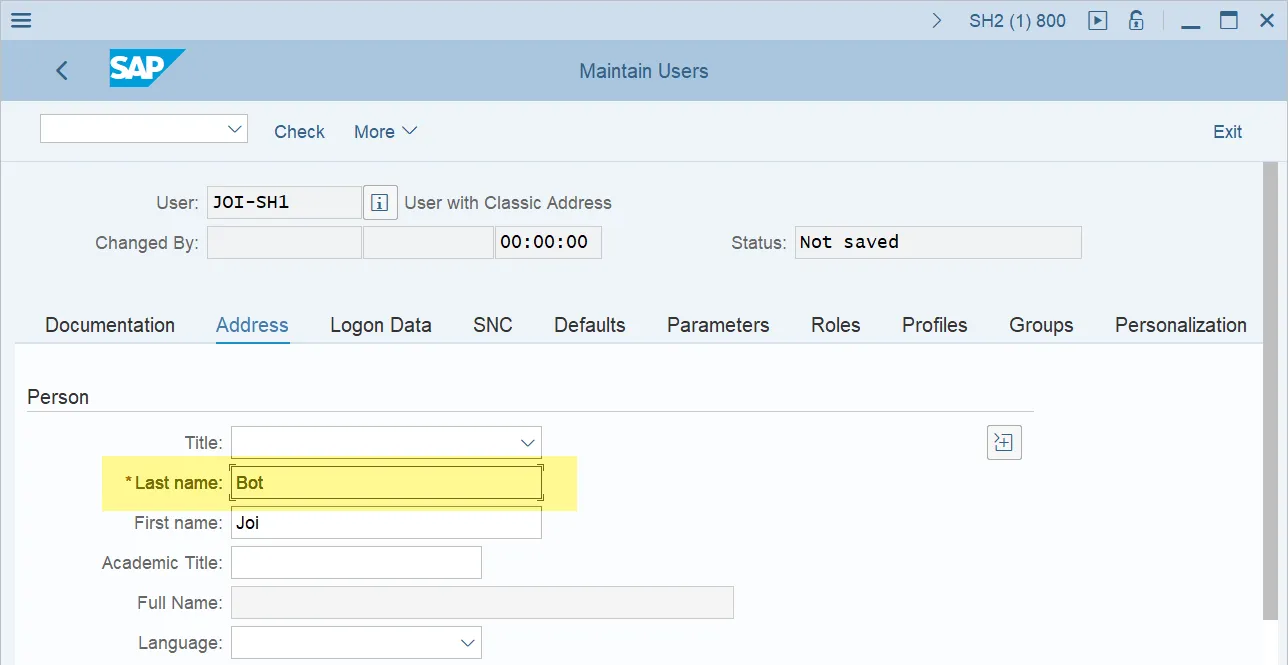
Step 3. In the Address tab input the address details. One field is mandatory, that is the user’s Last name:
Step 4. Switch to the Logon Data tab
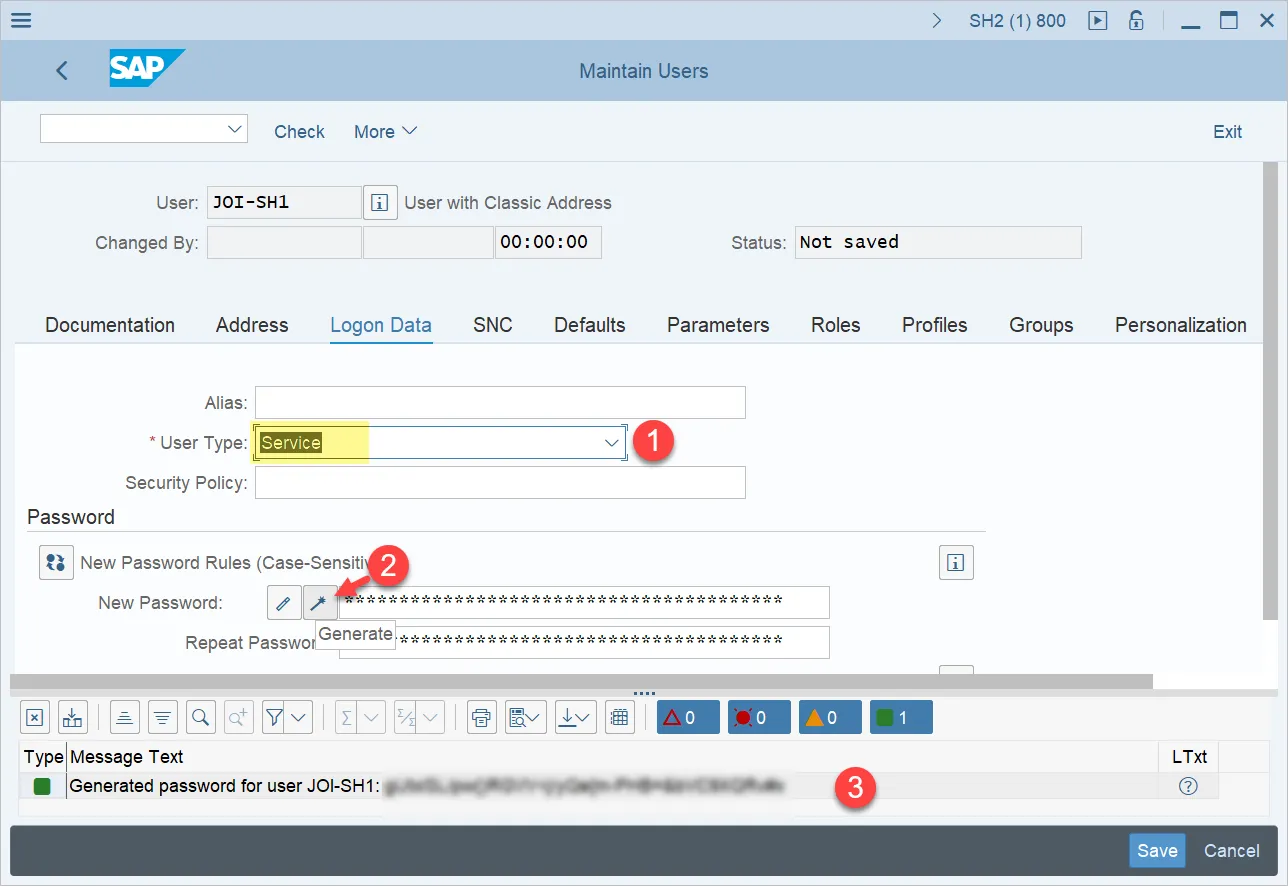
Step 5. In the Logon Data tab, select User Type: Service (1), Generate New Password (2)
Step 6. Go to Roles tab and assign the role for Central oData Service that was created in the Section of Central oData Service Authorization Role Maintenance.
If you are working with SOAP Service, use roles created in this guide section: SOAP Service Authorization Role Maintenance.
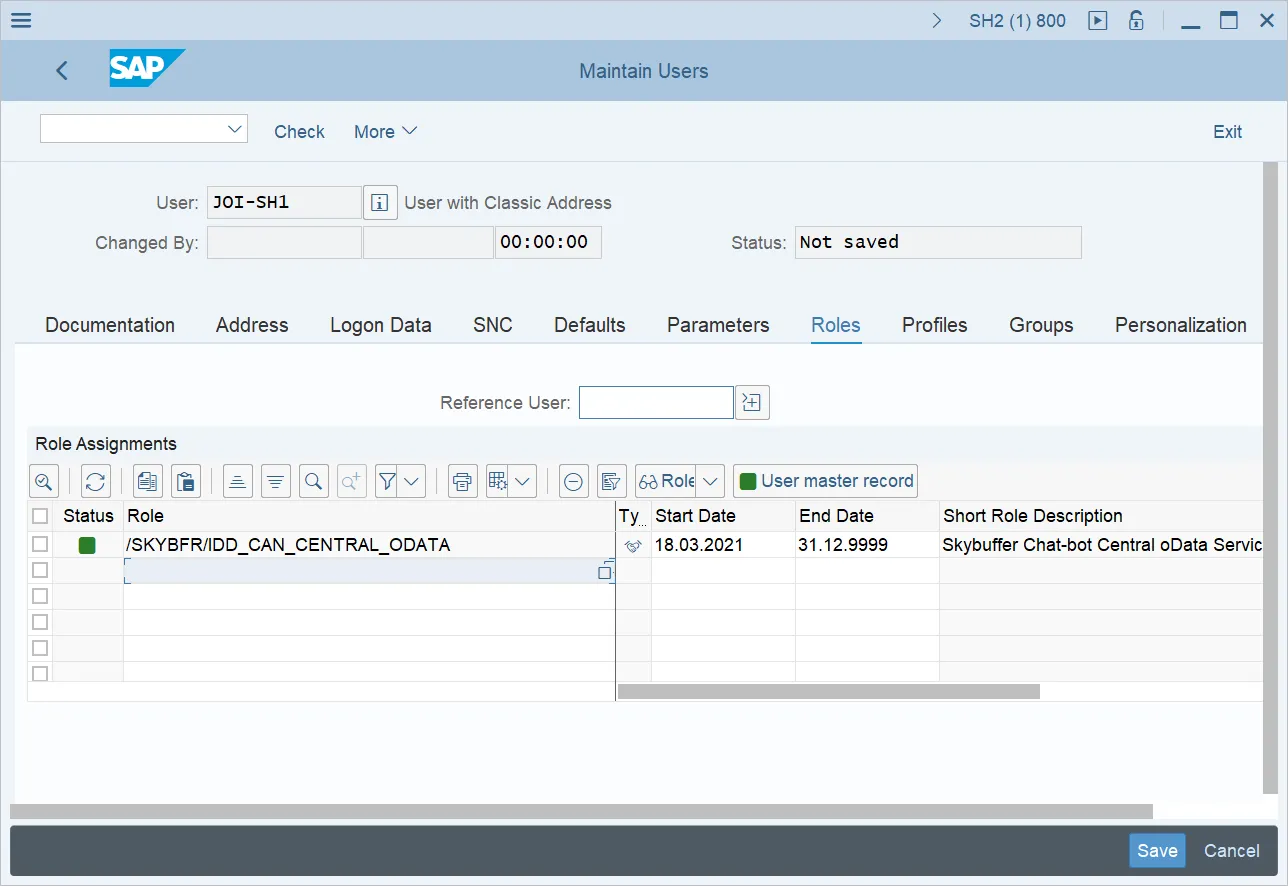
Step 7. Add the Authorization roles for the AI Agent business scenarios defined in the project scope and configured according to the company’s security policies. For example, if User Management scenarios are in scope, User should be authorized to:
- Create User ID
- Unlock User ID
- Reset Password
Step 8. Save the User.
Result: Technical User is configured and is ready to be further assigned to configuration activities.