

Maintain and Assign Reference Users for User Creation Scenario
Define and map user types and reference users for user creation scenario.
Prerequisites:
- SAP Note 2540430 – Roles via reference user in SU01 are not picked up by Fiori Launchpad (https://launchpad.support.sap.com/#/notes/2540430) should be implemented in the SAP system.
- User IDs of Reference type are created and have assignment of the relevant roles applicable for those user types that are to be created via the AI Agent user creation scenario.
Procedure:
Step 1. Navigate to SPRO node:
| IMG Menu | SAP Customizing Implementation Guide → Intelligent Decision Dimensions Add-On ® Conversational AI Integration ® Scenario-specific Settings ® Scenario: New User Creation ® Define Template Users |
| Transaction Code | SPRO |
Step 2. Press New Entries
Step 3. Complete the entries:
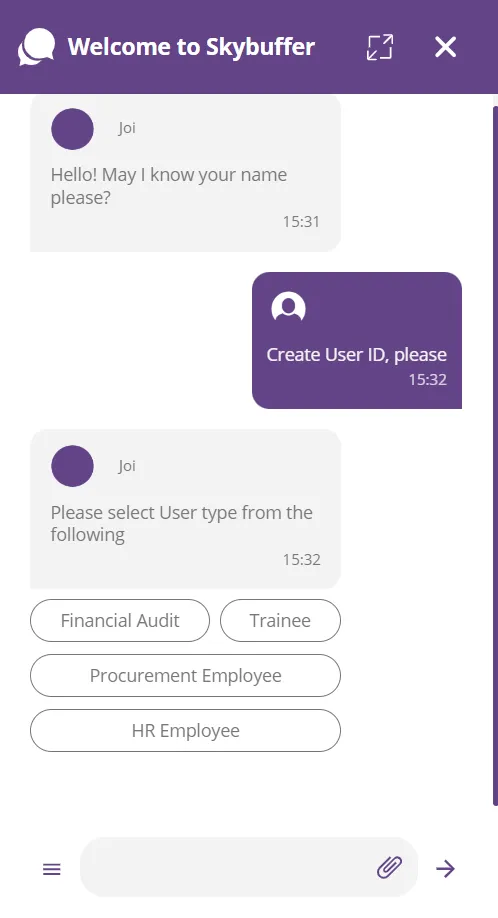
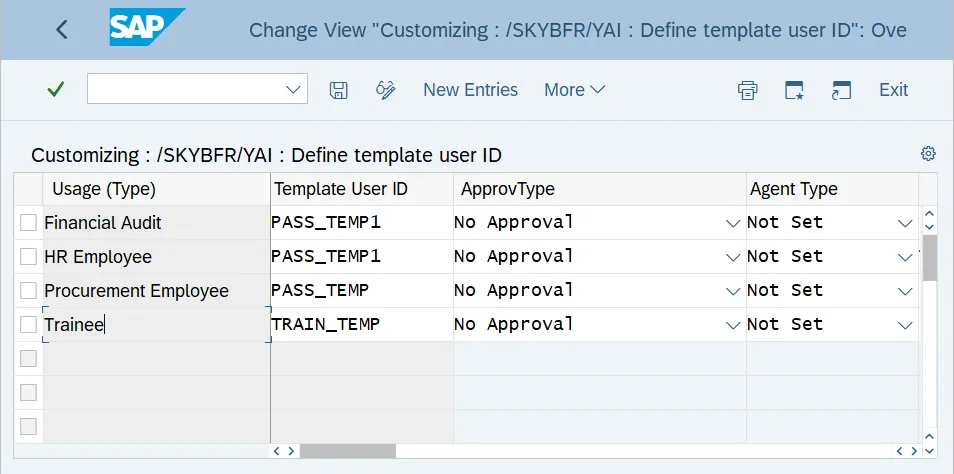
Usage Type – input a usage type name, this text will be outputted as a selection option in the conversation with a User
Template User ID – select User ID from the list of reference users for the specific user type
Approval Type – select No Approval for Simplified User Creation AI scenario (without approval workflow)
Other fields can remain Not Set:
Step 4. Save and verify User Creation Business AI scenario via the conversation
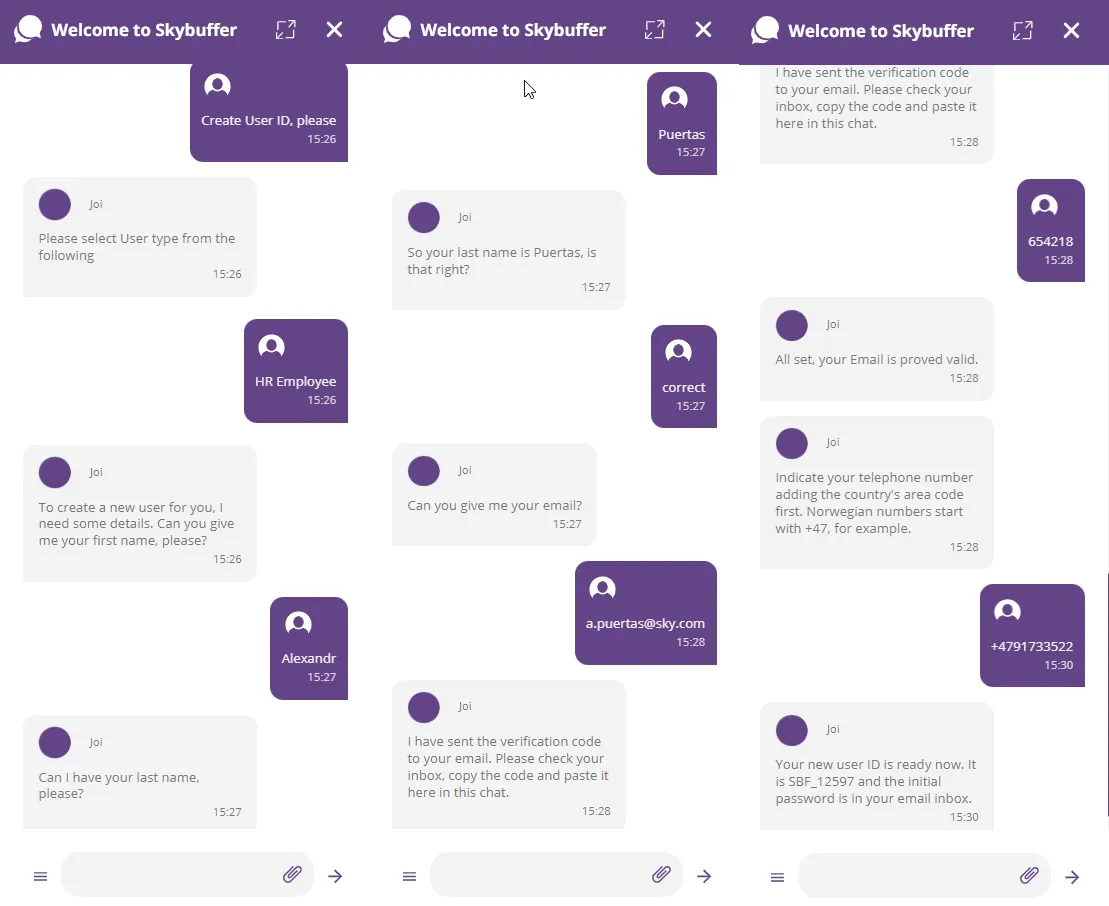
Result: Reference user is configured and assigned.