
Managing Application Keys
Azure Portal Settings
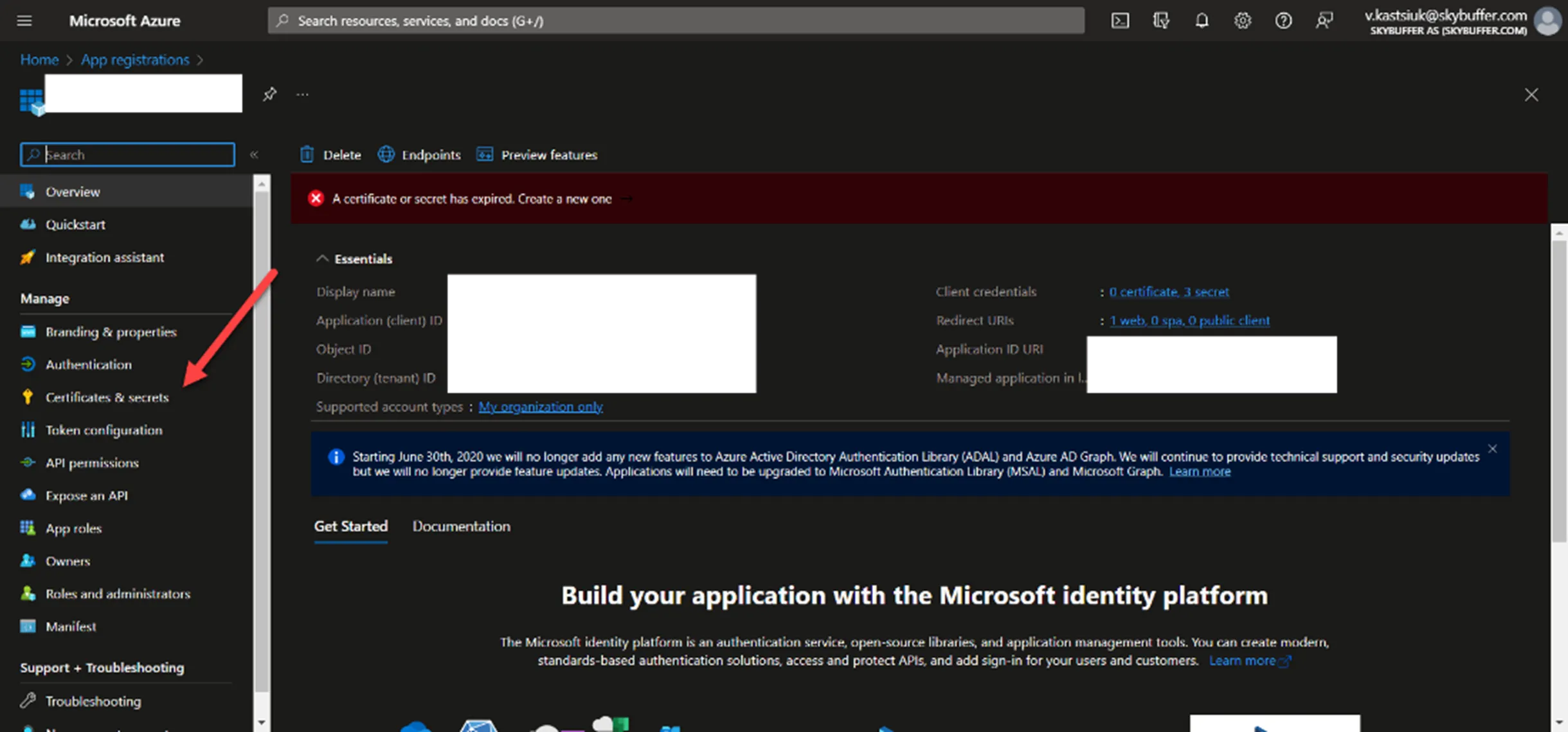
Section titled “Azure Portal Settings”Step 1. To check if the app keys have expired or will expire soon, you need to go to the App Registrations tab:

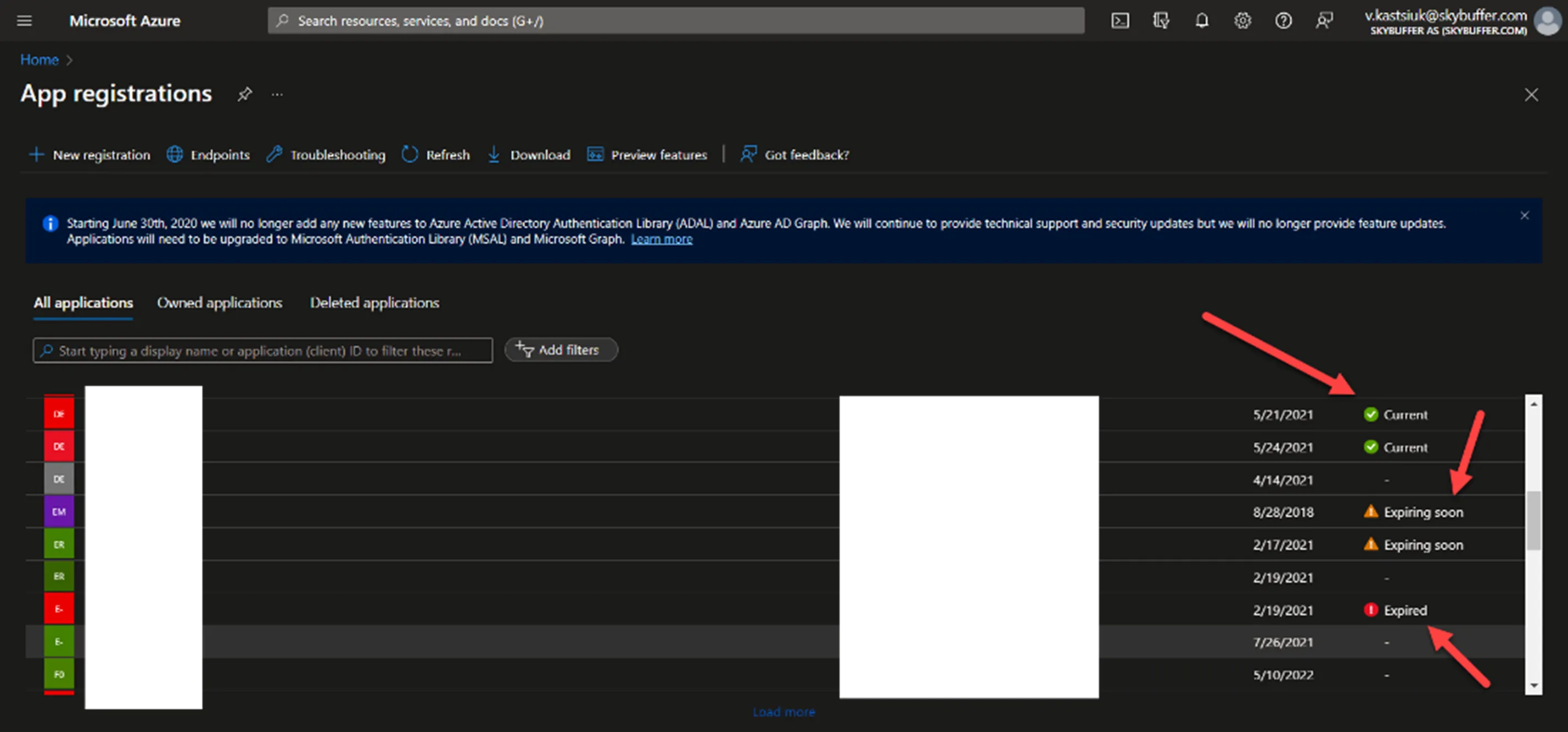
Once you see the applications where the secret is expired, you should open them, regenerate a new client secret, and delete the old one:
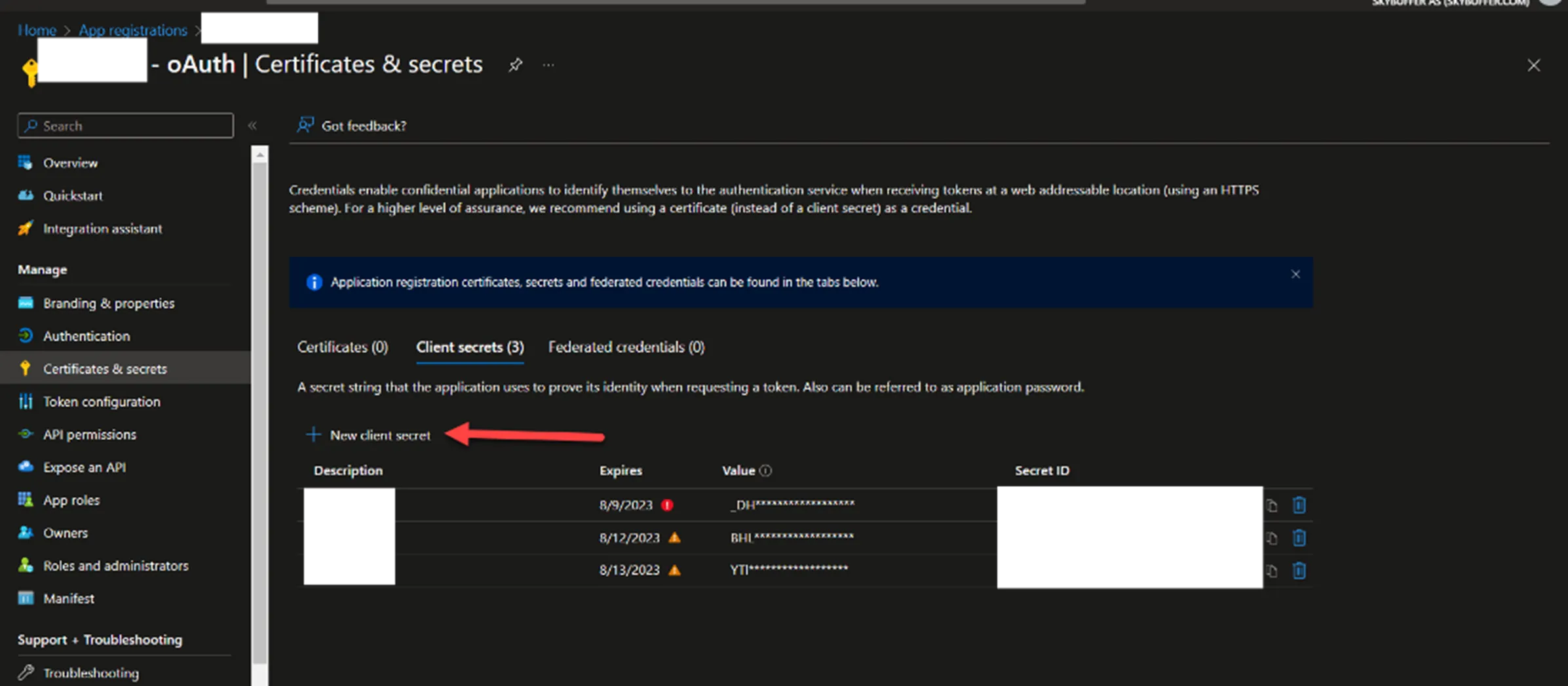
Step 2. After that copy your key and the ID of this SSO application.
Next go to the Bot Services tab and find the bot connected to SSO application with expired secret.

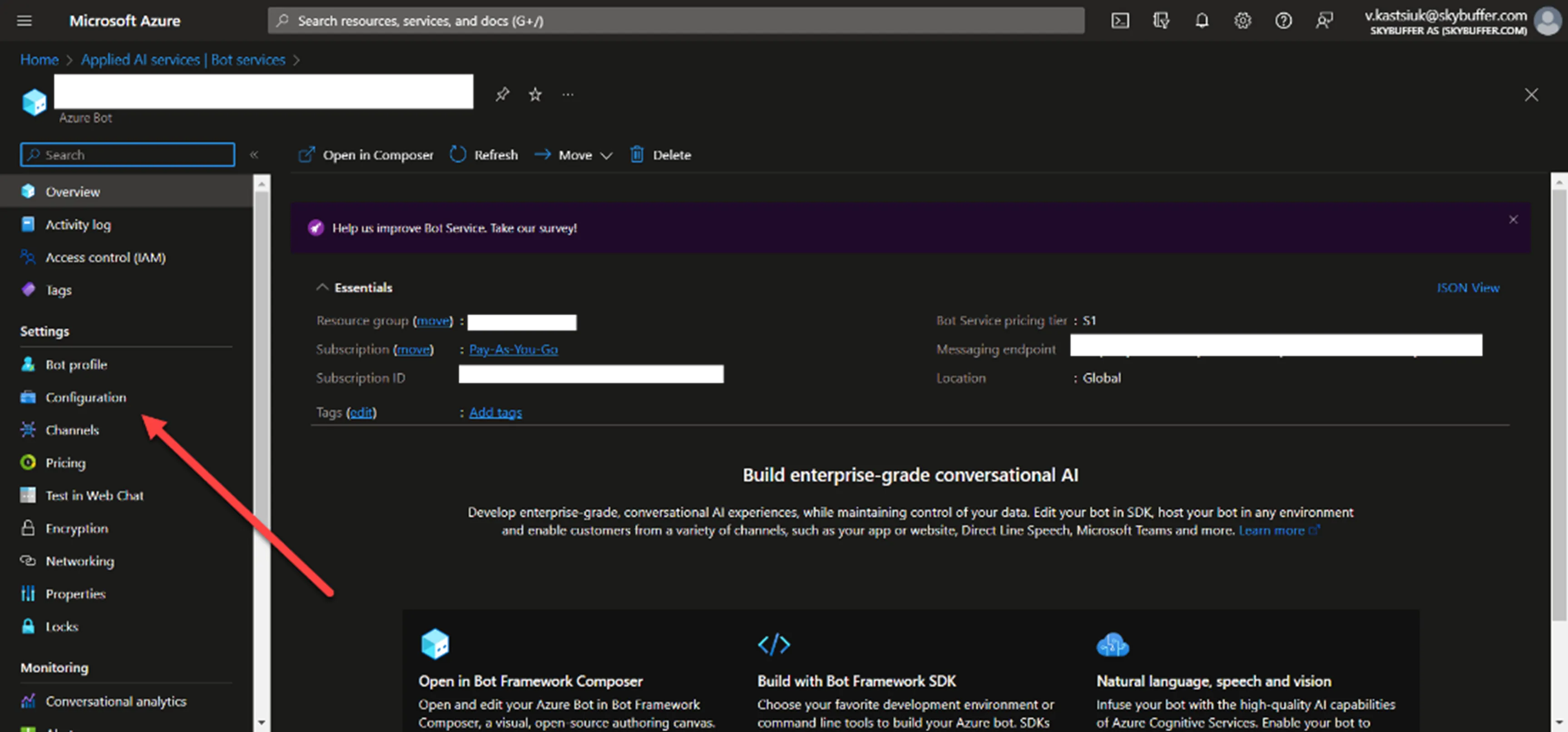
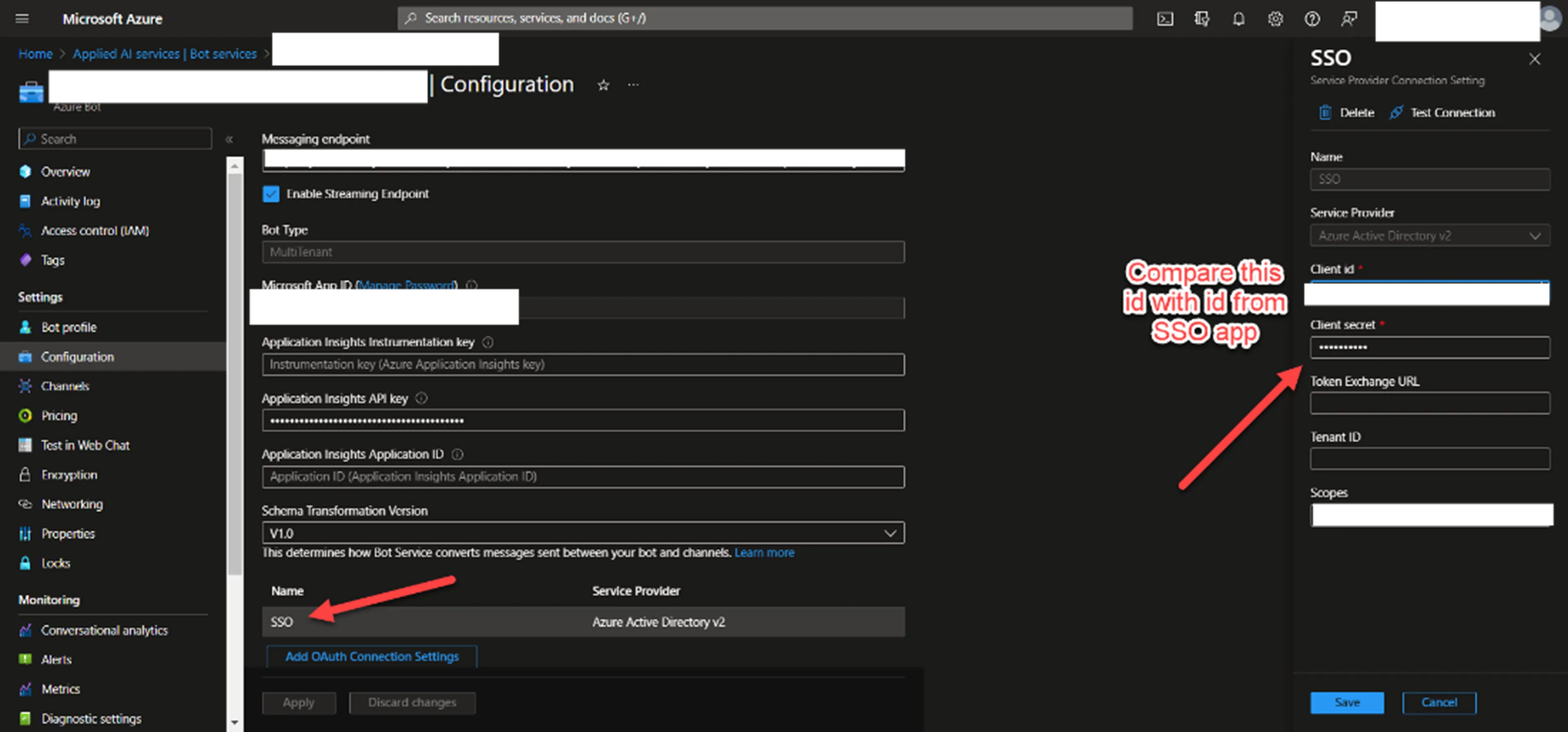
Then in the C_onfiguration_ tab, click on oAuth Connection Settings and replace the secret from the SSO app.
Identity Provider Application Settings
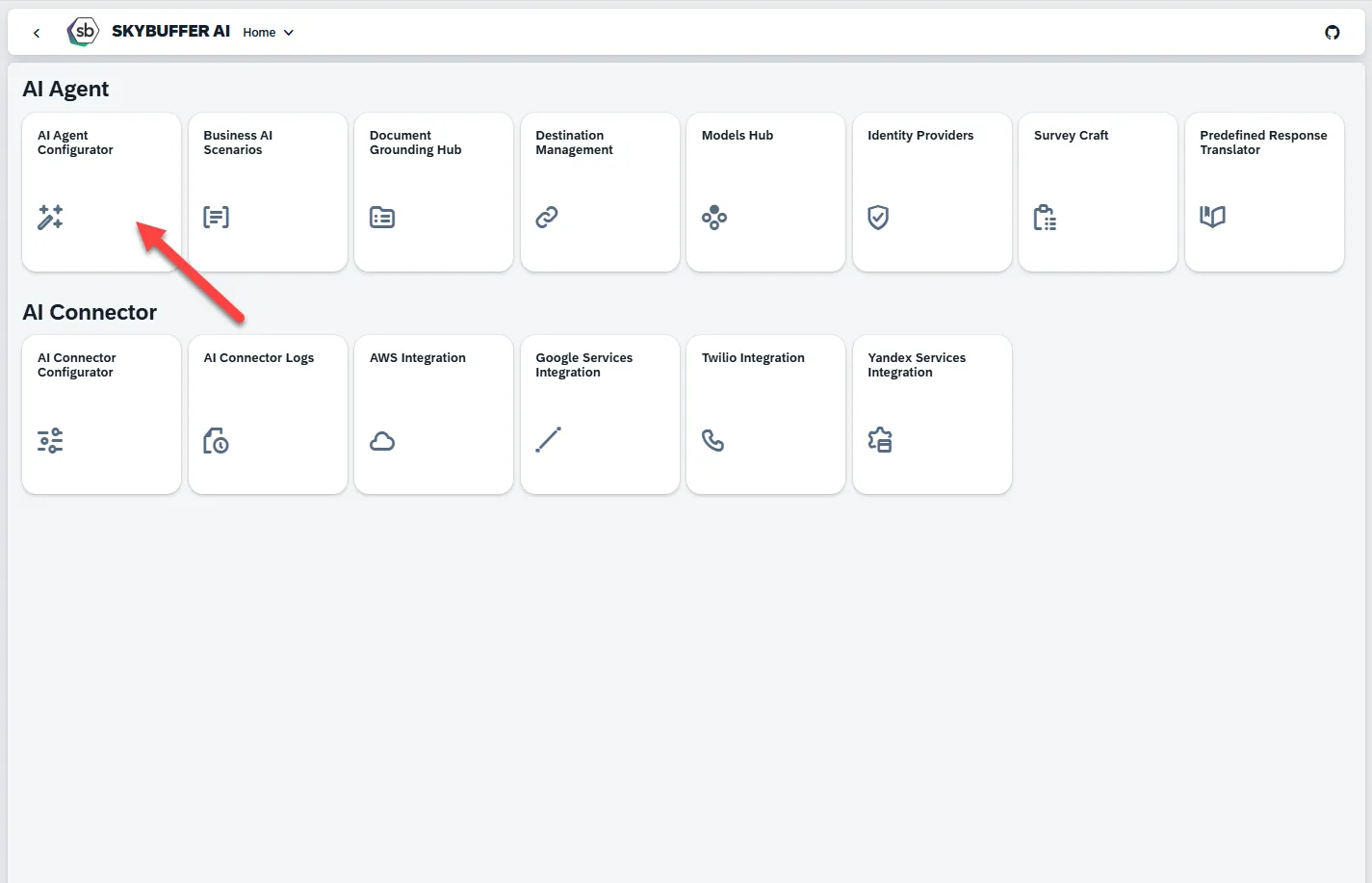
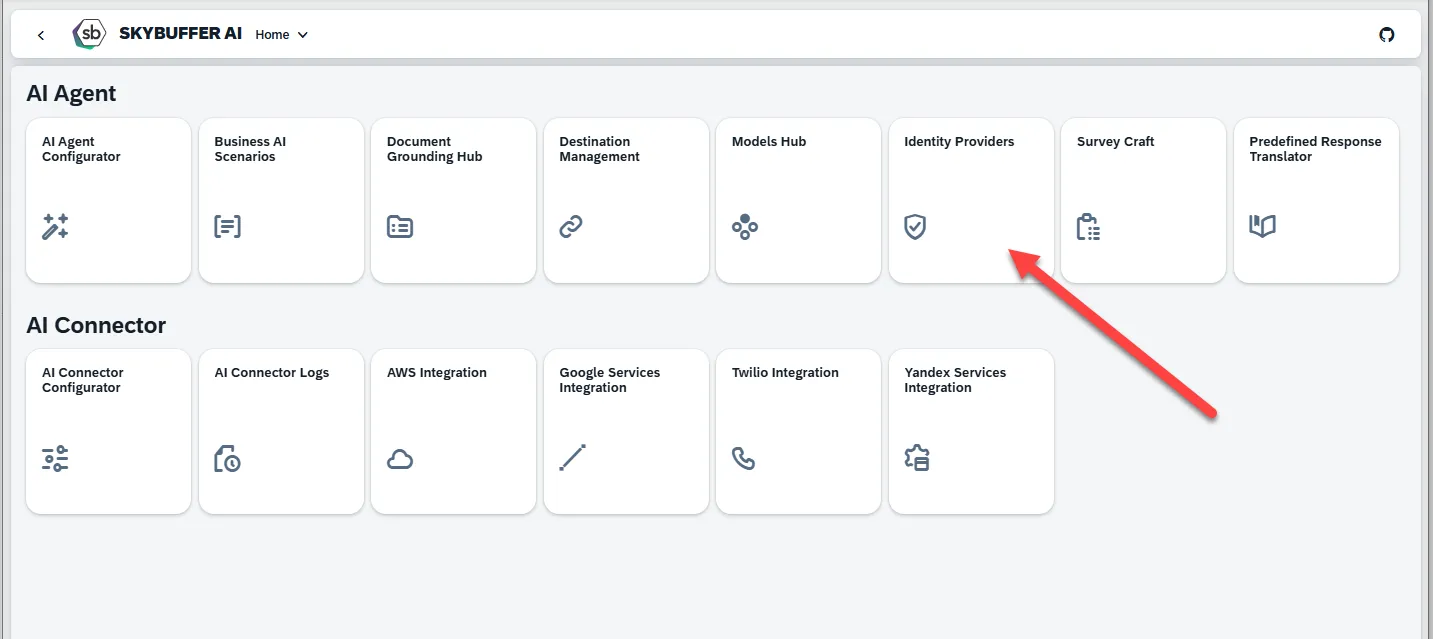
Section titled “Identity Provider Application Settings”Step 1. Open the Identity Providers application in Fiori:
Step 2. Find the connection that you should change and change the secret. Make sure the app IDs match and make sure you didn’t copy the app key with spaces or other invalid characters.
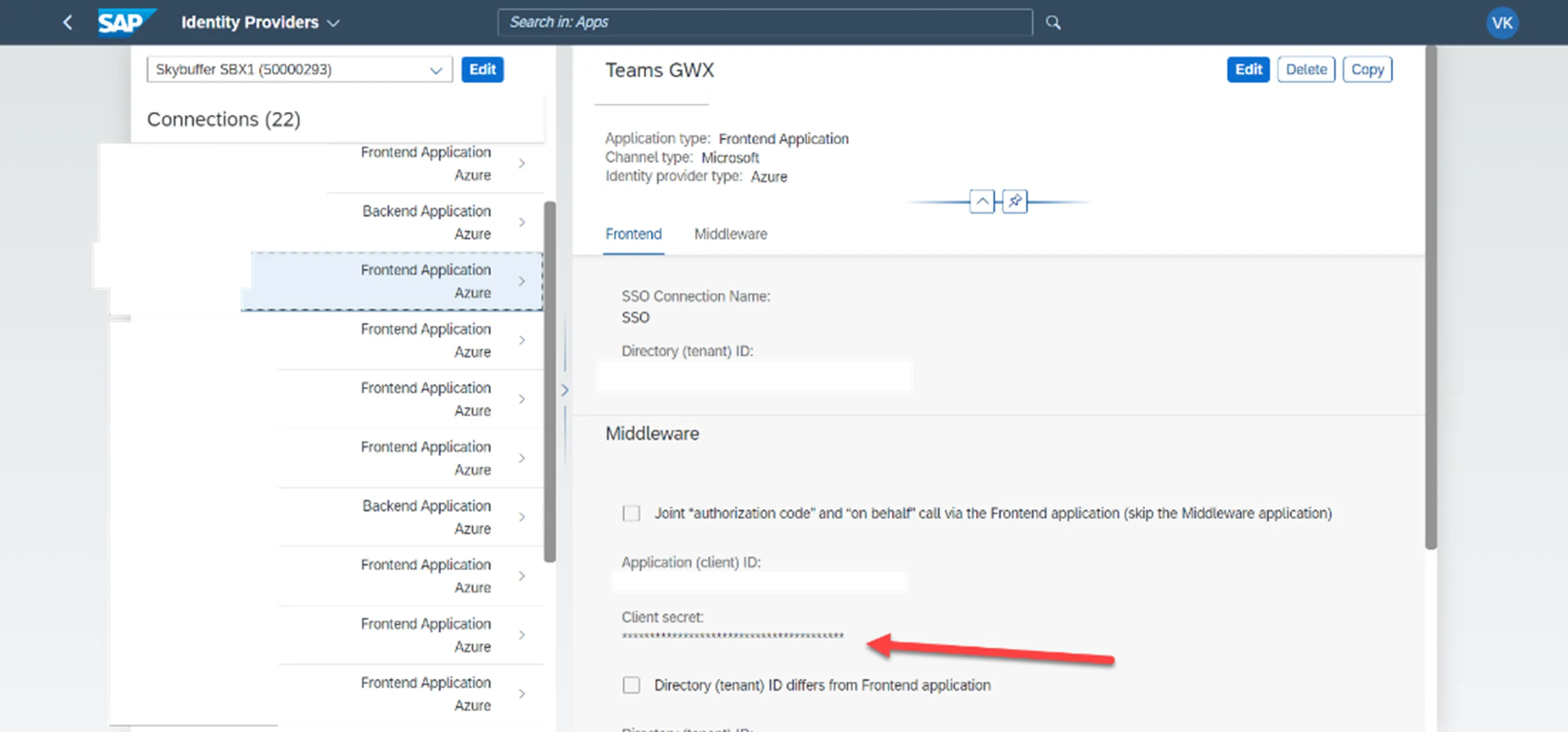
After that you must push the settings with the restart Node.js application from the Connector Configuration application.
Bot Service Secrets Regenerating
Section titled “Bot Service Secrets Regenerating”Step 1. Go to the App Registrations tab, to check and make sure that the Bot Service app keys have expired or will expire soon:

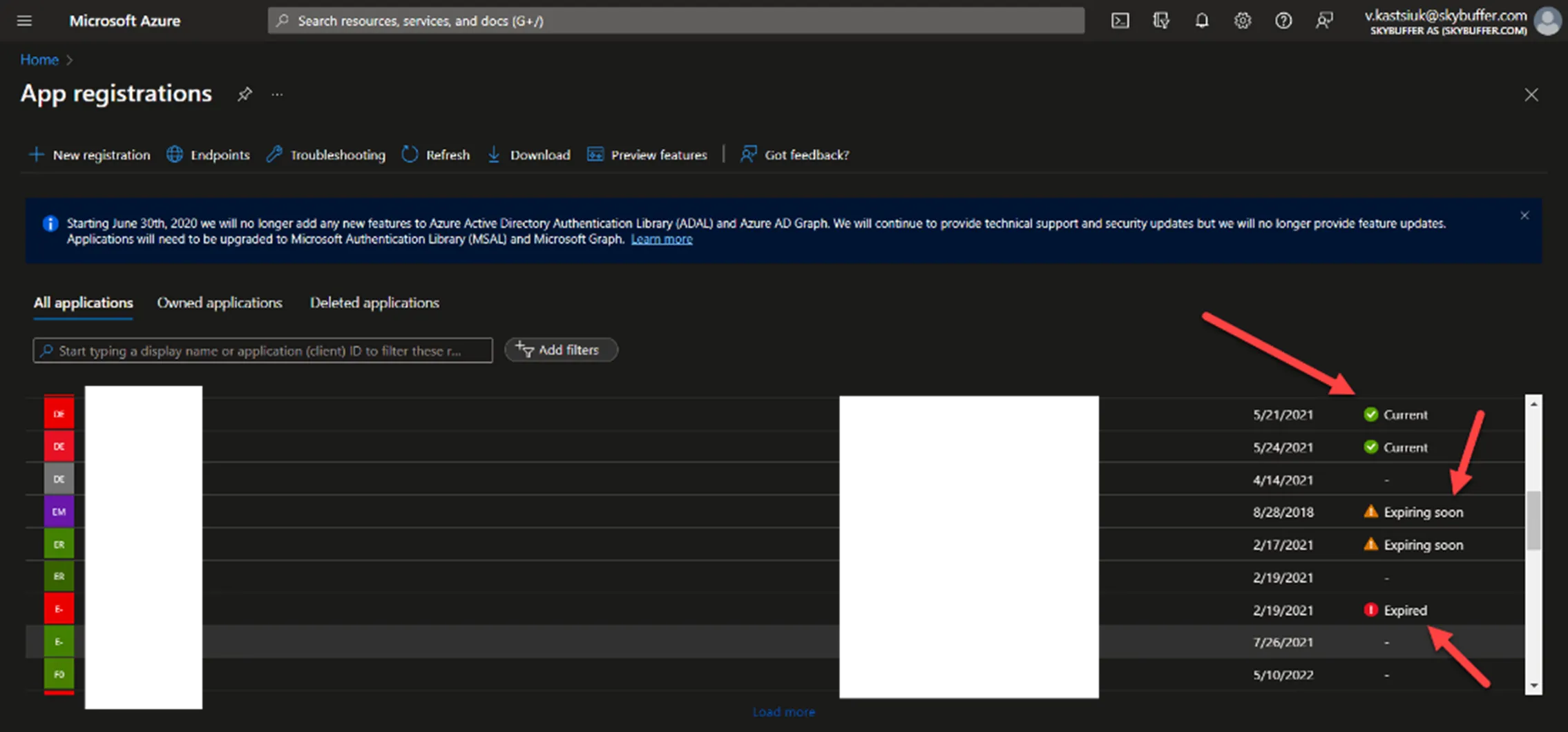
Step 2. After you see the applications where the secret is expired, you should open them, regenerate the new client secret, and delete the old one:
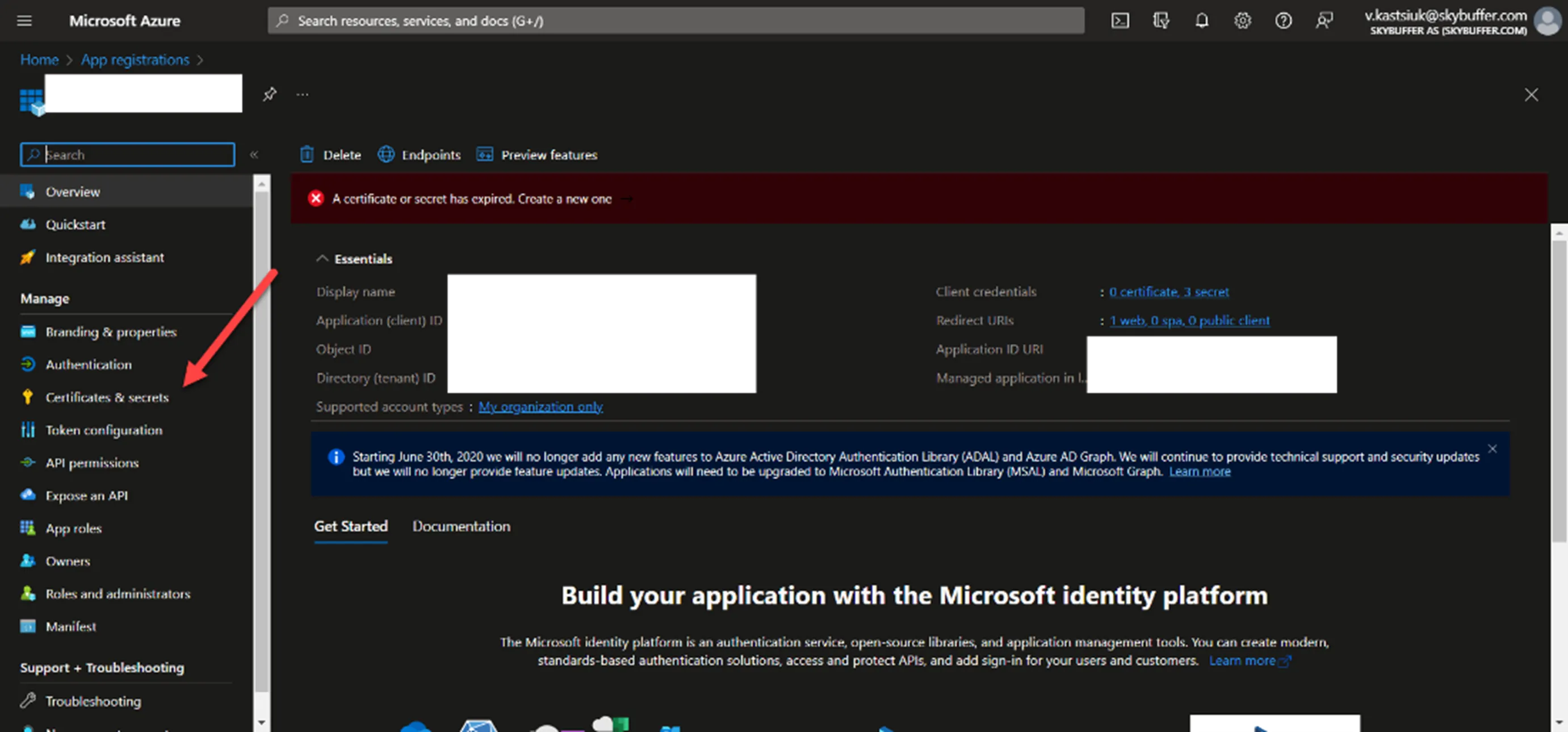
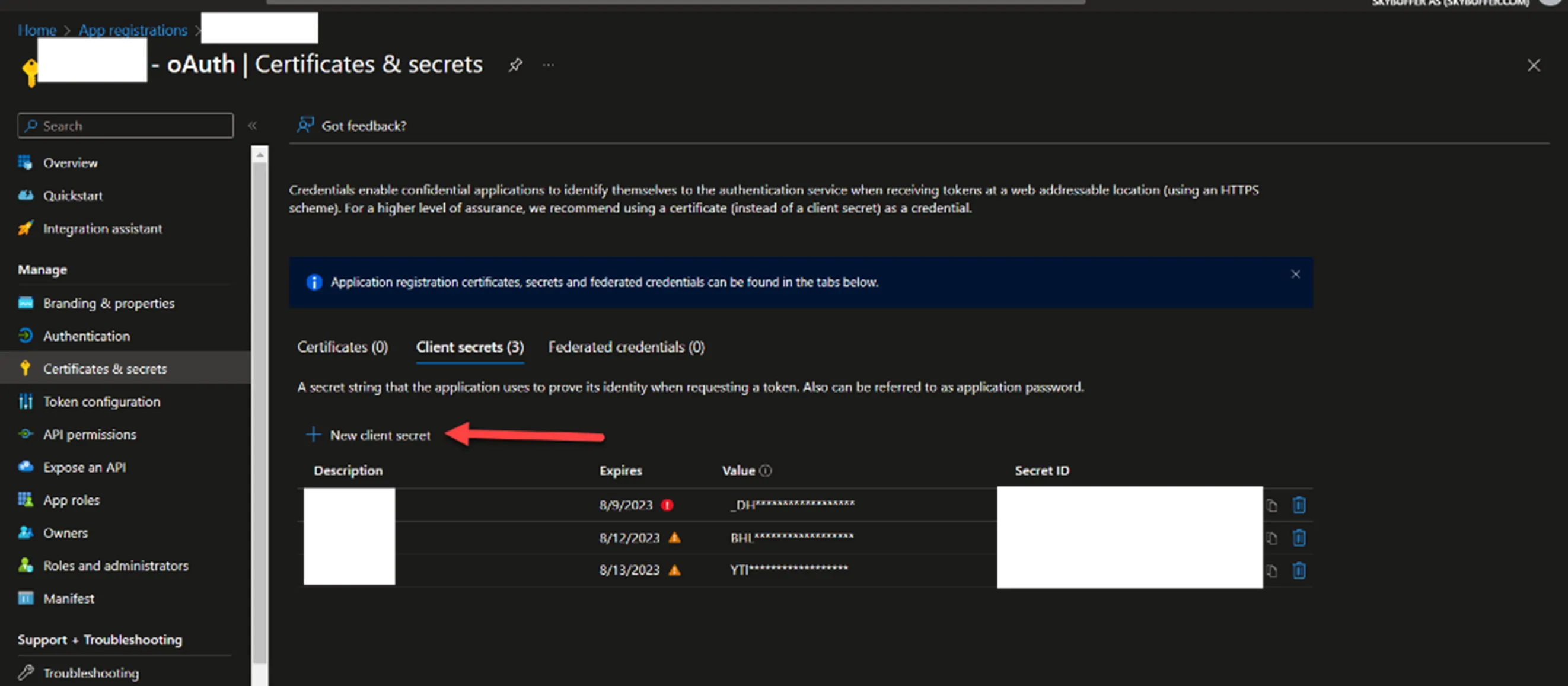
After that copy your key and the ID of this SSO application.
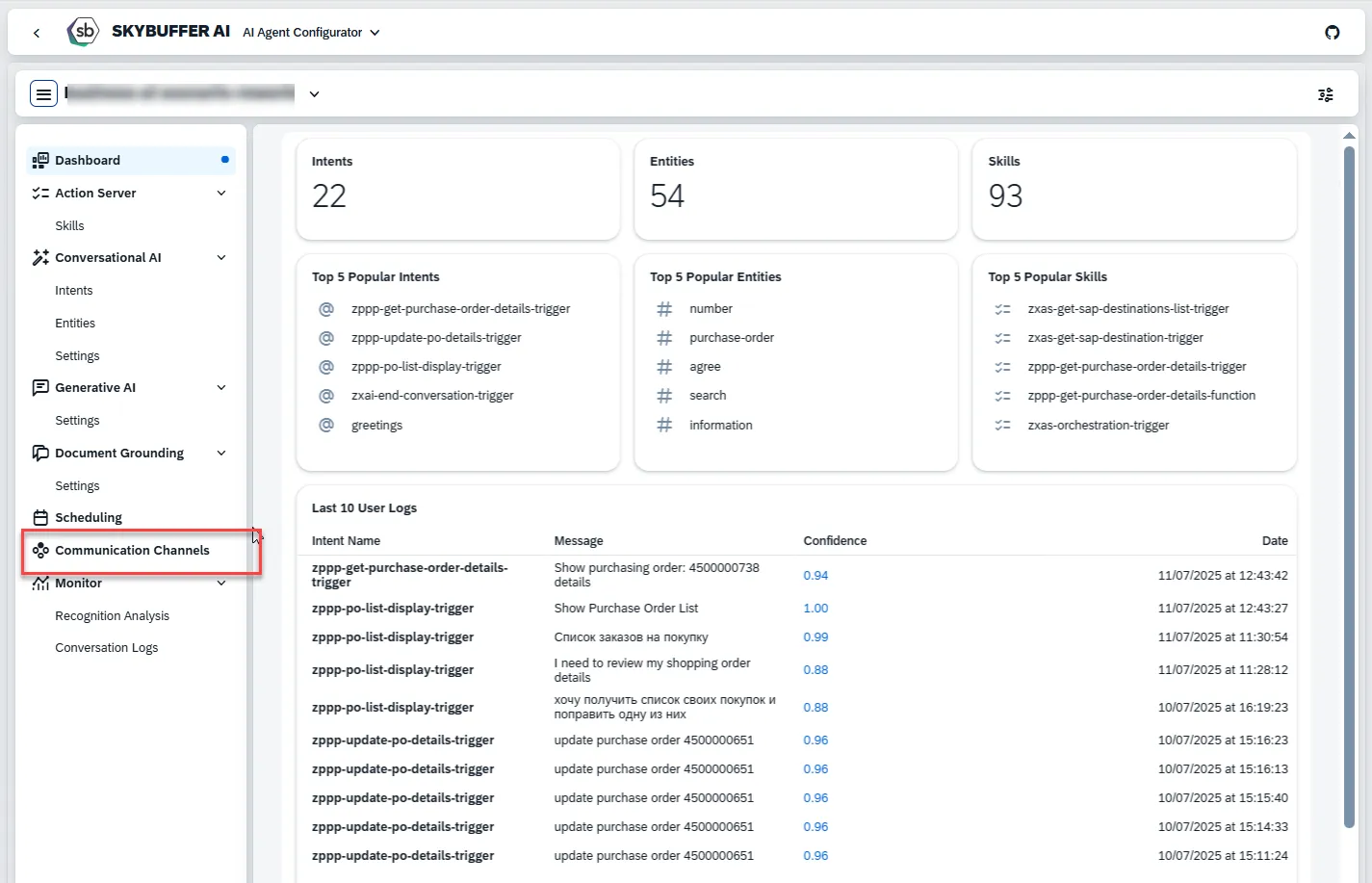
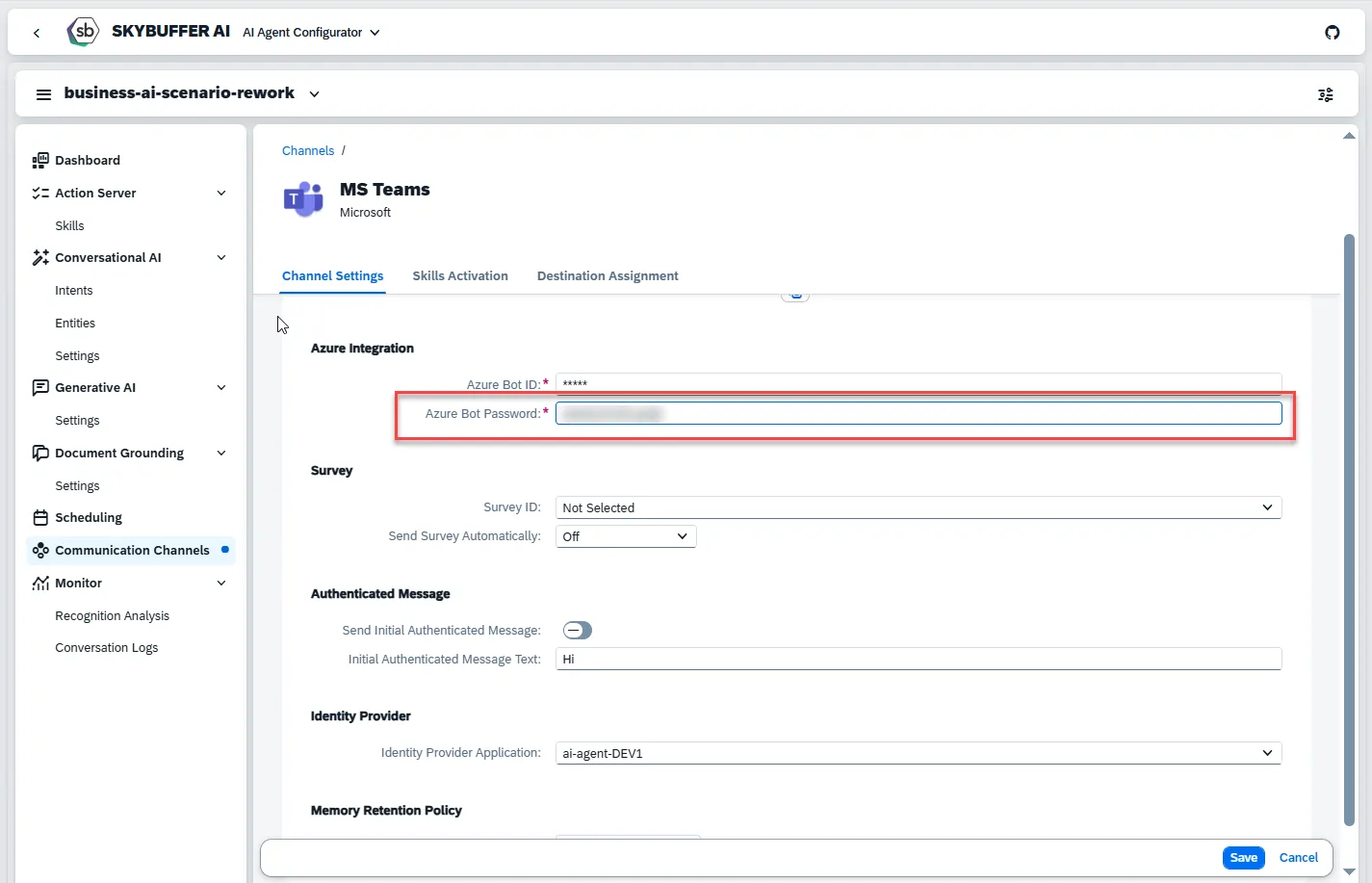
Step 3. Open the AI Agent Configurator application within Skybuffer AI platform, find the correct AI Agent, go to Communication Channels section and open it’s Microsoft Teams channel. Change the Bot Password field.