
Edit Agent
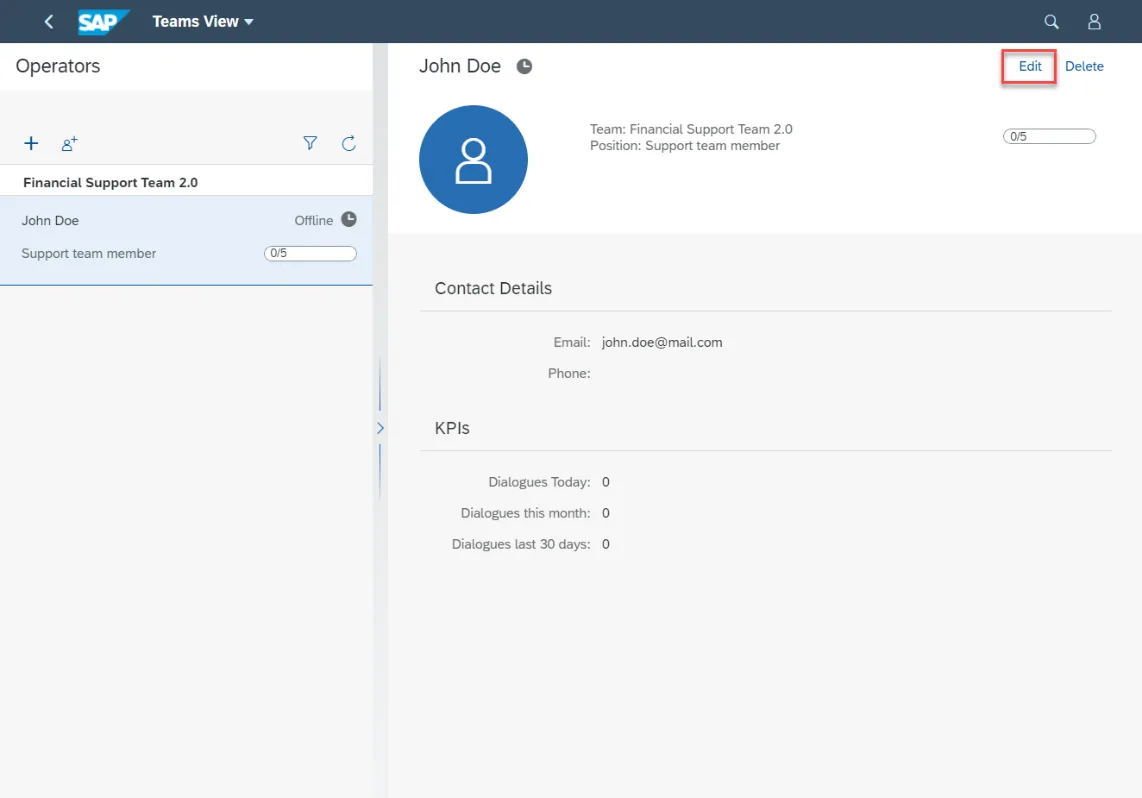
Step 1. To edit the agent’s data, open it and click Edit button at the top right-hand corner of the page:
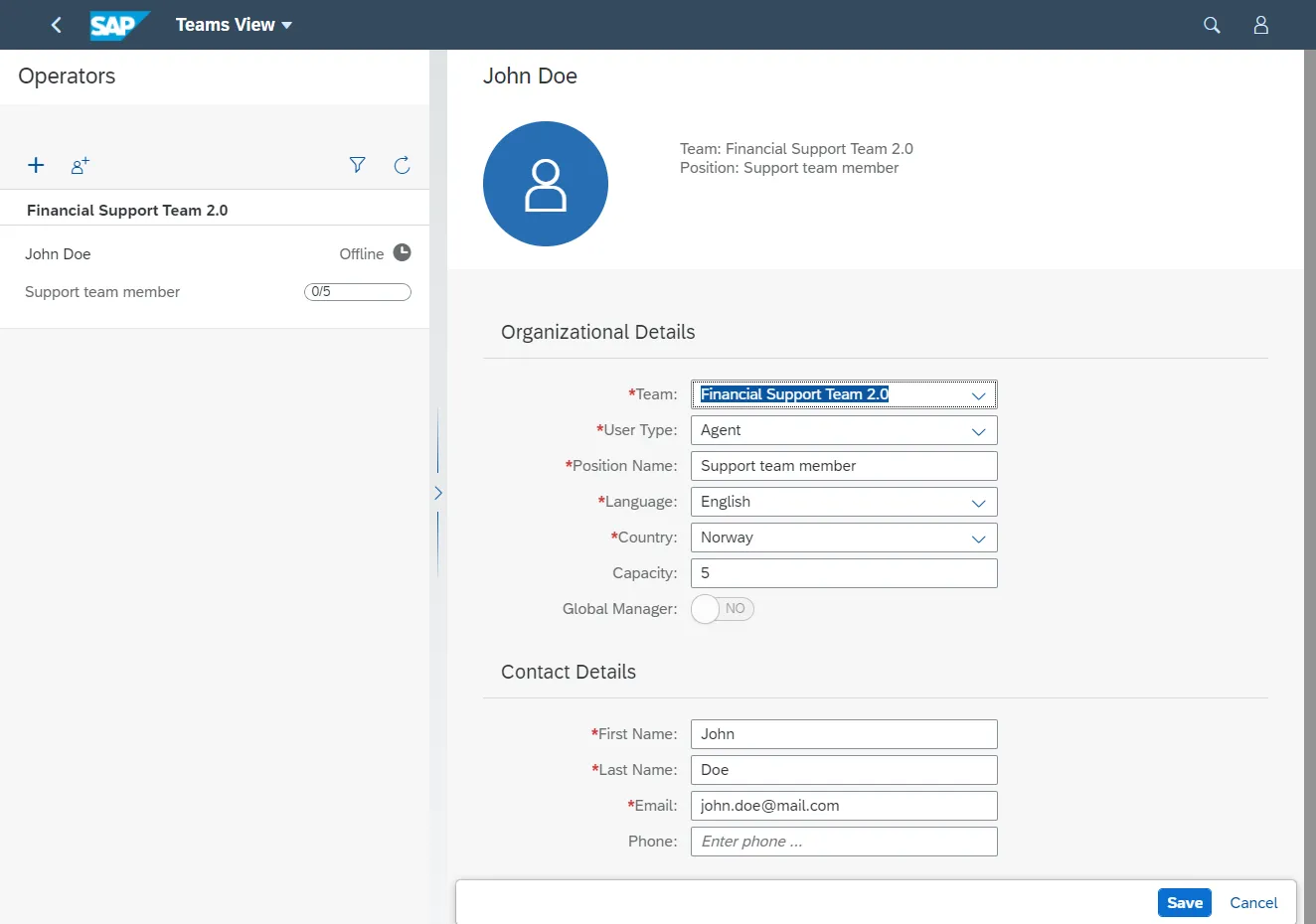
Step 2. You can modify all the data on the screen, even User Type and Team. When you change the user type, authorization rights will be automatically reassigned.
Step 3. Click the Save button.
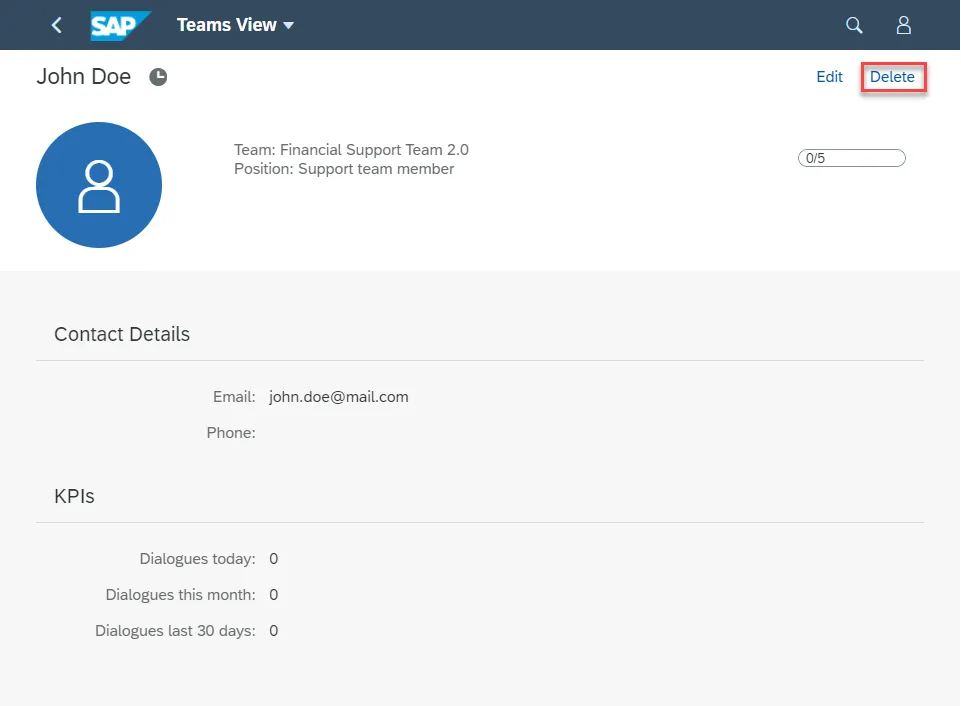
Step 4. You can delete any agent. To delete the agent data, open it and click the Delete button at the top right-hand corner of the page.
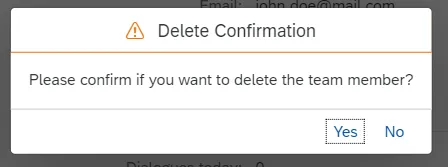
Step 5. Confirm the user’s deletion.