

Configure Approval Workflow for User Creation Scenario
Activate and set up User Creation approval workflow supplied with the Skybuffer Business AI Scenarios Package.
Prerequisites:
- AI Scenario for user creation is assigned to the ABAP Class of /SKYBFR/YAI_UMU_CRTUSR_WFAPRV
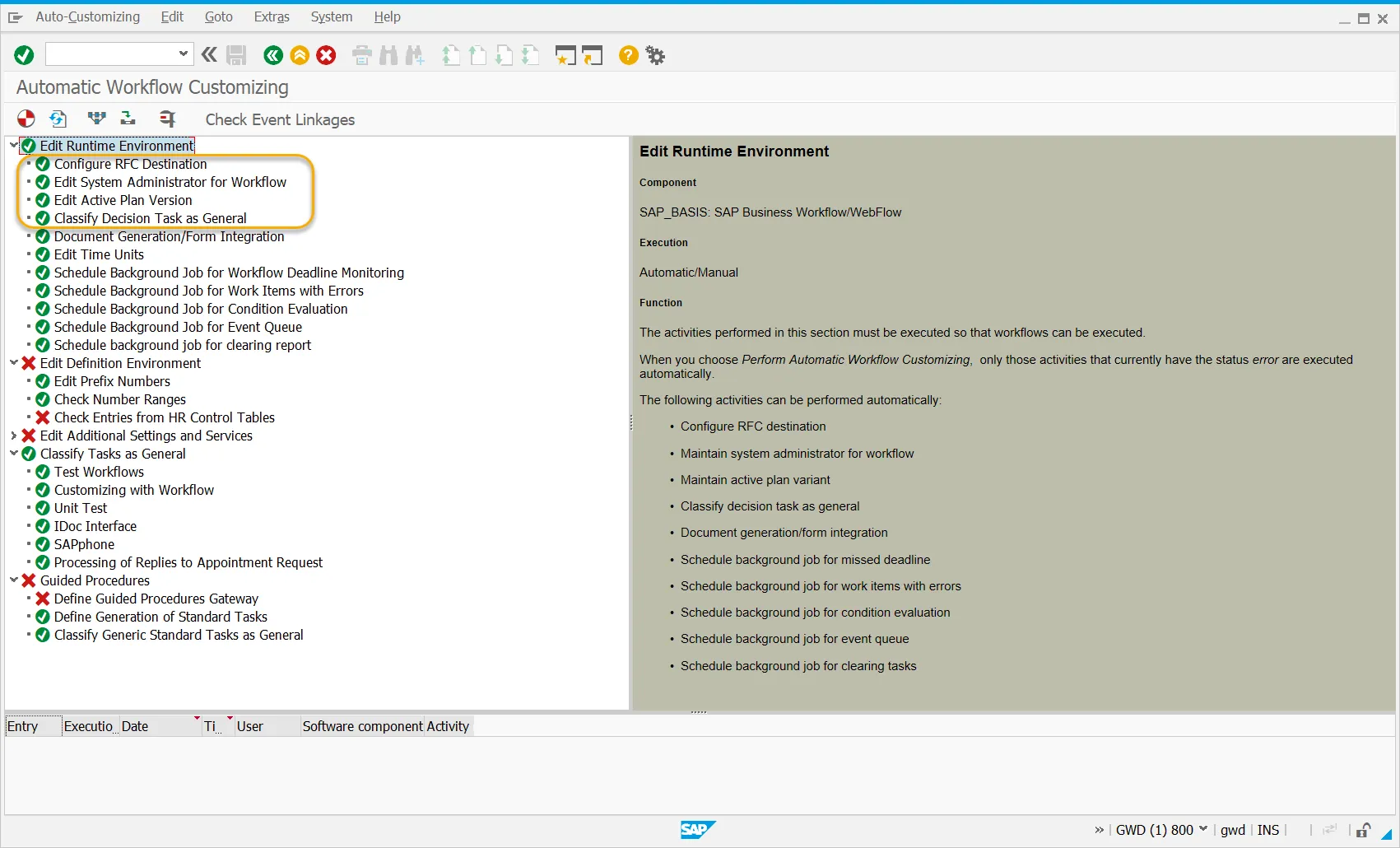
- General configuration for the workflow has been completed in SWU3 transaction. We recommend checking all the configuration items and setting them up according to Company requirements.
- Inbound and outbound email processes are configured in the system.
Most critical items are highlighted in the picture below:
Procedure:
Step 1. Execute the following transaction:
| Transaction Code | SWDD |
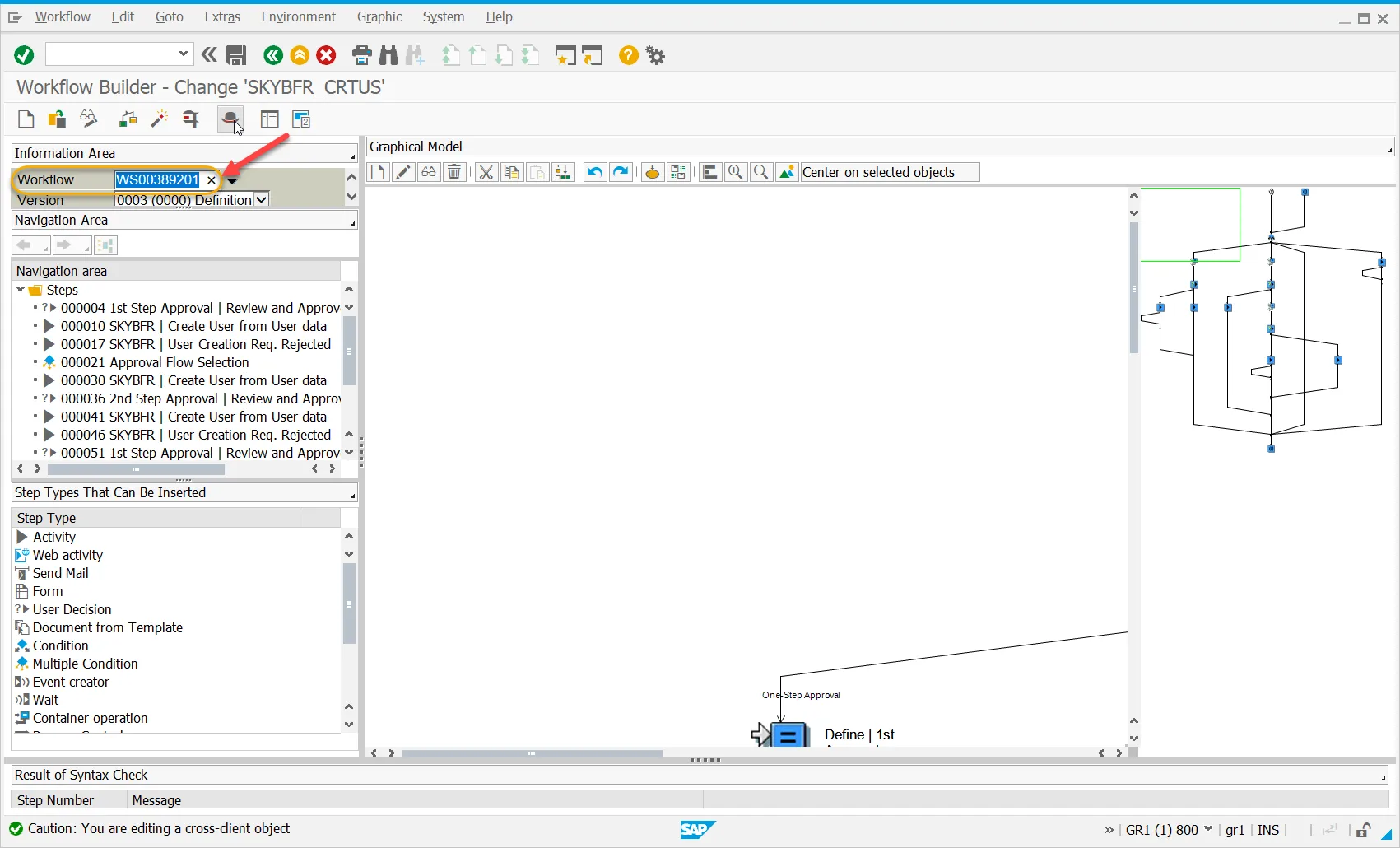
Step 2. Input Workflow ID WS00389201 into the Workflow field in the Information area. Press Enter
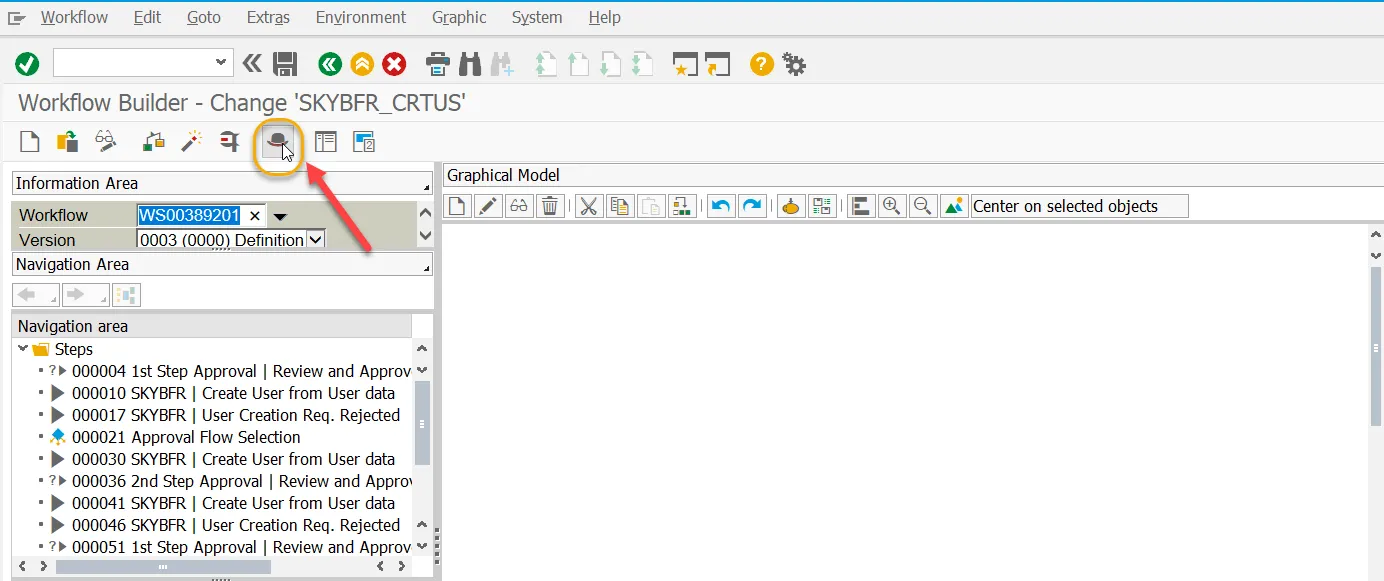
Step 3. Go to the Basic Data:
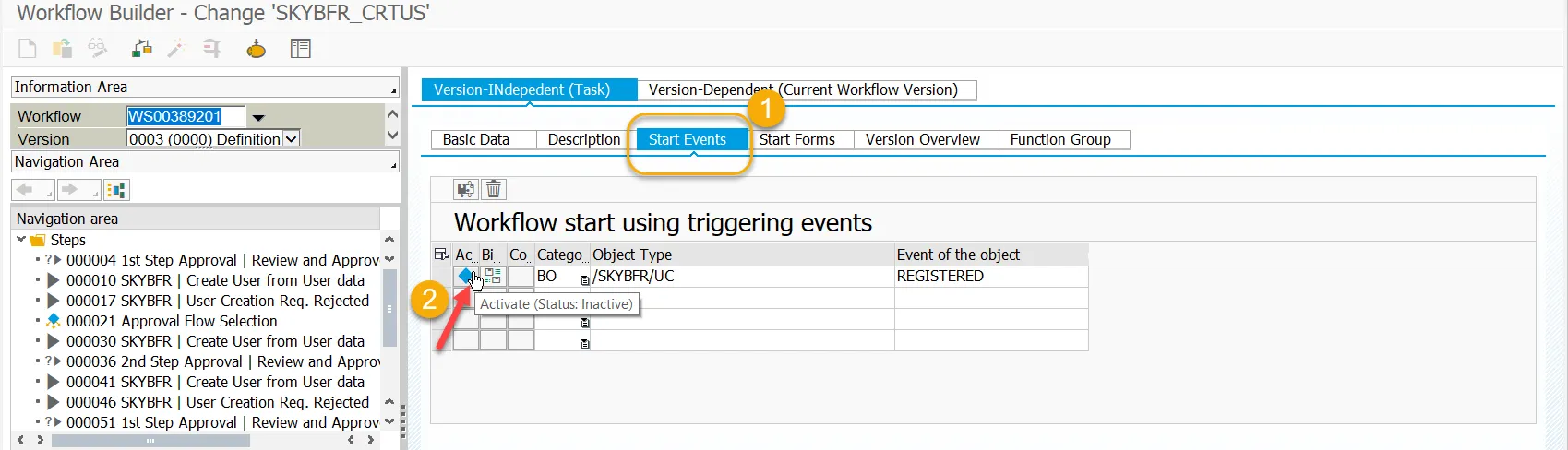
Step 4. On the Basic Data screen switch to Start Events tab (1) and Activate Business Object (2)
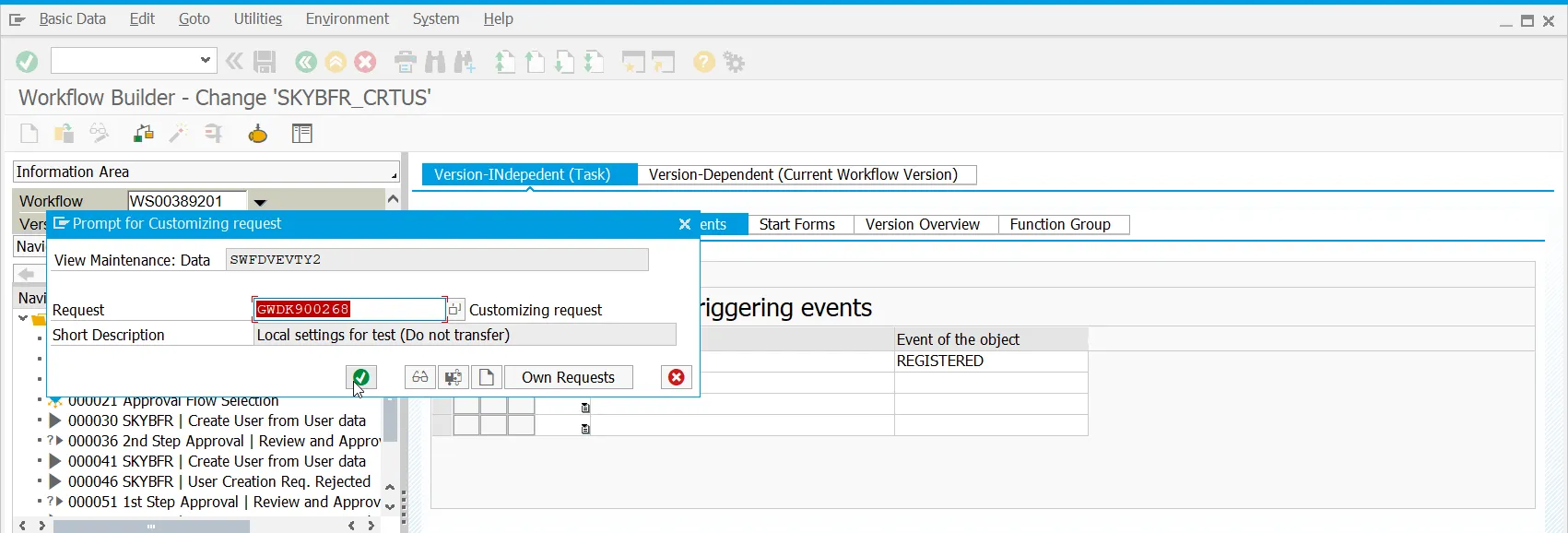
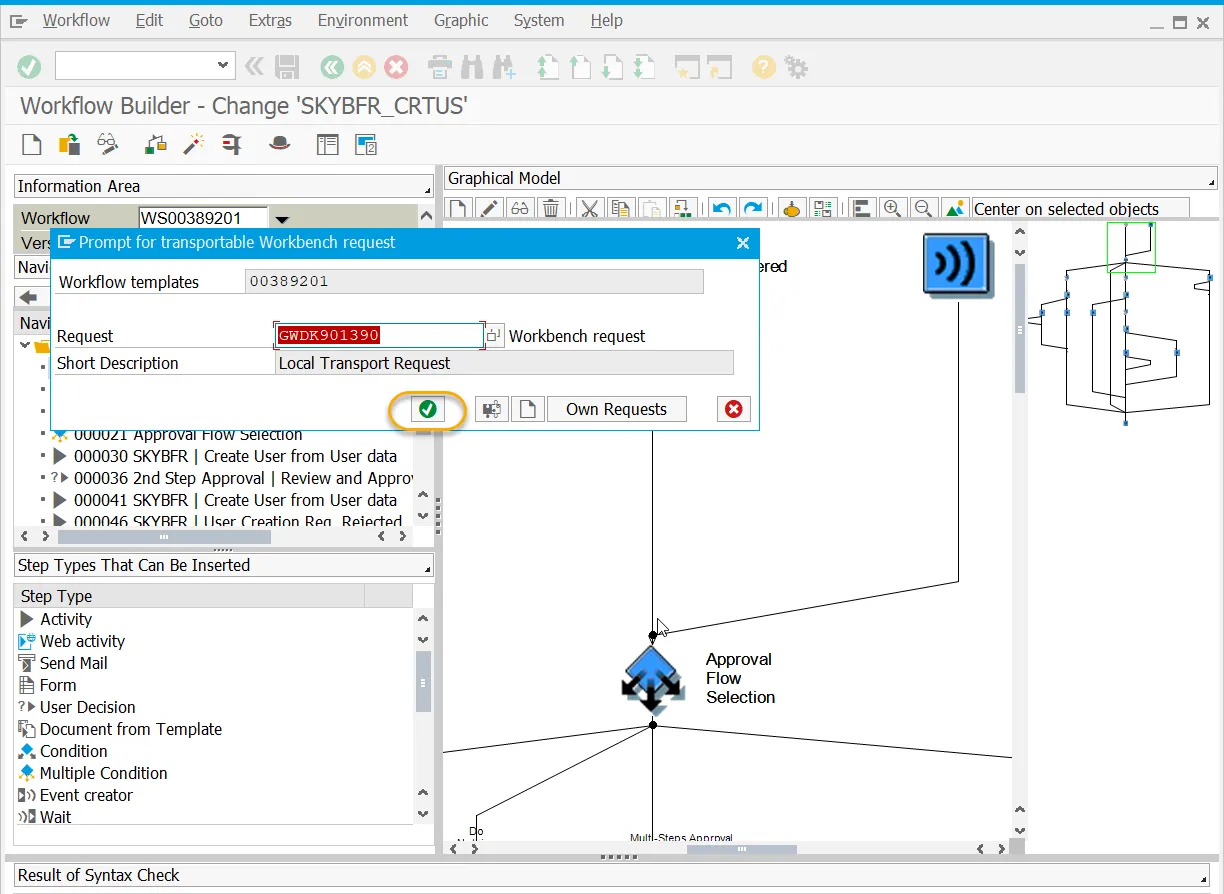
Step 5. Confirm saving of the change to the relevant Transport Request:
Step 6. Status should be Active
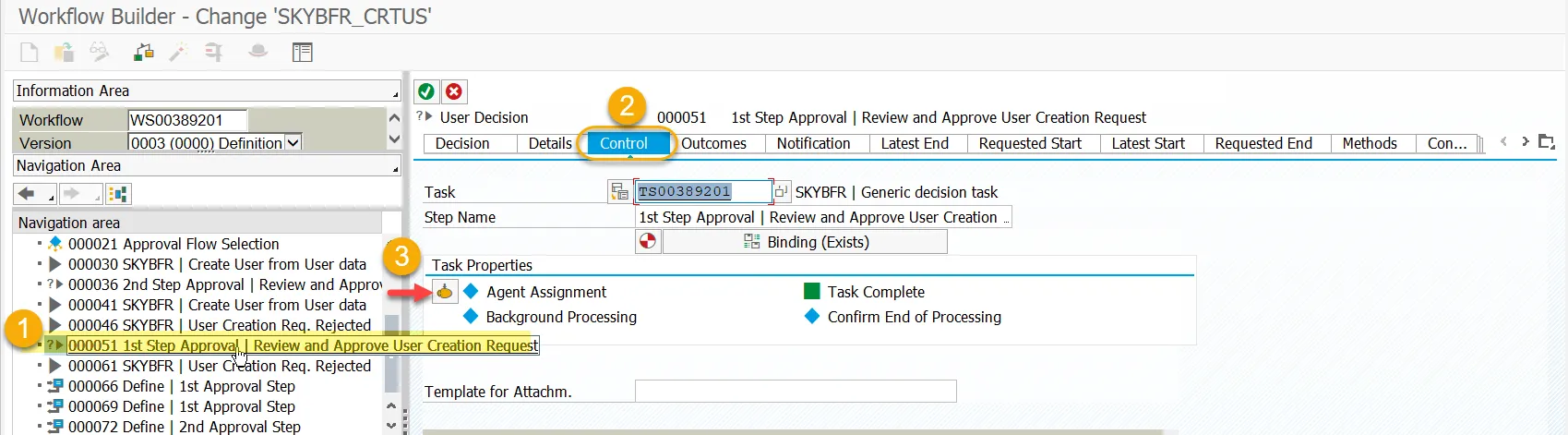
Step 7. Making Decision Tasks General: From the Navigation Area select Approval step:
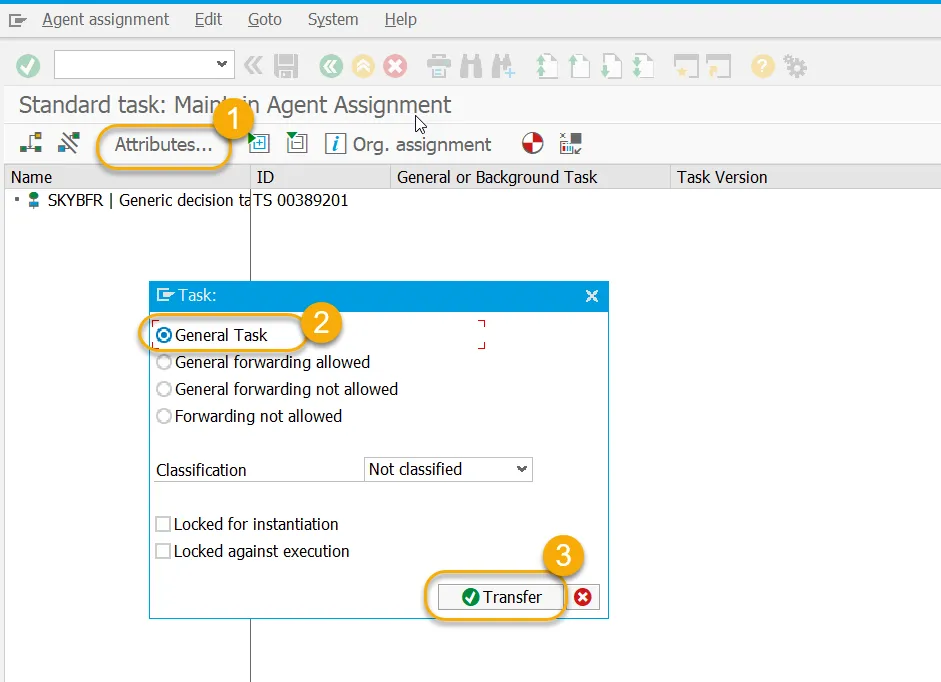
Step 8. On the Maintain Agent Assignment screen go to Attributes (1), select General task option (2) and press Transfer (3).
Step 9. Go back to the main workflow screen
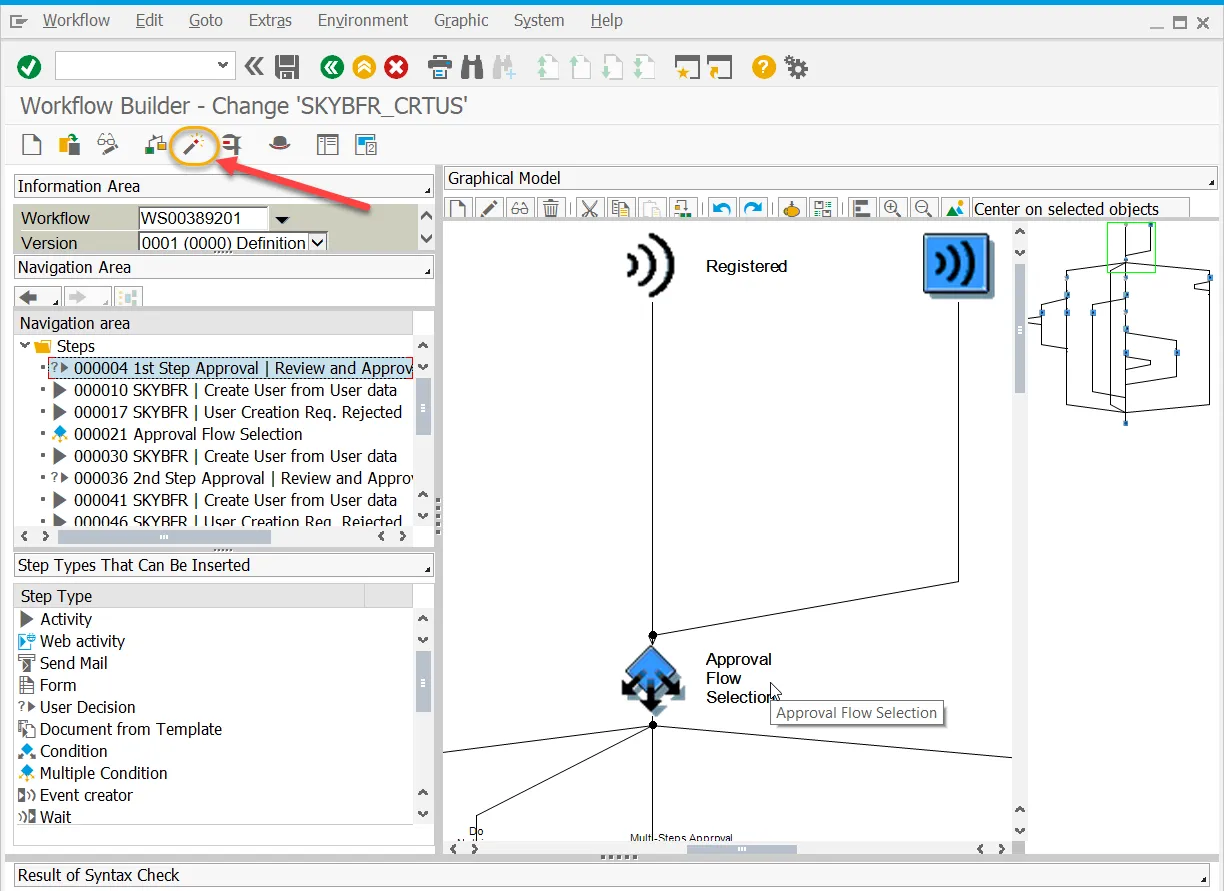
Step 10. Press Create and Activate Runtime Version
Step 11. Save to the Workbench transport request
Result: User Creation approval workflow is set up and activated.