Destination Assignment
This setting allows you to assign destinations to tools that have backend-connected actions. The list includes only tools with actions of type Call SAP System.
Prerequisite:
Ensure the corresponding backend destinations are properly configured in the Destination Management application. Without proper configuration, the tools will not be able to execute the required backend actions.
Click here for more information about Destination Management
Step 1. Assign Destination to all Tools
For a newly created Channel, there are no destinations assigned by default. To assign them, click on the Destination Assignment tab in the top menu. You will see the message: No destinations assigned to tools yet. Click the Assign Destination(s) to All tools button to start. 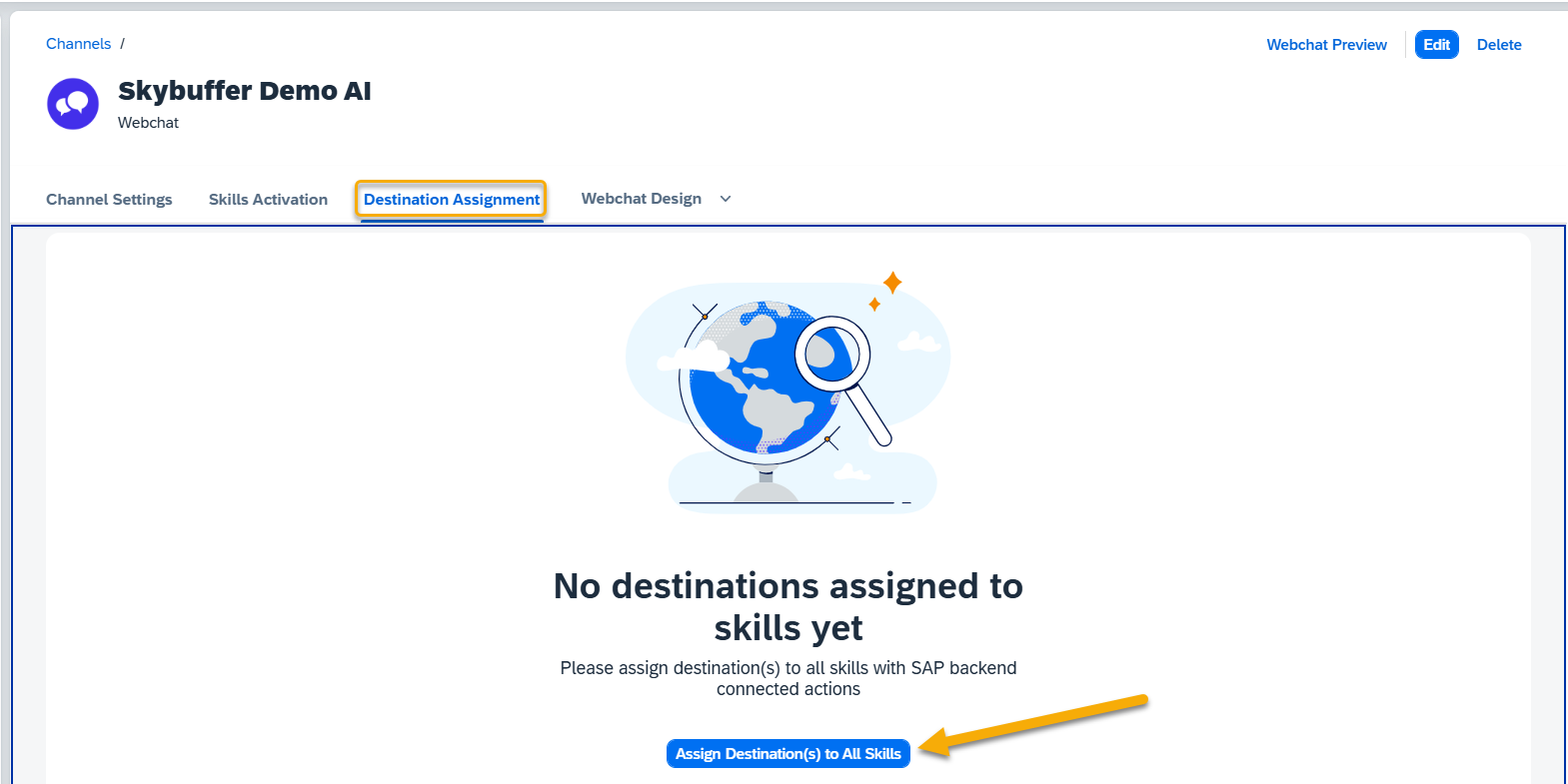
Choose your destination and press the Assign button. 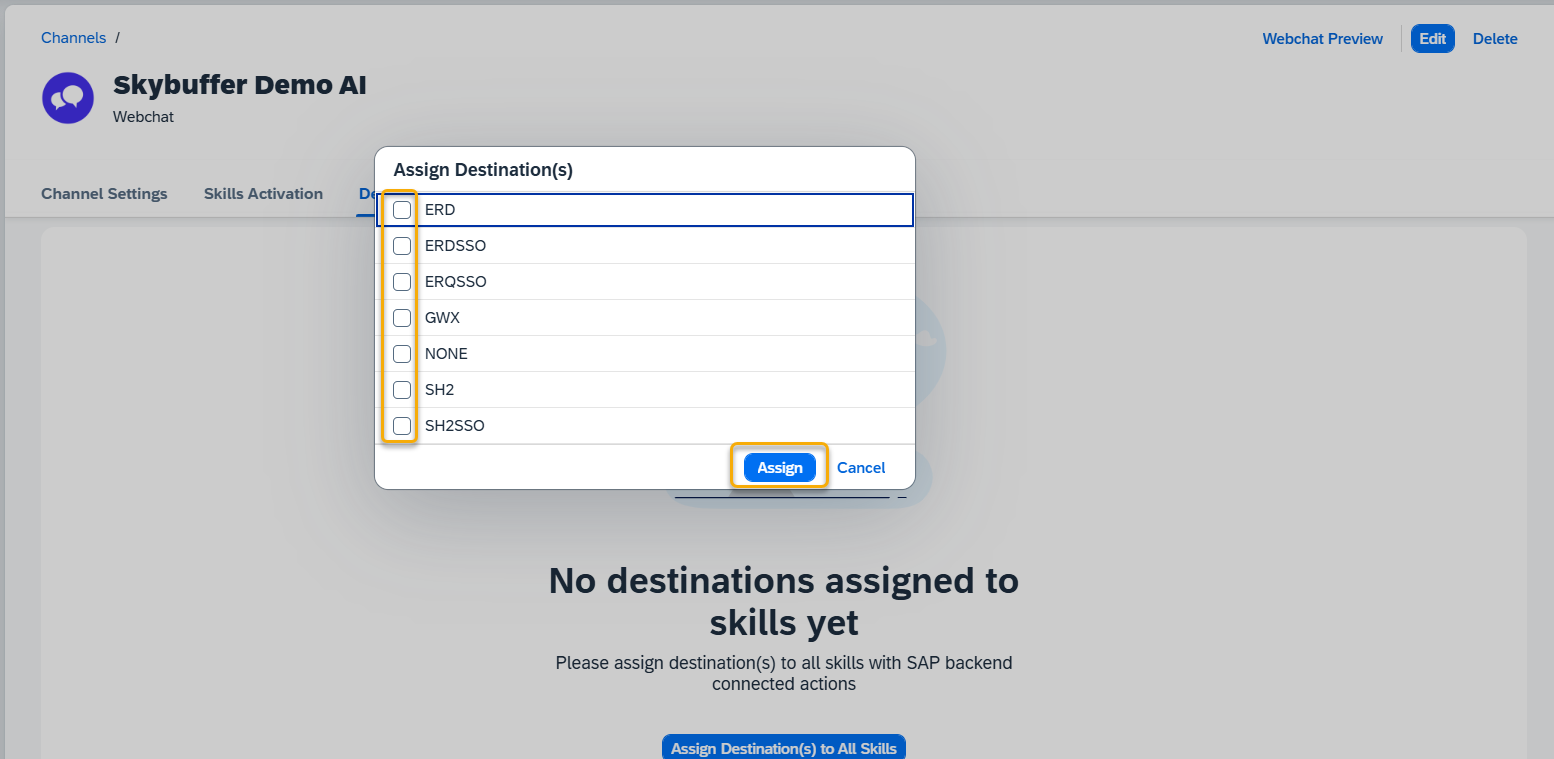
Now all your tools are connected to the selected destination(s).
Step 2. Search Tools or Filter by Destination
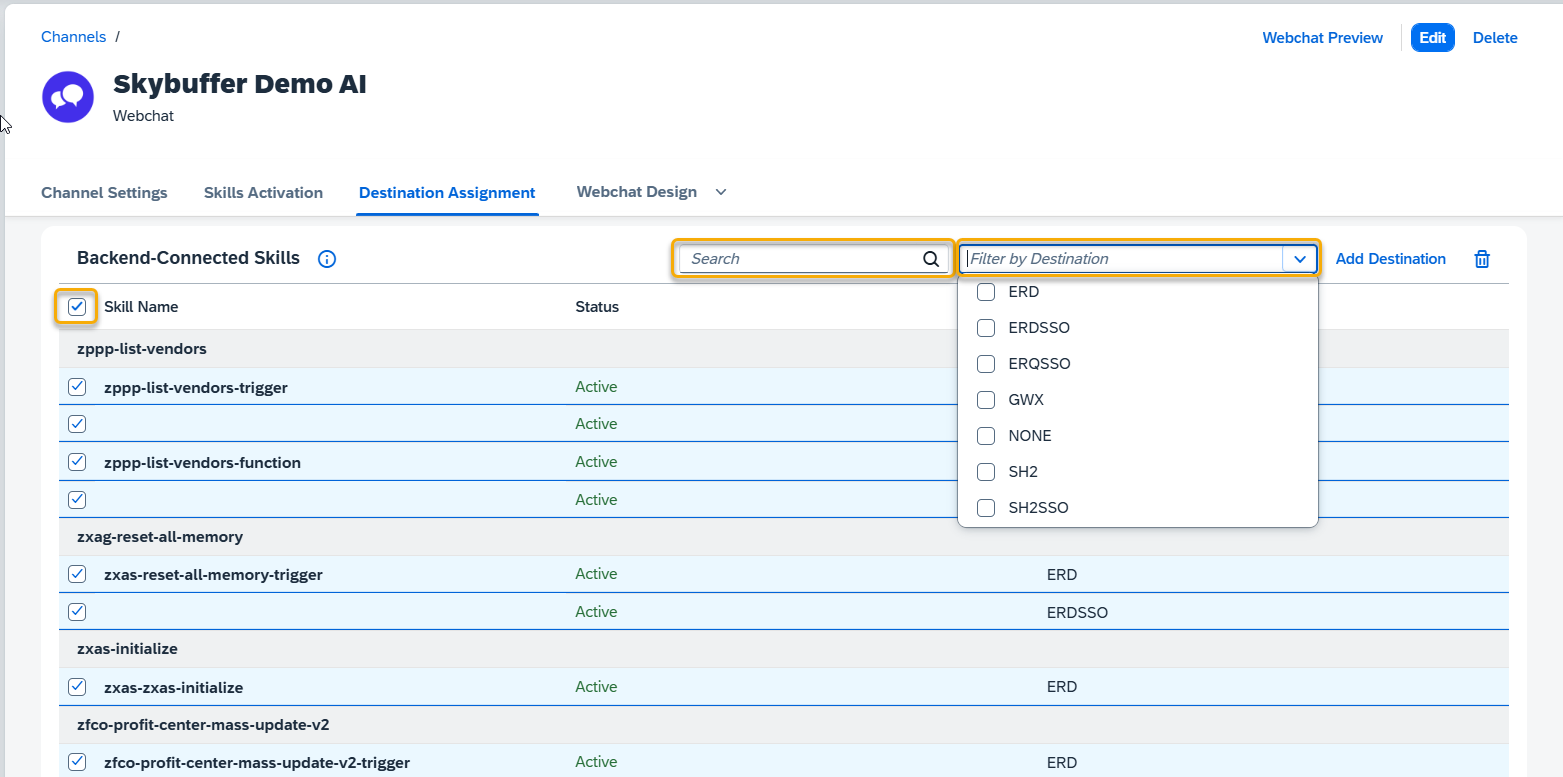
You can use the Search button to find a specific tool or use Filter by Destination if needed.
To change the assigned destination or add a new one, tick the box next to the tool name and press the Add Destination button. To select all tools at once, click the box next to the tool name field header.
Step 3. Change Destination
To change a destination already assigned, click the Edit button in the top-right corner and select a different destination from the drop-down menu.
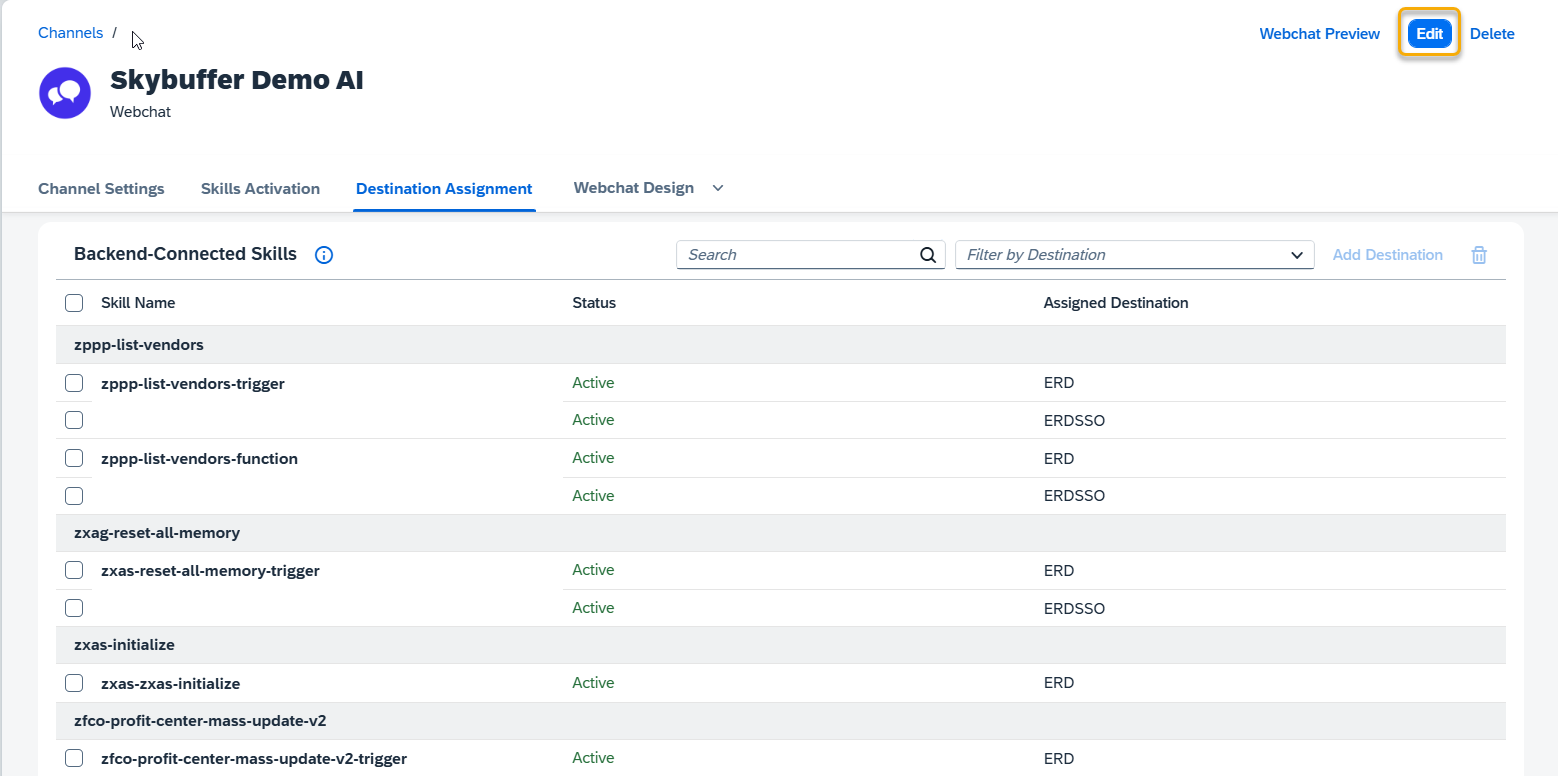
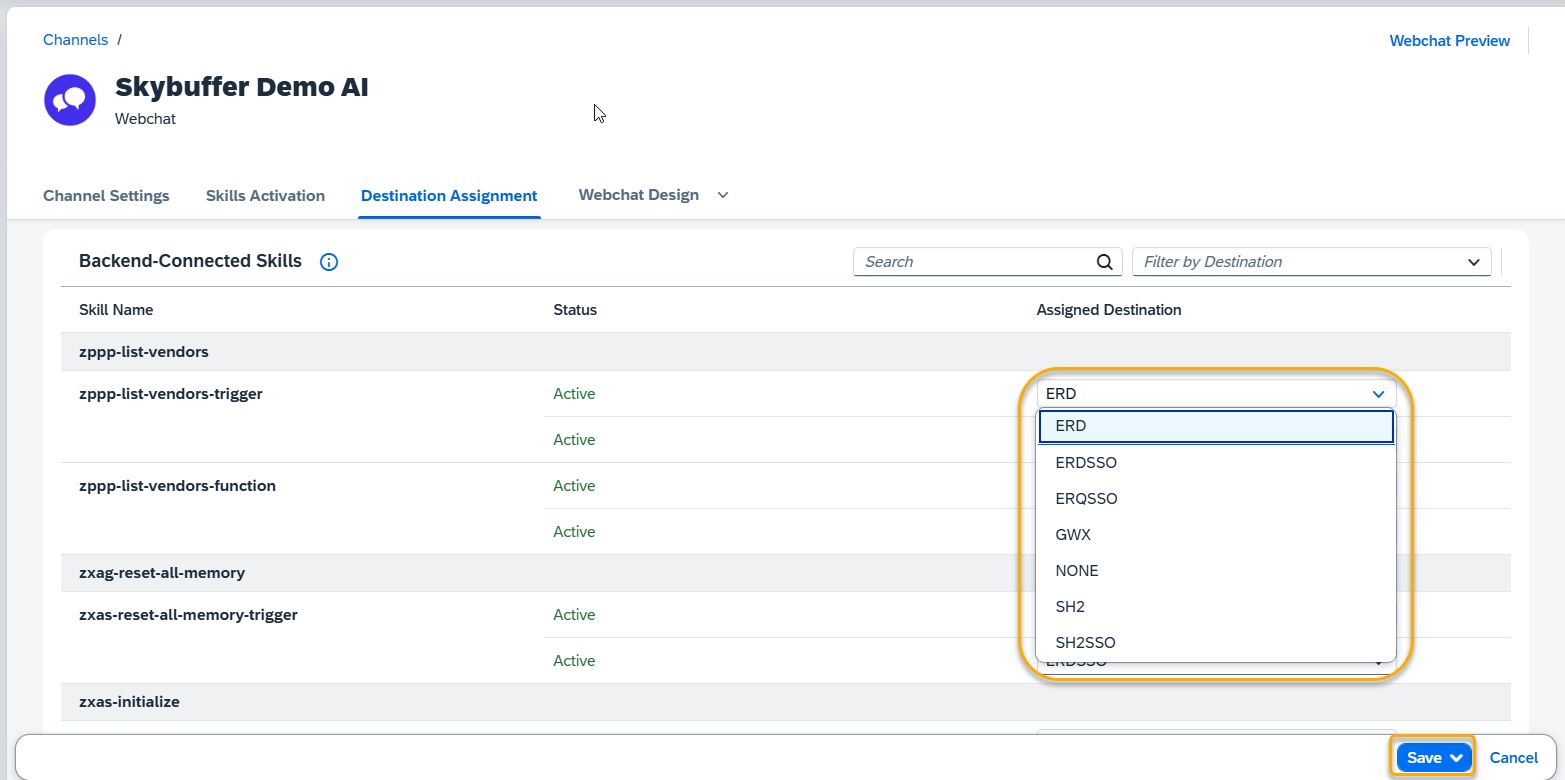 Remember to save your entries once you finish editing.
Step 4. Delete destinations
To delete one of the destinations, check the box next to it and press the Bin icon. Confirm your choice.
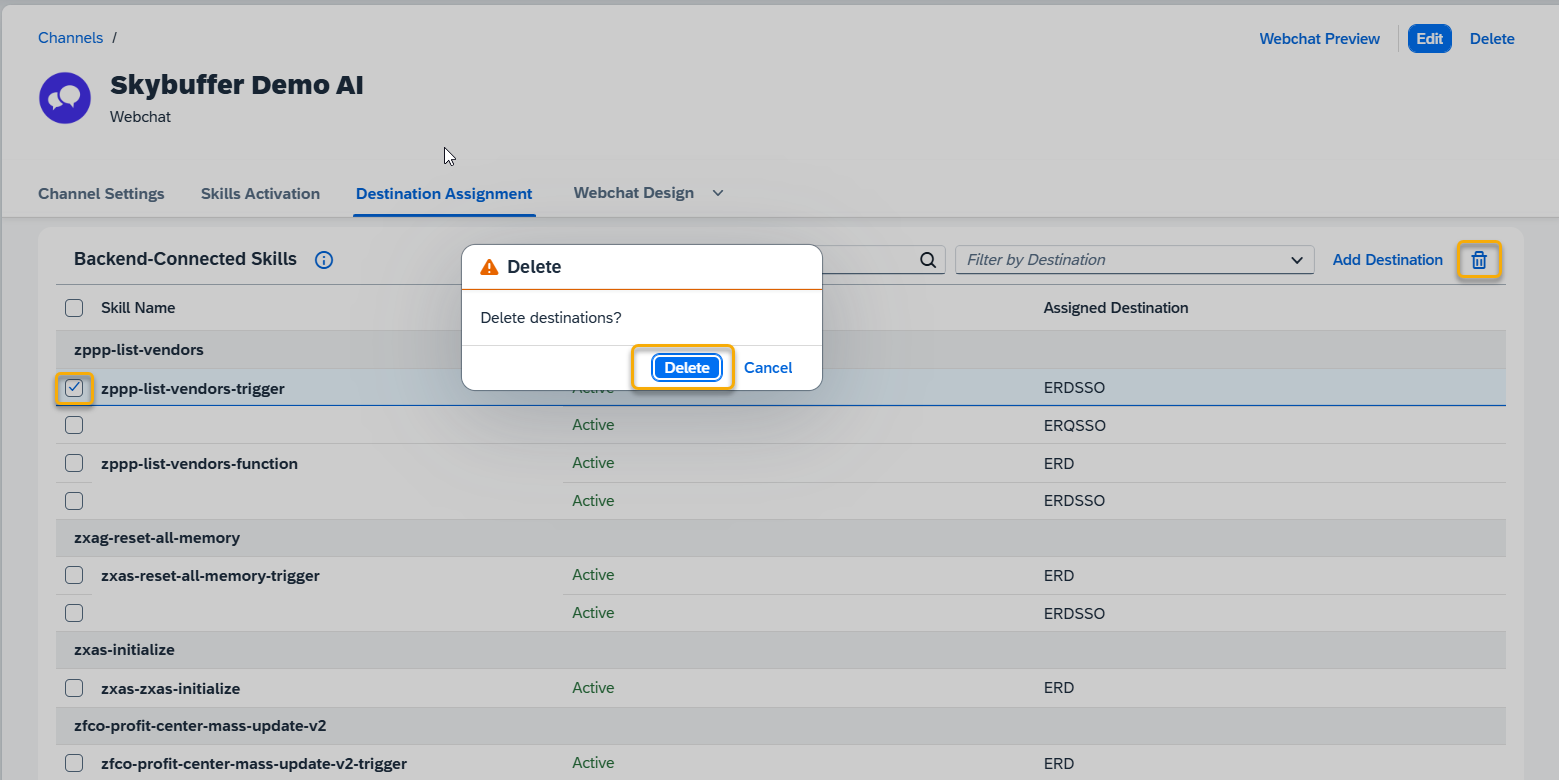
NOTE: You can assign one or several destinations to each tool in the Channel.