Translation
You can enable translation in your AI agent to automatically translate messages. The translation service can be provided by Google, Skybuffer, or Yandex, depending on your configuration.
Prerequisites
Before enabling translation in an AI agent, you must create a translation destination in the Models Hub.
Follow the instructions here to create it: Models Hub
Step 1: Enable Translation in the AI Agent
Open the AI Agent Configurator and go to the main AI Agent settings
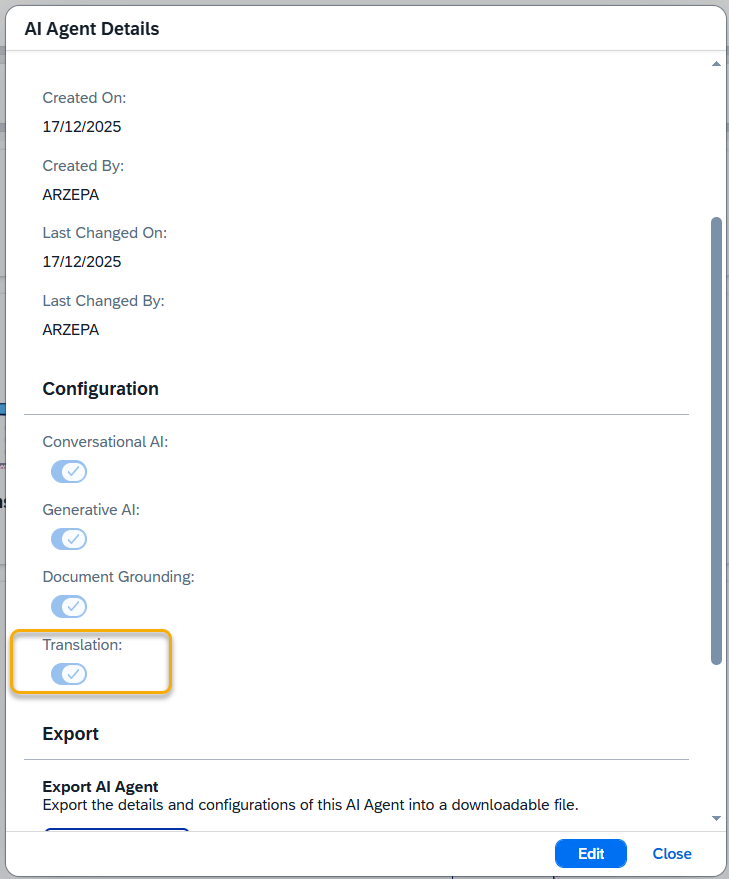
Enable the Translation option.
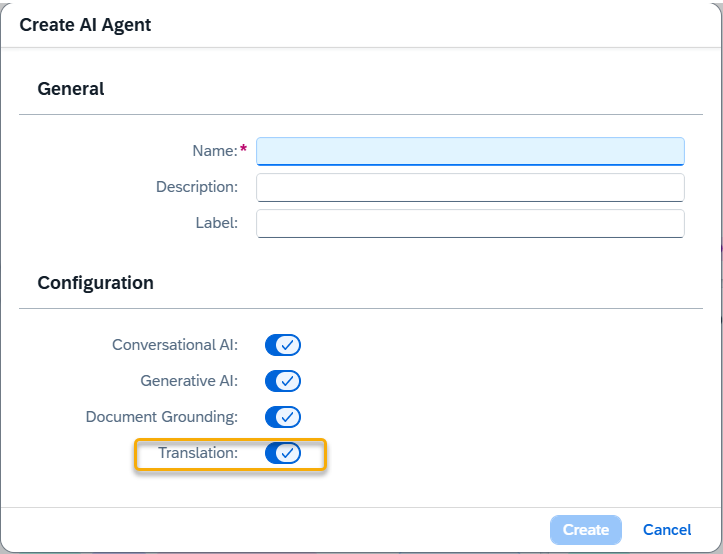
NOTE: You can also enable translation while creating a new AI agent.
Once enabled, an additional Translation section will appear in the left-side panel, allowing you to configure translation settings.
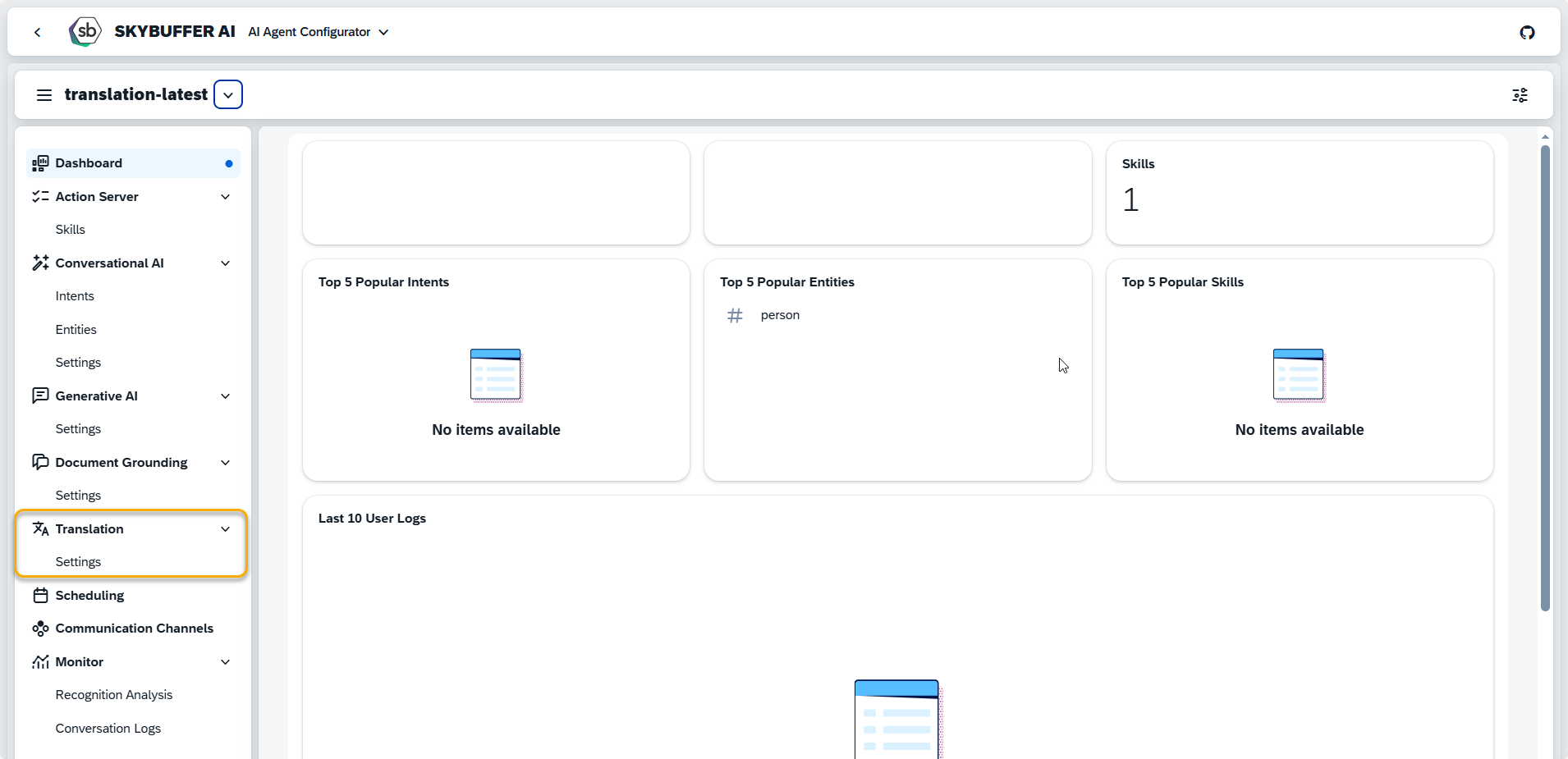
Step 2. Edit Settings
To edit a parameter, click the pen icon to enter edit mode and make the desired changes.
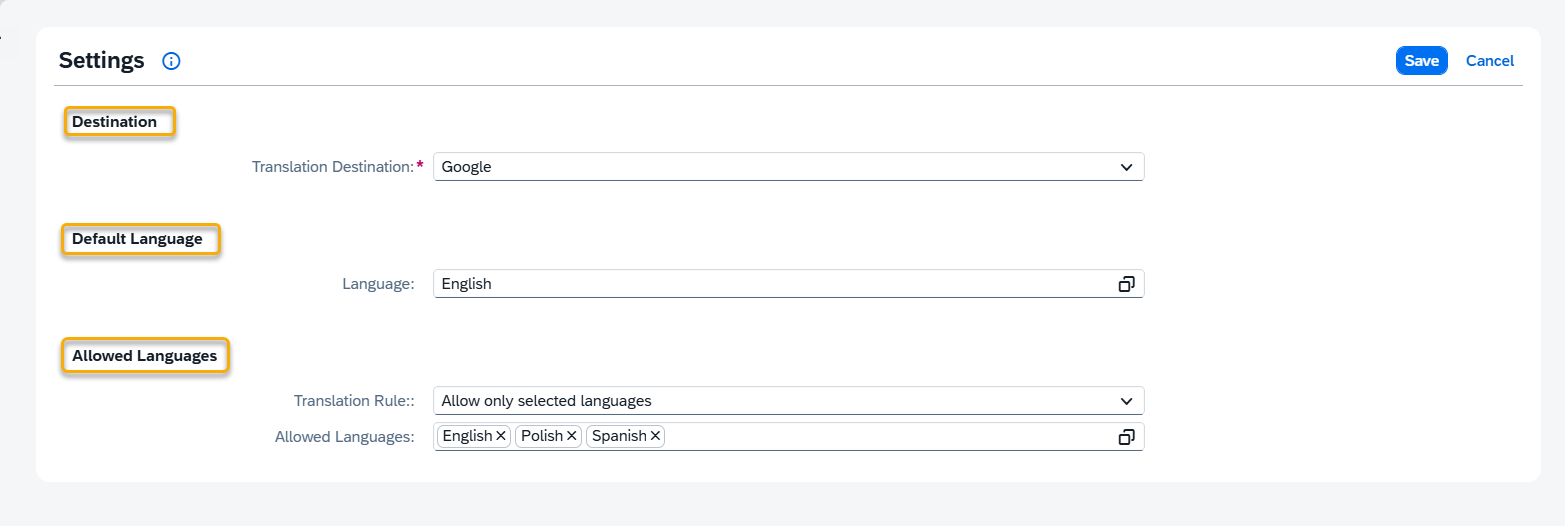
Destination
The Translation Destination refers to the configured connection used to access translation models or services in your system. These destinations are managed in the Models Hub application. To assign or change the Translation Destination, select one from the available list. If a default destination is configured in the Models Hub, it will appear here automatically.
Default Language (optional)
The Default Language is the primary language that the system will use for translation when no other language is specified.
Select a language from the list to set it as the default.
NOTE: If a default language is selected, it will be automatically included in the Allowed Languages list.
Allowed Languages
Translation Rule defines which languages may be used for translation. Depending on the rule selected, an additional field will appear with a list of languages to configure.
Available options:
- Allow all languages – No restrictions apply.
- Allow all languages except forbidden ones – Select the languages that should be excluded.
- Allow only selected languages – Choose the specific languages that are permitted.
Use the Allowed Languages or Forbidden Languages list (depending on the selected rule) to define your preferences.