Language settings and RTL Support
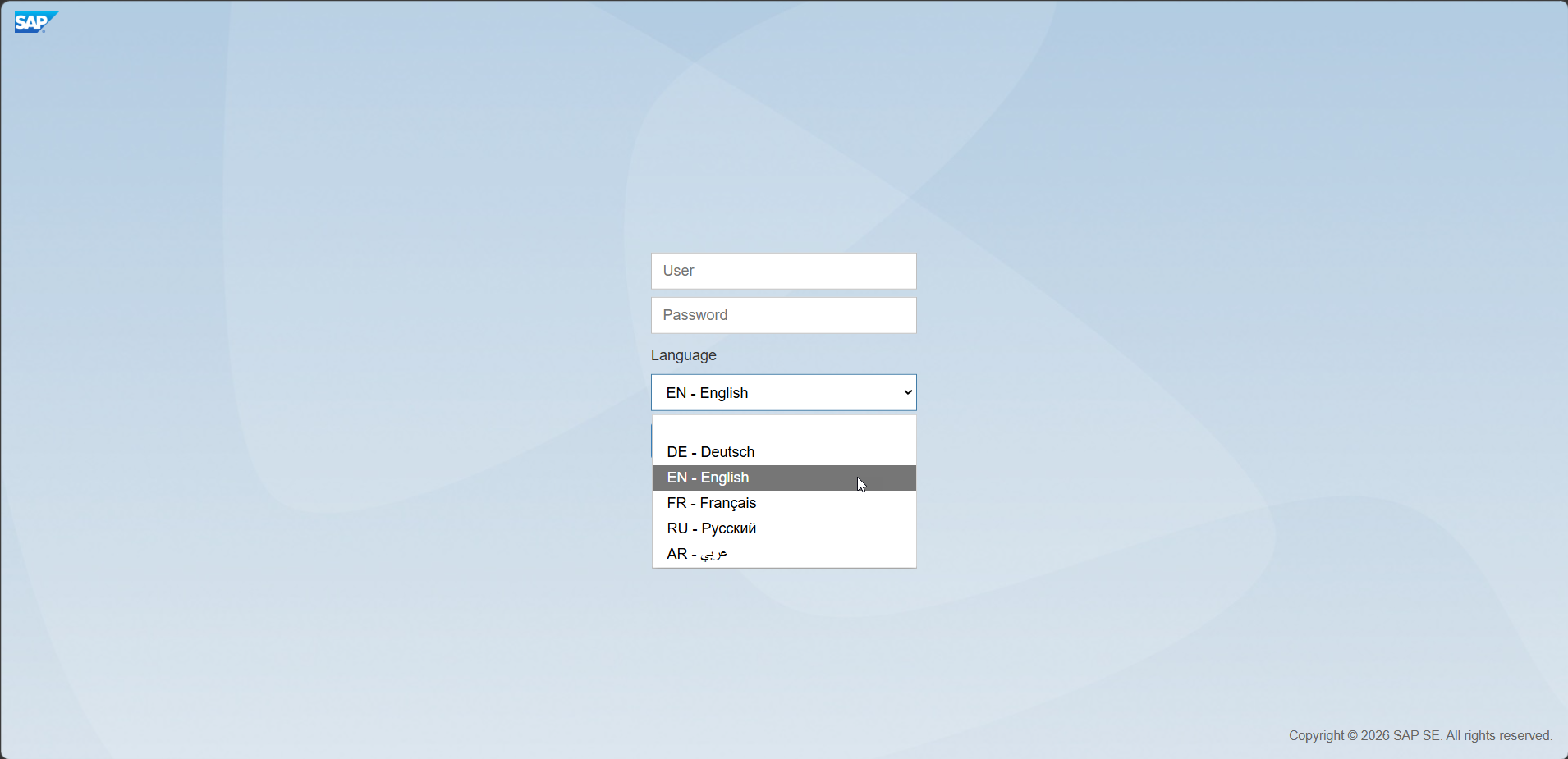
On the logon page, you can select the application language. The following languages are supported:
- English
- German
- French
- Russian
- Arabic
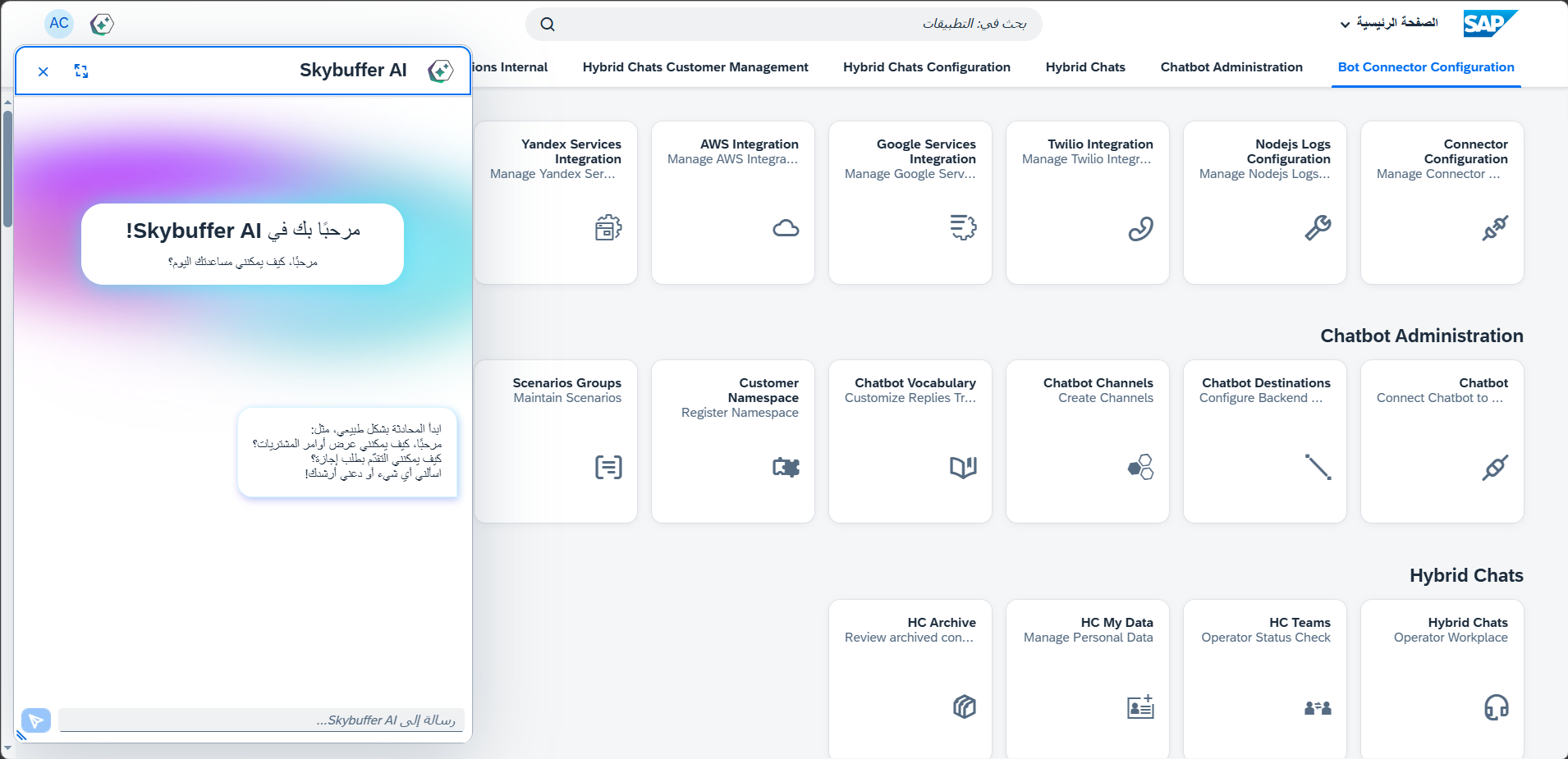
When a right-to-left (RTL) language such as Arabic is selected, the chat interface automatically adjusts its layout and text direction to match RTL standards. UI elements, message alignment, and input fields are displayed in an RTL-oriented view, while standard left-to-right languages remain unchanged.
Example of the appliaction view when RTL Language is selected:
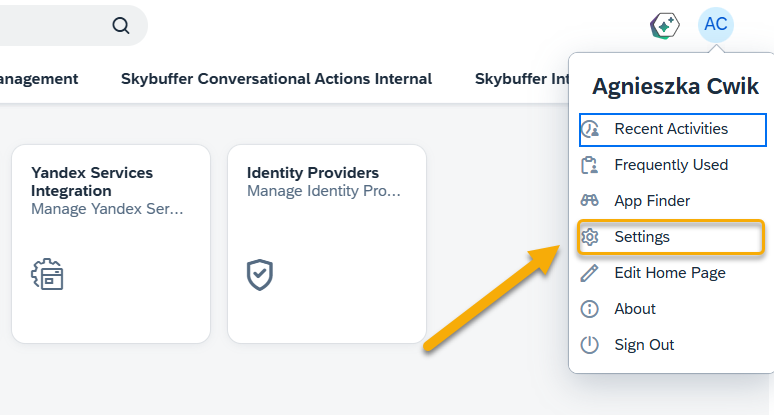
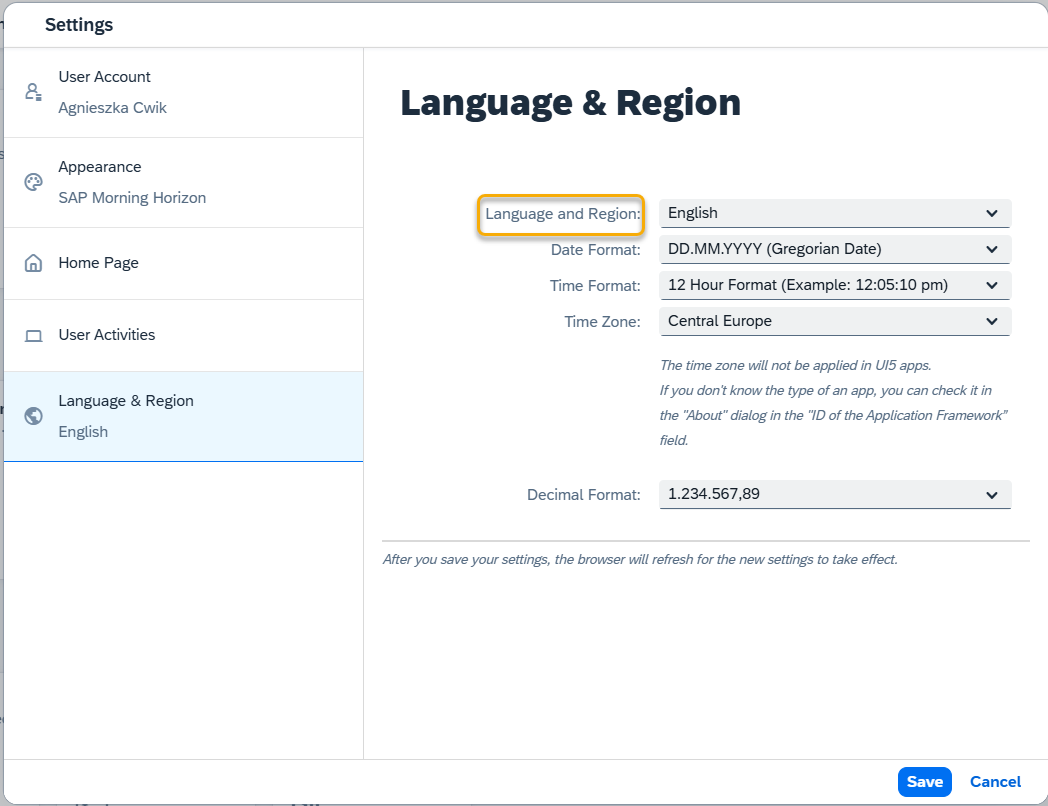
You can also change the language and region in the settings section: