
Predefined Response Translator
Step 1: Open the Predefined Response Translator
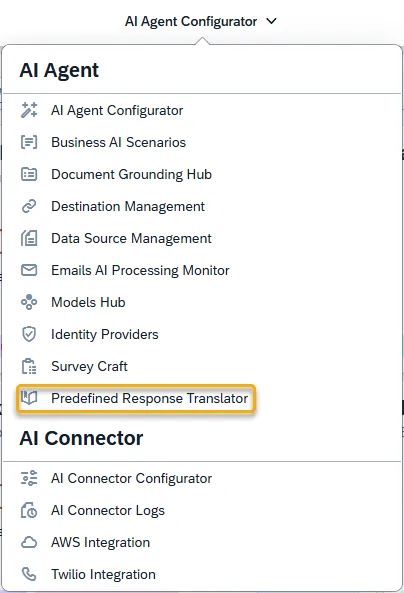
Section titled “Step 1: Open the Predefined Response Translator”Open the Predefined Response Translator application located in the AI Agent group.
If a translation is not captured by the Predefined Response Translator app, the AI Agent can still provide a translation at runtime using the Google Translate API key.
Step 2: Adding Your Translations
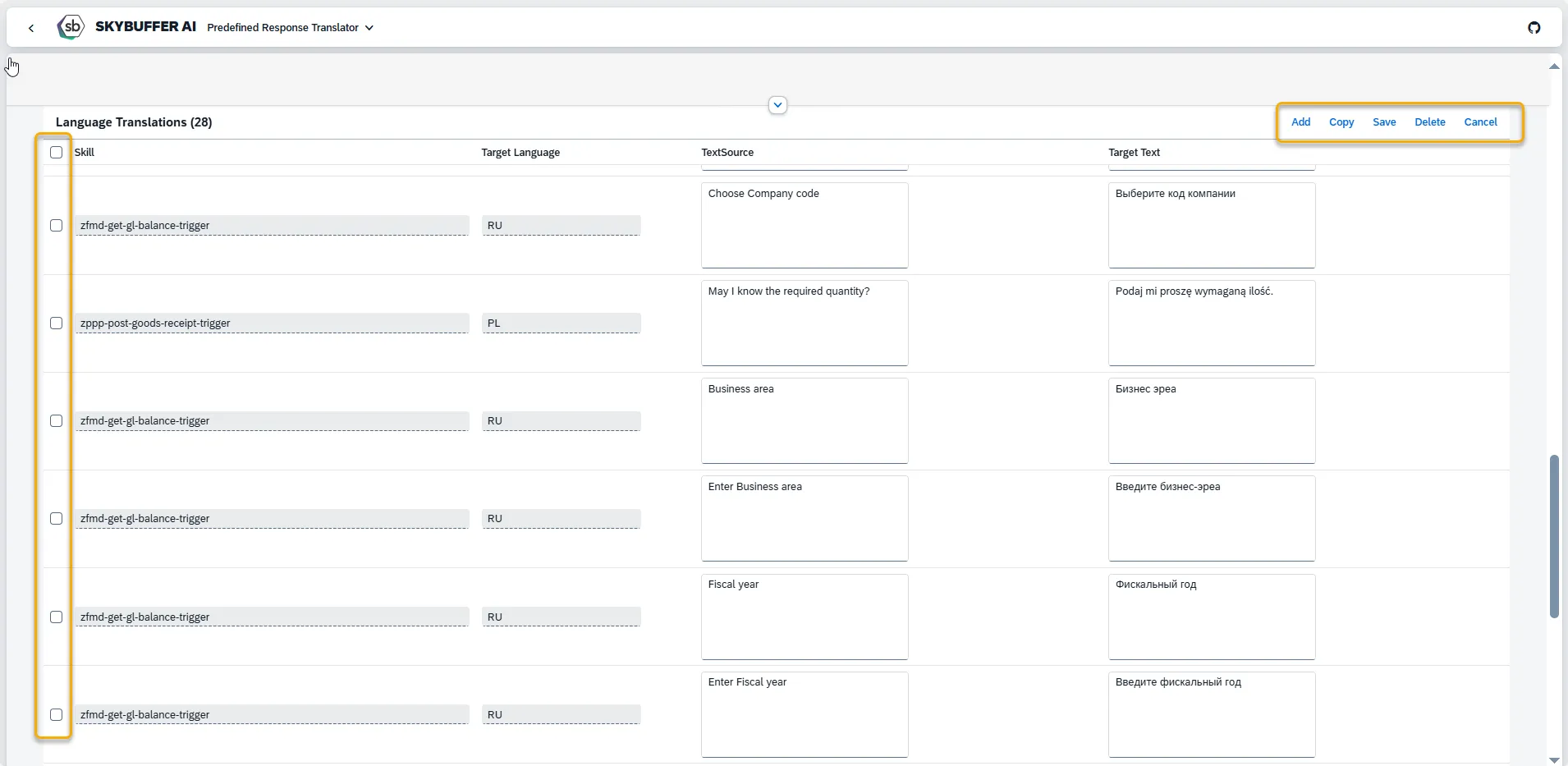
Section titled “Step 2: Adding Your Translations”To add your own translations of phrases used in a tool, enter Edit Mode by clicking the button in the top right corner. You can also use the Search field to check which phrases are already translated or apply filters to narrow down the results.

While in Edit Mode, you can:
-
Edit existing translations
-
Add new ones
-
Copy existing entries to create translations in other languages
-
Delete translations
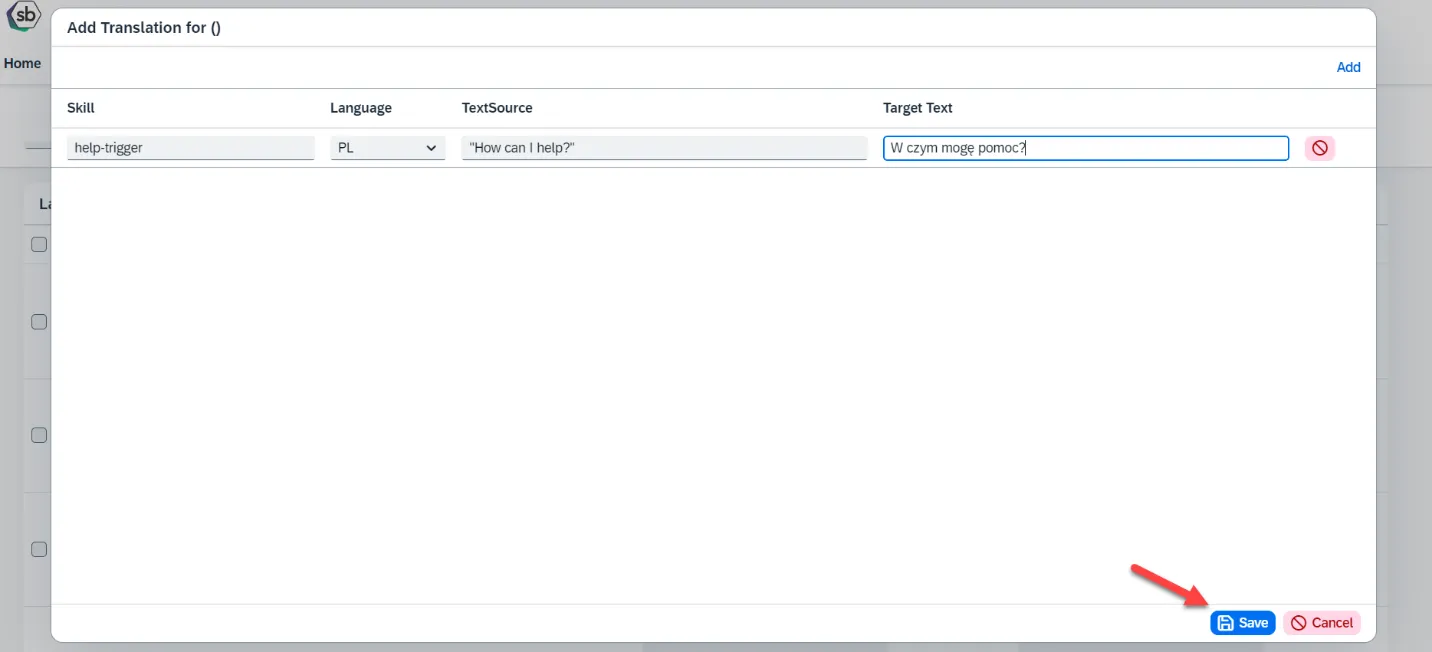
To add a new translation, click the Add button.

Then, fill in the following fields:
-
Tool ID (optional)
-
Target Language
-
Original Phrase (Text Source)
-
Translated Phrase (Target Text)
After entering the details, click the Save button to store your translation.