

Vectorized Data Sources
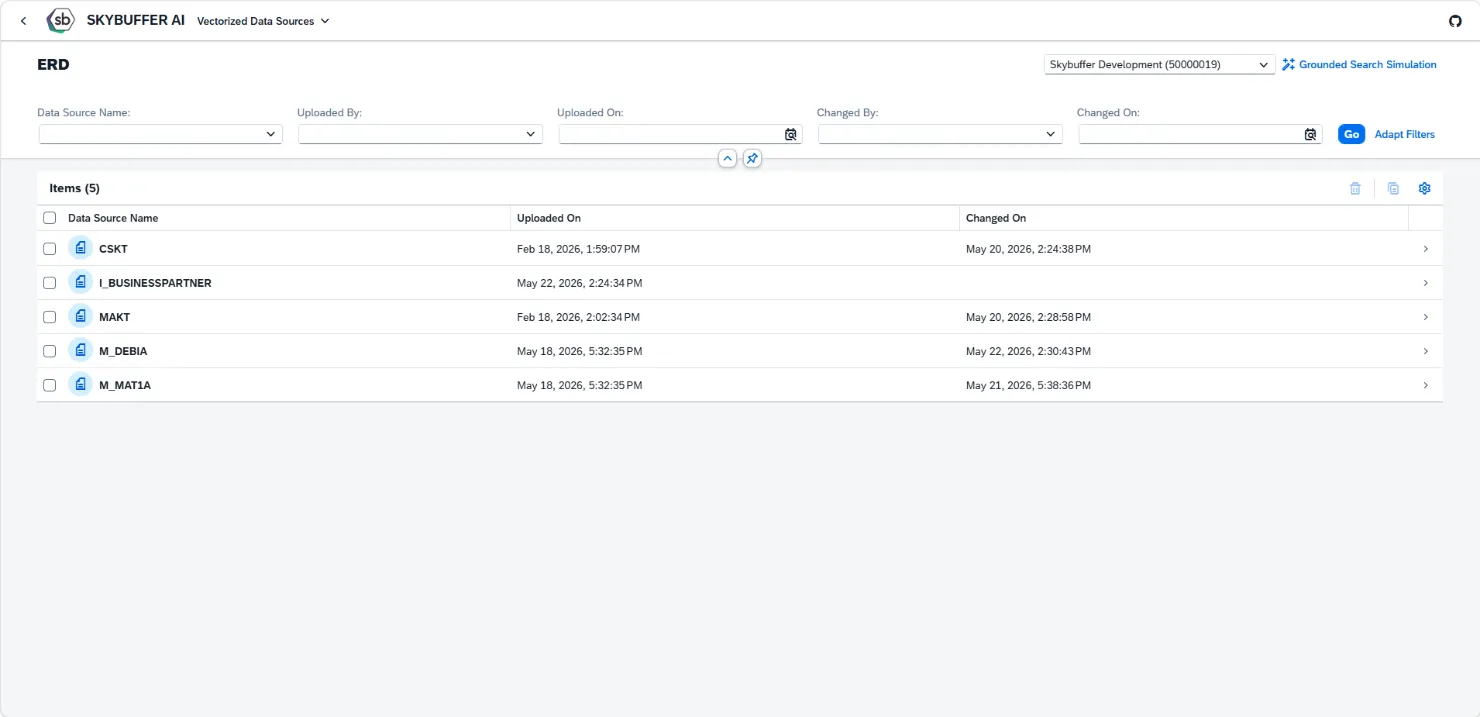
The Vectorized Data Source application allows you to verify which configured data sources have been vectorized and are ready to be used by AI Agents.
Prerequisite: Before using the Vectorized Data Source application, you must complete the Job Scheduler Services Creation configuration. For instructions, see the Job Scheduler Services Creation – Documentation.
When a data source replication is initiated (full or delta), a dedicated space for vectorized documents is created automatically. Within this space, you can review all documents that have been vectorized and are available for AI Agent usage.
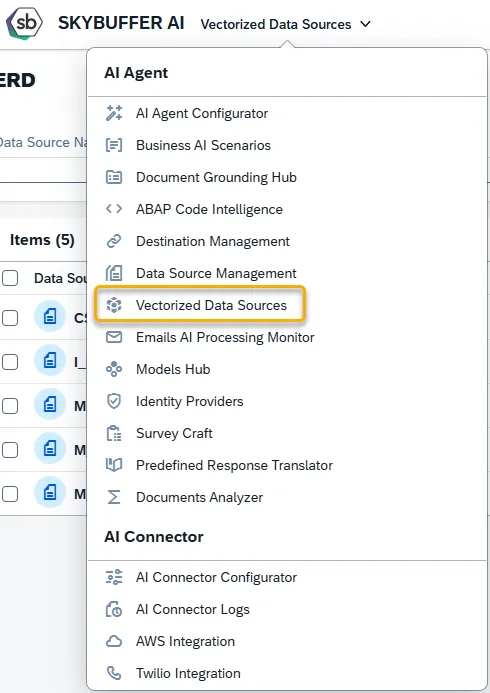
Step 1. Open the Vectorized Data Sources application in the AI Agent group:
Here is the main application view:
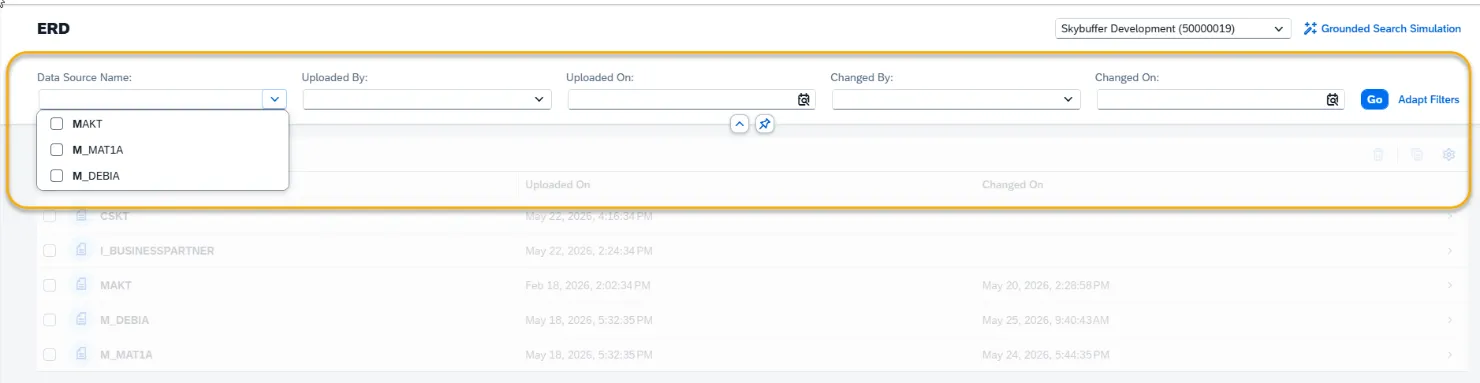
Step 2. Filtering options
Section titled “Step 2. Filtering options”Press the icon on the right side of each filter to see possible options or type in a value for search. You can also start typing in, and matching options will appear.
Press the Go button or press Enter on keyboard to see the search results:
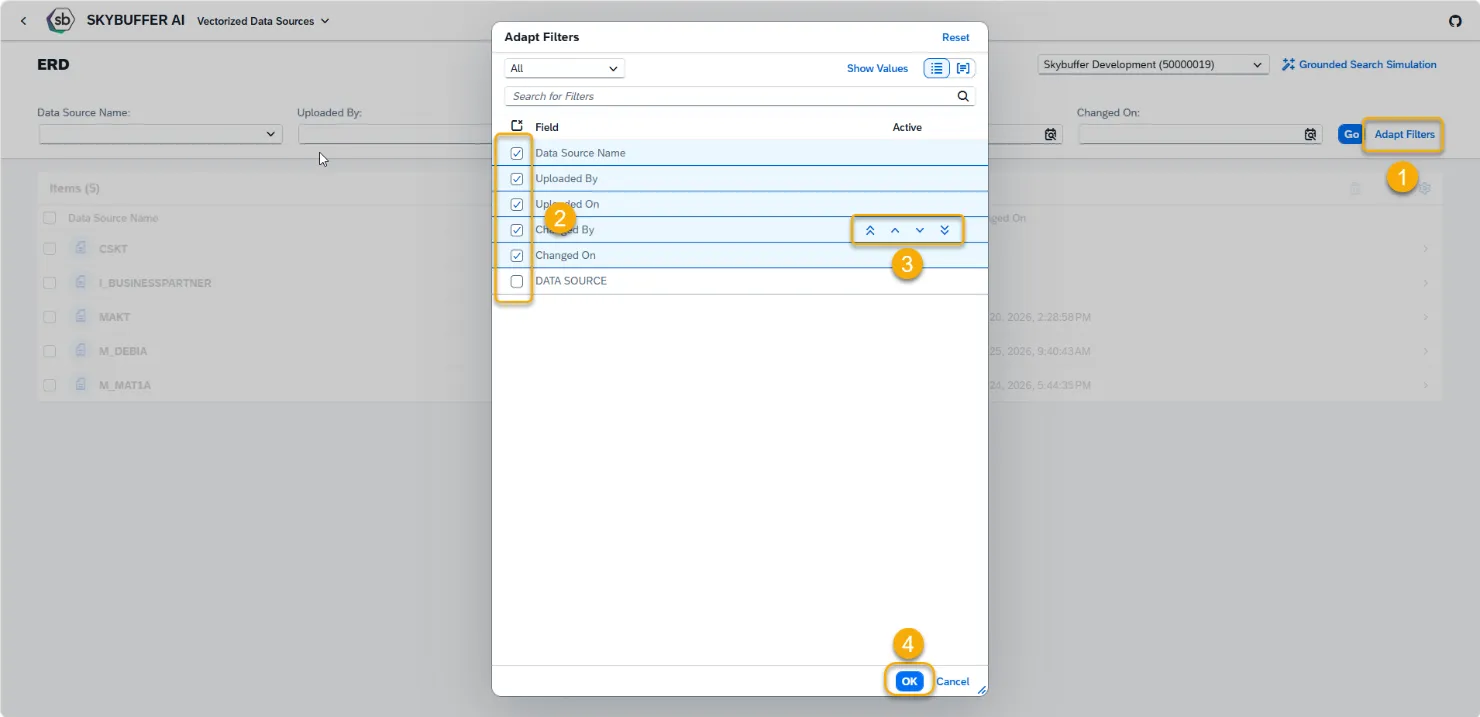
Click Adapt Filters to choose which filters should be visible.
Tick or Untick Fields to show/hide them.
Use up/down arrows to change order of filters.
Finally, press OK to save changes.
Step 3. Search within document
Section titled “Step 3. Search within document”You can search information by direct quote or logical meaning, using Grounded Search Simulation functionality. Press the Grounded Search Simulation button.
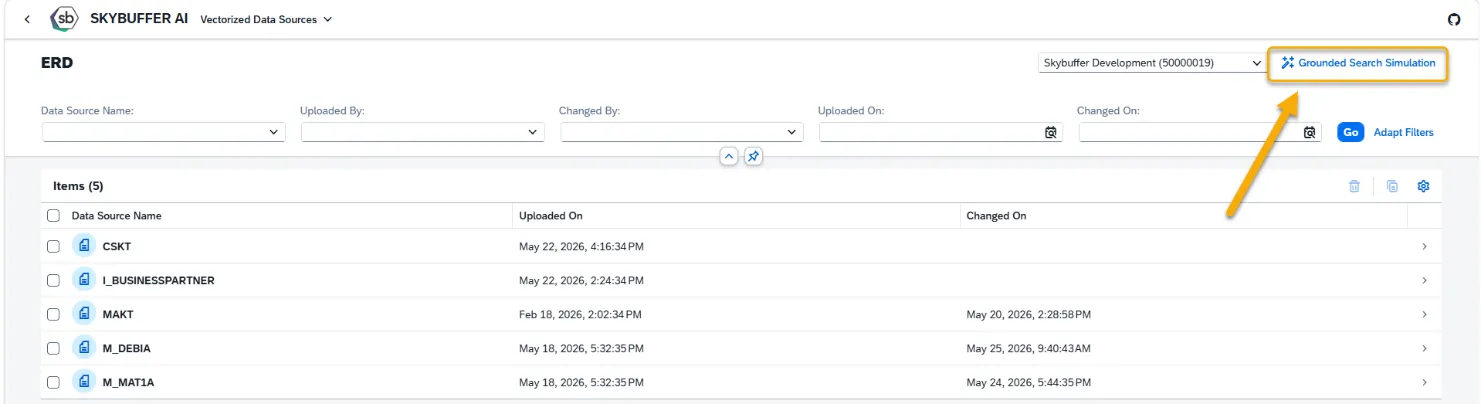
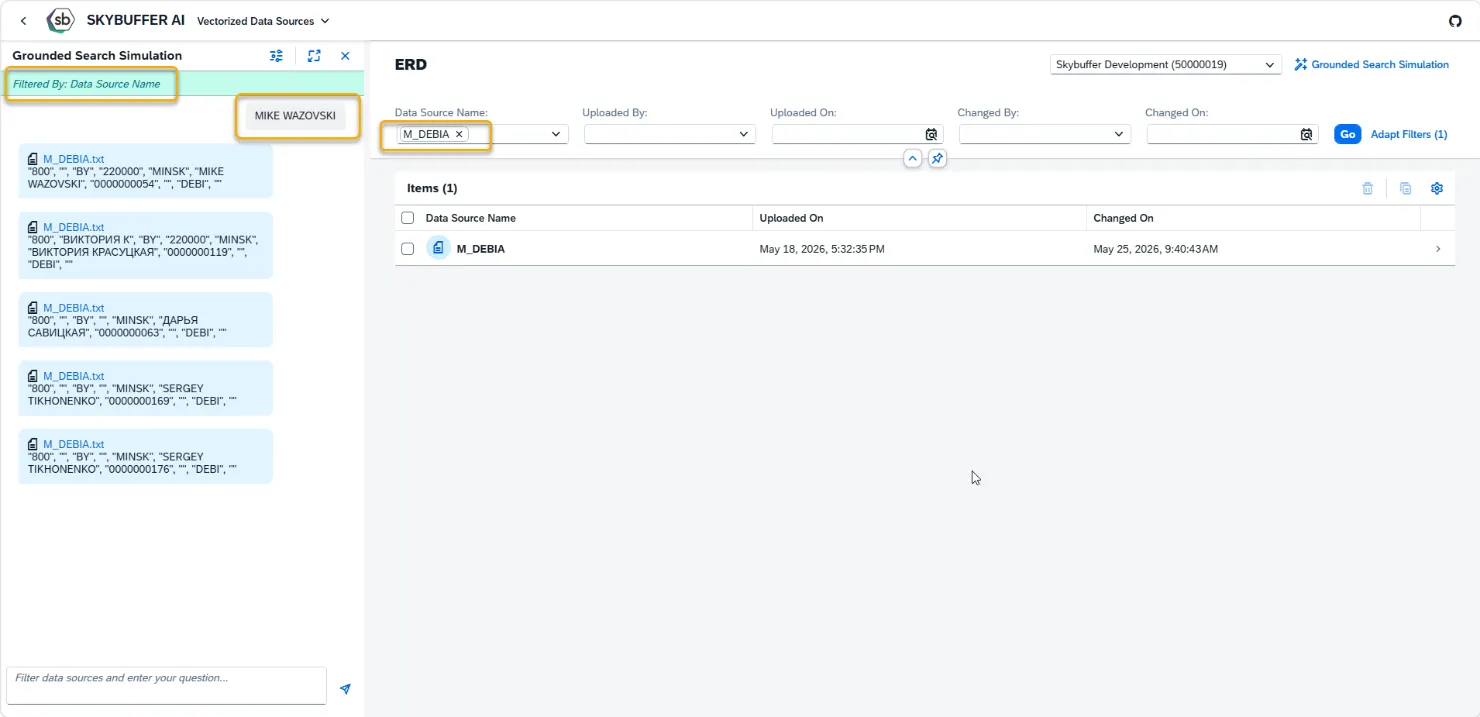
Use filters to pre-filter source documents. Only visible documents (documents that are result of filtering) will be used for retrieving the Grounded Search results.
Write a search phrase in the search field, and press Enter. Or press the arrow icon.
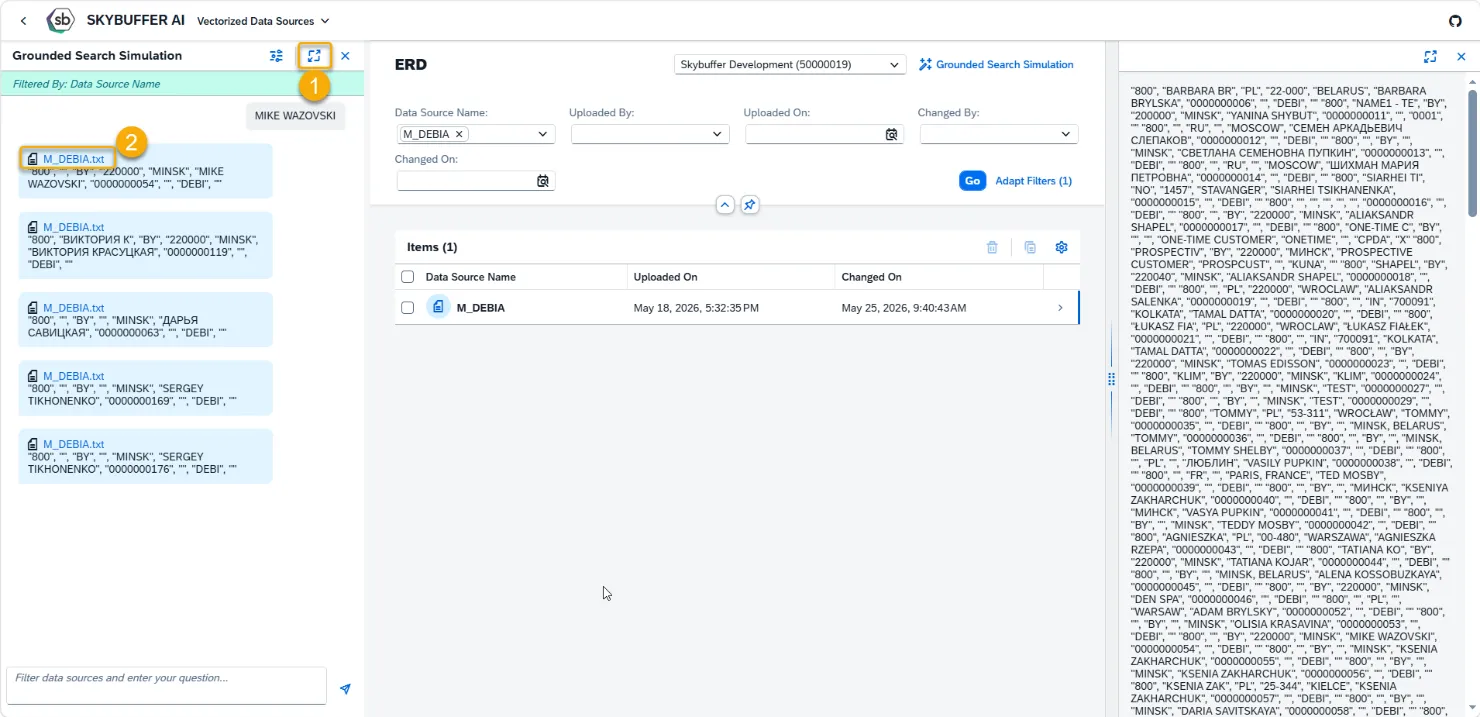
Press the window resize button (1) to set Grounded Search Window to Fullscreen.
Press the blue document name in results (2) to open source document in preview mode.
You can modify number of results and search accuracy ( strictness) by pressing the settings button:
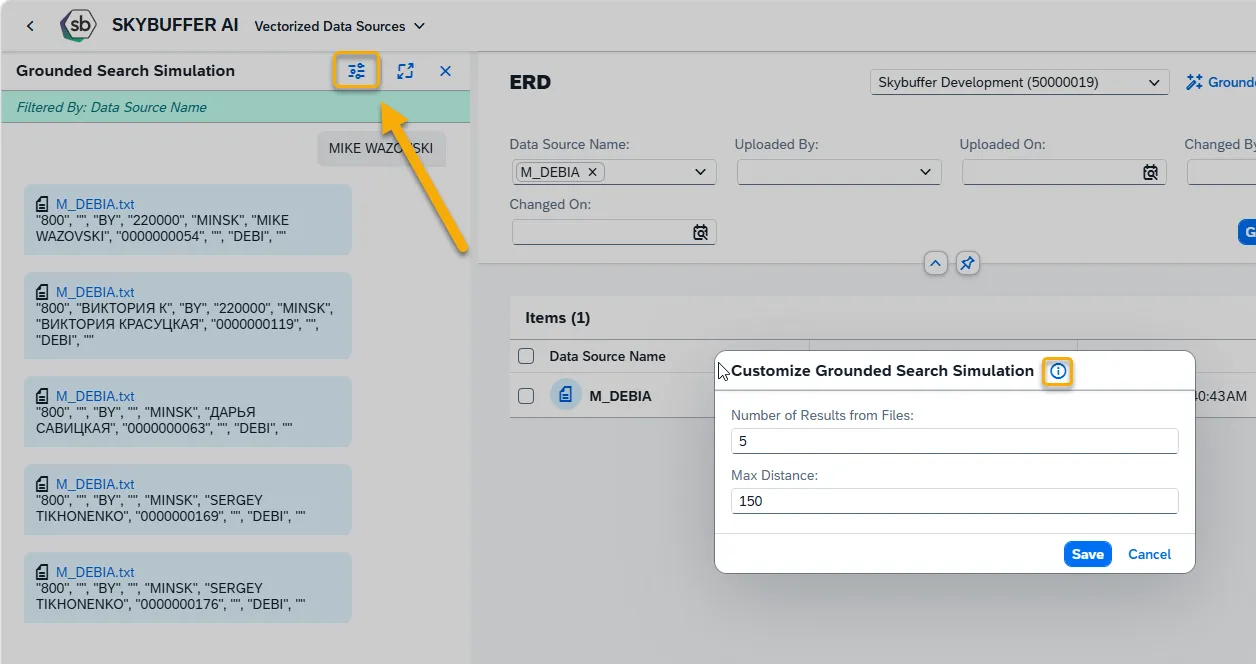
Access the help dialogue by pressing the i Icon.
Edit the values, and press Save.
Step 4. Delete Document
Section titled “Step 4. Delete Document”Select one or multiple documents and press the Bin button. Confirm deletion when prompted.
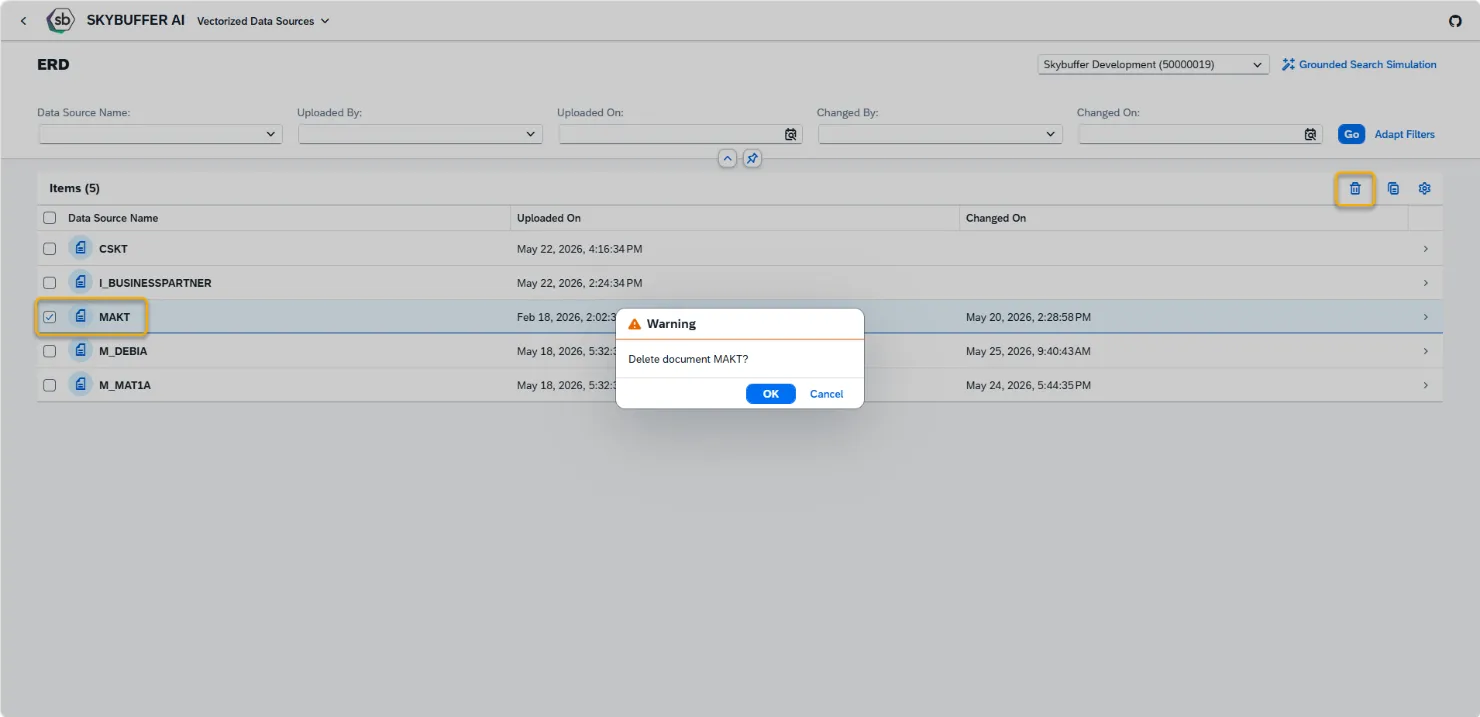
Deleting a document does not remove the data source configured in the Data Source Management application. It only deletes the currently vectorized data. During the next replication cycle, newly fetched data will be vectorized again and added automatically.