
MCP Server Configuration in ABAP System
Step 1. In transaction SICF search for *MCP*:
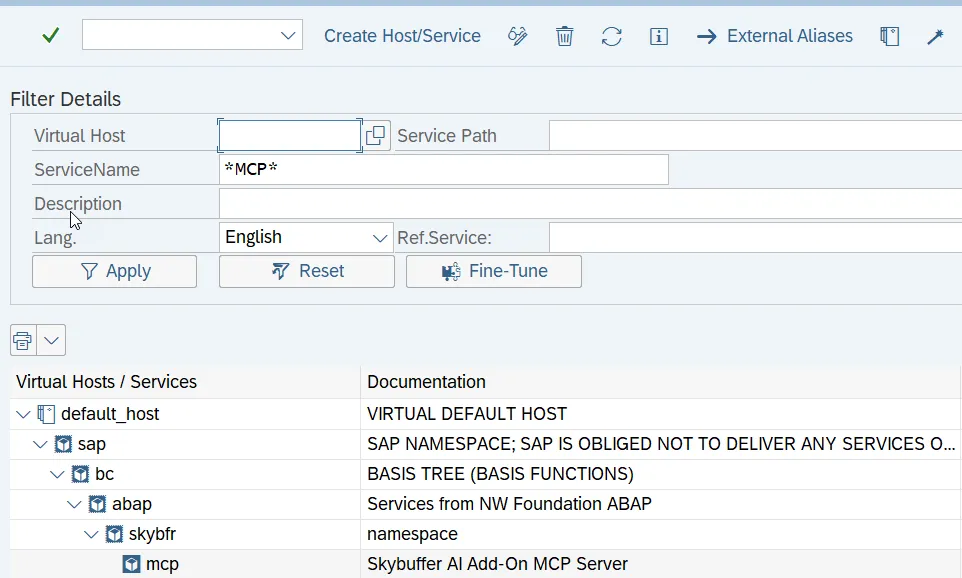
Step 2. Activate MCP node under SAP -> BC -> ABAP -> SKYBFR -> MCP.
Step 3. Use right mouse button click and choose Test Service to get MCP Server URL:
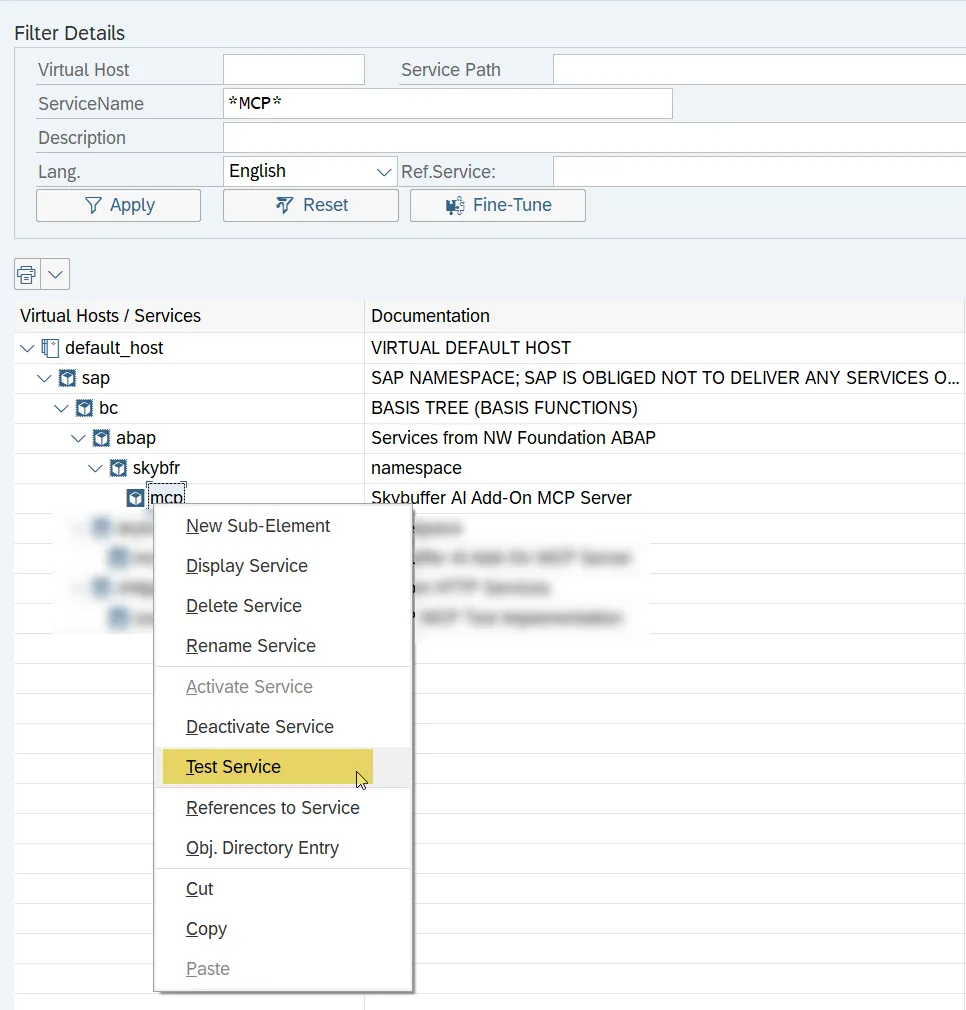
Step 4. Copy URL and use it in your agentic SDK:
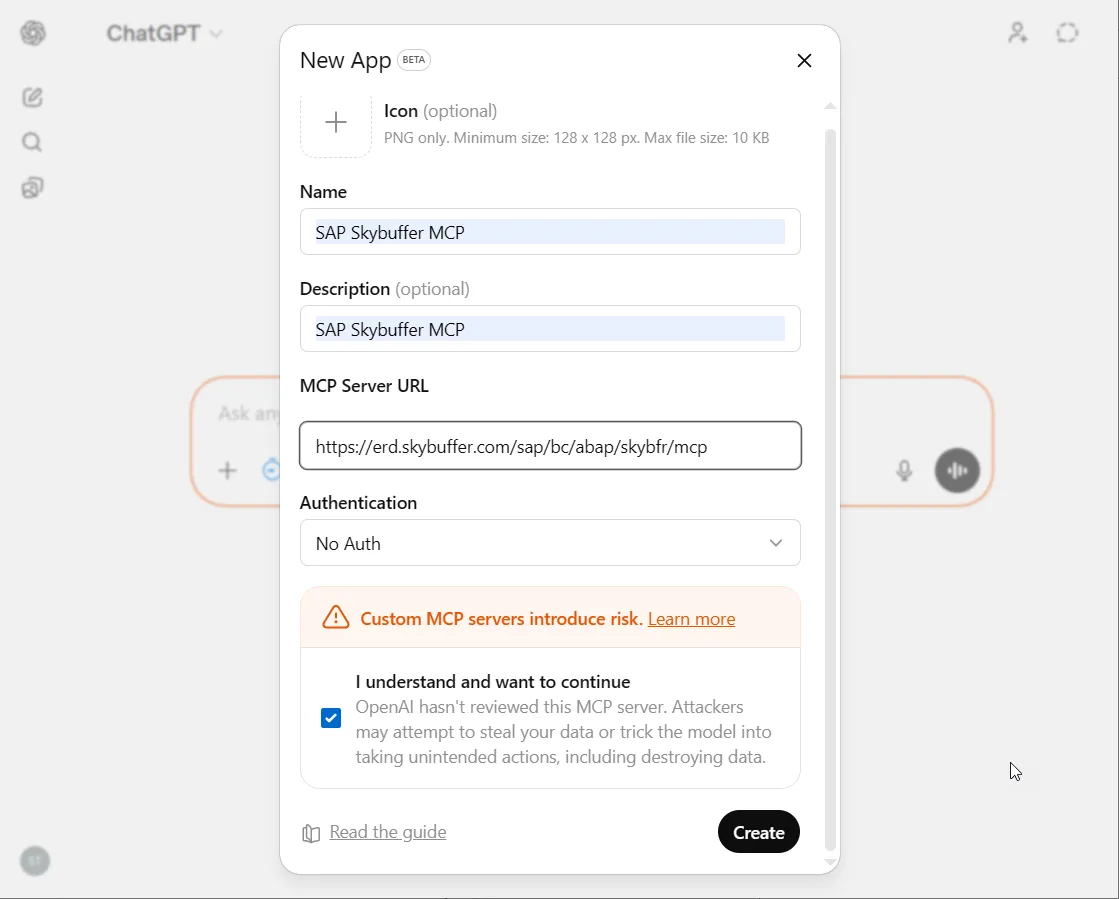
Step 5. Example of MCP Server consumption in ChatGPT: